
Student sorting lots of observations
You switch between long lists and details from individual photos. Scroll and pointer control may therefore be important; Logitech describes the Signature M650 as offering both line-by-line and fast scrolling.


If you switch between long observation lists and details for individual photos while classifying plants, it’s worth considering a mouse that offers both precise and fast scrolling; Logitech describes this feature for the Signature M650. If quiet buttons, connectivity with your laptop or the fit in your hand matter more, choose based on those needs: none of these features on its own proves that you’ll classify plants faster.
You switch between long lists and details from individual photos. Scroll and pointer control may therefore be important; Logitech describes the Signature M650 as offering both line-by-line and fast scrolling.
If you’re clicking while someone else is studying or sleeping in the same room, quiet buttons and the space available on your desk may matter. Logitech and HP describe quiet-click features on specific mouse models.
You’ll want a mouse that suits your hand and workspace. UCLA Ergonomics recommends choosing a pointing device that fits the size and shape of your hand; a product label alone doesn’t determine whether it’s the right fit.
Start with what you do most often while classifying plants: scrolling through long lists, clicking quietly, finding a shape that suits your hand or connecting the mouse to your laptop.
| What to consider | What to look for | Who might value this more? |
|---|---|---|
| Scrolling and pointing | Check whether the mouse offers both precise and fast scrolling, and whether the wheel feels comfortable to use. | If I switch between a long observation list and details for individual photos, I want both types of navigation. Around 33% of consumers prioritise navigation. |
| Click noise | Check whether the quiet-click feature applies to the main buttons on the version you’ve chosen; assess the fit separately. | In a shared room, I want to be able to click without unnecessarily disturbing my housemates. Around 27% of consumers prioritise keeping the room quiet. |
| Fit in your hand | Compare the shape and size with your hand and the hand you use the mouse with; keep the mouse close to the keyboard. | During longer sessions, I want a shape that suits my hand, not just a mouse with an ergonomic label. Around 20% of consumers prioritise fit in the hand. |
| Laptop connectivity | Check whether your laptop supports Bluetooth or has a free USB-A port, and whether a receiver is included. | I want a connection that works with my laptop’s ports and wireless capabilities. Around 20% of consumers prioritise laptop connectivity. |
Click noise and fit in the hand are separate features. The Logitech M650 is available in different sizes, as well as a left-handed version.
Choose the size and handedness you need before comparing quiet-click features.
According to Logitech, the Pebble Mouse 2 M350s is supplied without a Logi Bolt receiver. The HP 280 Silent requires a free USB-A port.
Check what’s in the box, as well as your laptop’s ports or Bluetooth support. If you need a separate receiver or adapter, allow for the extra cost.
The claim that the Trust Verto reduces strain comes from the manufacturer. Whether the shape feels comfortable also depends on your hand and workspace setup.
If possible, try the shape for yourself and break up long periods of computer work.
Models worth considering for this task include the Signature M650 and the more compact Pebble Mouse 2 M350s.
The HP 280 Silent is a conventional quiet wireless option for a laptop with a free USB-A port.
The wired Verto has a vertical shape designed for use at a fixed workstation.
Dell lists the compact, quiet MS355 mouse in its Dutch mouse range.
These mouse options suit different preferences for quiet clicks, connectivity, scrolling and shape when classifying plant photos.
 No image available
A compact, quiet mouse to consider if you’re short on space or click in a shared room.
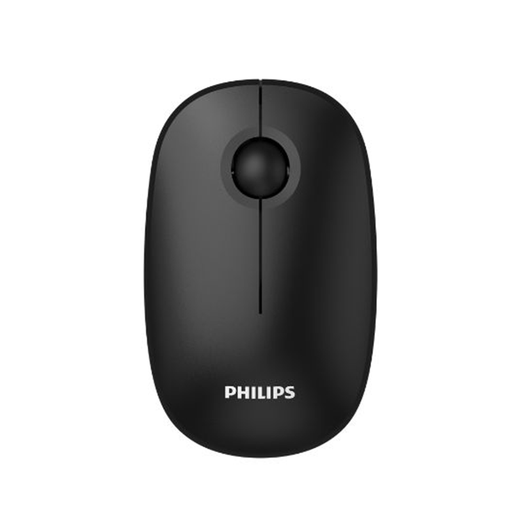 No image available
An option to compare if you’re looking for a quiet mouse with a USB receiver for use with a laptop.
According to the product name: 2.4GHz, 1600 DPI and a USB receiver.
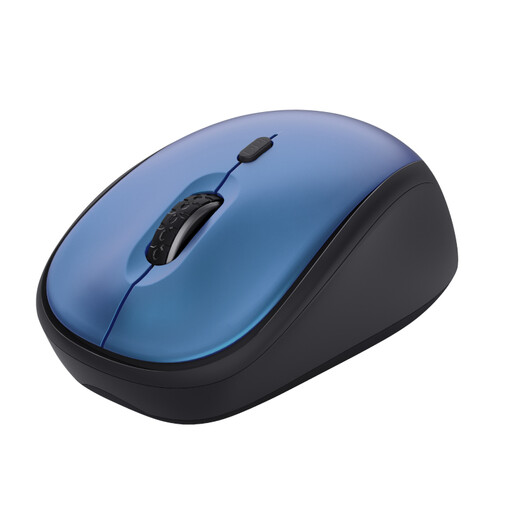 No image available
A compact option to consider if you want quiet buttons and have limited desk space.
According to the product name: wireless, 1600 DPI and blue.
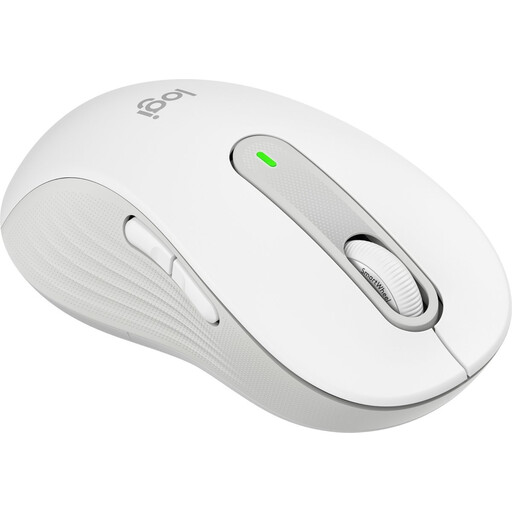 No image available
A left-handed version to consider if you switch between long lists and details for individual photos while classifying plants.
The product name specifies the L Left version in white.
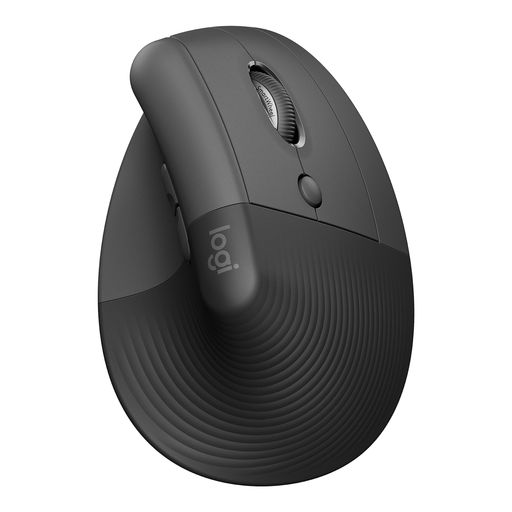 No image available
A vertical shape to compare if you’re looking for a different mouse design for a fixed workstation; decide for yourself whether it suits your hand.
The product name specifies the vertical version in graphite.
No, not for this task alone. For longer sessions, first compare how well the mouse fits your hand and how your workspace is set up. Consider a vertical shape only if it feels comfortable in your hand; keep the mouse close to the keyboard and break up long periods of computer work.
It depends on the model and your laptop. According to Logitech, the Pebble Mouse 2 M350s supports Bluetooth Low Energy and is supplied without a Logi Bolt receiver. The HP 280 Silent uses an included dongle and requires a free USB-A port.
Keep the mouse close to the keyboard and break up long periods of repeated mouse movements with other tasks. Arboportaal outlines specific rules for screen work in the context of employers and employees.
For online purchases by consumers in the Netherlands, you generally have a statutory 14-day cancellation period after delivery, subject to exceptions. If a product is faulty, the seller is responsible for the statutory guarantee; this is separate from any manufacturer’s warranty. ACM ConsuWijzer explains these consumer rights.