If you have few power sockets, a mouse with a replaceable battery or a wired USB mouse can be practical. The first needs no time set aside for charging, while the second draws power from your computer. A rechargeable mouse is another option if you have a suitable USB port for charging. Also consider the number of free ports on your computer, the connection, the fit and how you navigate through your photos.
Who are these mice for?
Photo gallery creator without a charging point
If you don’t want to reserve a power socket for your mouse, compare a model with a replaceable battery with a wired mouse that uses a free port on your computer. Logitech lists both power options for the models discussed.
Frequent image browser
If you browse or scroll through lots of photos, check the scrolling and customisation options available on the exact model. Logitech describes several scrolling features for the M720; according to Logitech, the MX Master 3S has adjustable tracking.
Long-session mouse user
If you spend a long time working on a gallery, consider the shape, size and hand preference. CHERRY describes the MW 8C ERGO as designed for right-handed users with medium to large hands; that description doesn’t tell you whether it will suit every hand.
What should you look for when buying?
First decide how the mouse gets its power and connects to your computer. Then consider its navigation features and how well it fits your photo work.
| Point to consider |
What should you check? |
Who is this most relevant to? |
| Working without a power socket |
Check whether the mouse uses a replaceable battery, needs charging or runs through a computer port. |
If you don’t want to plan time for charging while you work, the power option matters. Around 36% of consumers prioritise working without needing to charge. |
| Navigation and scrolling |
Look at the available scrolling features and check whether adjustable sensitivity and any accompanying software are compatible with your computer. |
If you often browse images or want to adjust the cursor settings, check the controls on the exact model. Around 29% of consumers give navigation and scrolling top priority. |
| Fit for long sessions |
Check the dimensions and whether the mouse is designed for left- or right-handed use; try it for fit if possible. |
If you use the mouse for long periods, you’ll want a shape that suits your hand. Around 21% of consumers put fit at the top of their list. |
| Connection to your computer |
Check Bluetooth support, the availability of suitable USB ports and whether the version you choose uses a receiver. |
If your computer has few free ports or Bluetooth isn’t suitable, the connection type is crucial. Around 14% of consumers give ease of connection top priority. |
Common pitfalls
-
Having few power sockets doesn’t automatically mean you should choose a wireless mouse
A wired mouse can draw power through a USB port on your computer, while a wireless mouse may need a battery or time set aside for charging.
Count your power sockets and free computer ports separately before choosing a power option.
-
Assuming every wireless mouse works without a USB receiver
Wireless models can use different connection types, such as Bluetooth or a USB receiver.
Check the connection type of the exact version and what’s included.
-
Taking an ergonomic shape or high DPI as proof of better photo editing
A product description or adjustable sensitivity doesn’t show that the mouse will suit your hand or improve your photo work.
Consider how well it fits and works for your needs rather than comparing specifications alone.
Brands to consider
Logitech
The Logitech models discussed offer different power and navigation options.
- According to Logitech, the M720 uses one replaceable AA battery; the M100 is wired via USB.
- According to Logitech, the MX Master 3S discussed has adjustable tracking.
- The M720 will eventually need a new battery; the M100 uses a suitable free USB port. Features vary by model.
Trust
According to Trust, the Fyda multi-device mouse discussed combines a built-in rechargeable battery with Bluetooth 5.2 and a 2.4 GHz USB receiver.
- The connections listed give you two ways to connect the mouse.
- The battery will eventually need charging; the battery life quoted by Trust is based on average use and may vary.
CHERRY
CHERRY describes the MW 8C ERGO as a rechargeable mouse for right-handed users with medium to large hands.
- According to CHERRY, you can charge the battery via USB-C while you work.
- The described fit is intended for a specific hand preference and hand size; it doesn’t prove the mouse will suit everyone.
Joybuy products
This selection from Joybuy includes wired USB mice and wireless models with AA batteries for anyone who doesn’t want to use a separate power socket for their mouse.
 No image available
HP 125 wired optical mouse
A wired option if you have a free USB-A port on your computer and don’t want to plan for a battery or charging.
The product name lists 1200 DPI; the product description mentions optical tracking and a scroll wheel.
Requires an available USB-A port.
Joybuy
 No image available
Logitech M705 Wireless Mouse Black
A wireless option if you don’t want to plan for charging and can connect a USB receiver to your computer.
The product description lists AA batteries, a Unifying receiver, laser tracking and fast scrolling.
The batteries will eventually need replacing; the connection described uses a USB receiver and doesn’t mention Bluetooth.
Joybuy
 No image available
HOFOTEK M311 2.4G+BT Silent Office Mouse
A wireless option if you want a choice between Bluetooth and a 2.4 GHz connection; check which connection suits your computer.
The product name lists one AA battery. The product description mentions optical tracking, adjustable DPI and quiet clicks.
The battery will eventually need replacing; the 2.4 GHz option uses a USB receiver.
Joybuy
 No image available
Logitech G G309 LIGHTSPEED Wireless Gaming Mouse
A wireless option if you don’t want to plan for charging and can use Bluetooth or a USB receiver with your computer.
The product description lists an AA battery, a scroll wheel, adjustable DPI and six programmable buttons.
The battery will eventually need replacing; using the USB receiver requires an available computer port.
Joybuy
 No image available
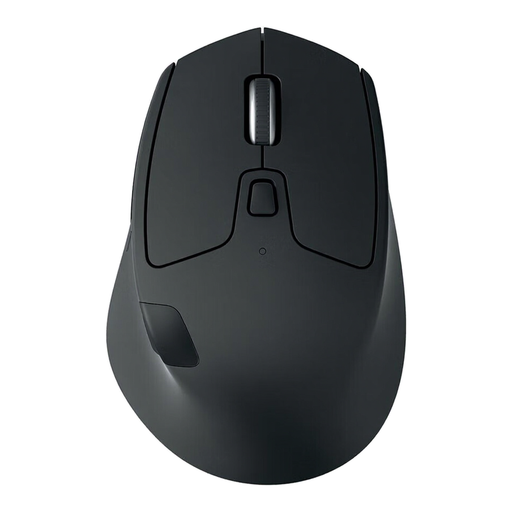
Logitech M720 Triathlon Wireless Right-Hand Mouse Black, 910-004791
A wireless option if you don’t want to plan for charging while you work and are looking for a right-handed model.
The product description lists one AA battery, Bluetooth and a USB receiver. It also mentions fast and step-by-step scrolling, and switching between up to three computers.
The battery will eventually need replacing; using the USB receiver requires an available computer port.
Joybuy
Frequently asked questions
Does a wired mouse need a free power socket?
No, you connect the Logitech M100 discussed here directly to a USB port on your computer. Just check that the port is available and suitable.
Can you use a rechargeable mouse while it’s charging?
It depends on the model. CHERRY says this is possible with the MW 8C ERGO; check the product information separately for other mice.
Where can you take a flat AA battery or an old mouse?
The Government of the Netherlands advises taking flat batteries to a collection point rather than putting them in general waste. You can take a discarded electric mouse to a collection point; for private purchases of a similar new appliance, the old-for-new scheme may also apply.
What warranty applies to a purchase in the Netherlands?
According to the Government of the Netherlands, there is no fixed statutory warranty period in the Netherlands. However, a product must meet what you can reasonably expect from it. Contact the seller if a product is faulty. Normal wear and tear and damage caused by your own actions are not automatically covered.
Does a CE mark mean a wireless mouse has been independently approved?
No. For products that must carry a CE mark under applicable EU rules, the manufacturer declares that the product complies with those rules. According to the European Commission, no central EU body issues a general CE certificate; wireless radio equipment is covered by EU rules on areas including safety and radio spectrum.


