What should you look for when choosing?
Start with the task you do most often: browsing and selecting, finding a comfortable grip, saving space or connecting easily. The key question is whether the controls suit your photo software and workspace.
| What to consider |
What should you look for? |
Who should prioritise this? |
| Browsing and selecting |
Test the scroll wheel in your thumbnail view and check whether the buttons can be customised in your operating system and photo software. |
If you browse lots of thumbnails and folders, smooth scrolling and selecting are important. Around 36% of consumers prioritise navigation. |
| Hand comfort and grip |
Check which hand the mouse is designed for, its fit for your hand size and whether you can reach the buttons comfortably; a different grip may take some getting used to. |
If you work for extended periods, a comfortable hand position may matter more than extra features. Around 29% of consumers put hand comfort first. |
| Desk space |
Consider whether you find trackball control comfortable and whether you have room for the trackball and the required USB connection. |
If you have little room to move a mouse around, stationary control may suit your desk better. Around 21% of consumers prioritise desk space. |
| Connectivity and use |
Check Bluetooth, the type of USB connection, whether a receiver is included and whether any customisation software works with your computer. |
If you want to connect the mouse to your existing computer without any hassle, check in advance which connection and accessories the model uses. Around 14% of consumers prioritise easy connectivity. |
Mice at Joybuy
These mice are options to consider for pointing and selecting while organising a photo archive at home. In particular, compare the listed connections and features with your computer and photo software.
 No image available
NAXSIR wireless mouse with Bluetooth
An option to compare if you want to adjust cursor sensitivity while selecting photos.
The product name lists Bluetooth, 2.4G, a USB-C cable connection and 6 DPI levels.
View at Joybuy
 No image available
Logitech M705 wireless mouse, black
A conventional mouse option for anyone who wants to scroll through lists and documents while organising their archive.
This mouse uses a USB receiver rather than Bluetooth, so check that your computer has a compatible USB port.
View at Joybuy
 No image available
HOFOTEK M311 silent office mouse
An option to compare if you are looking for a wireless connection and adjustable cursor speed.
The product name lists 2.4G and Bluetooth, multiple DPI levels and an AA battery.
View at Joybuy
 No image available
AJAZZ AJ200 AI MC wireless gaming mouse with charging dock
The product name lists reassignable buttons; check whether this feature works with your photo software.
The listed features include 24,000 DPI, a PAW3311 sensor, Bluetooth, 2.4G and USB-C connections, a charging dock and a weight of 63 g.
View at Joybuy
 No image available
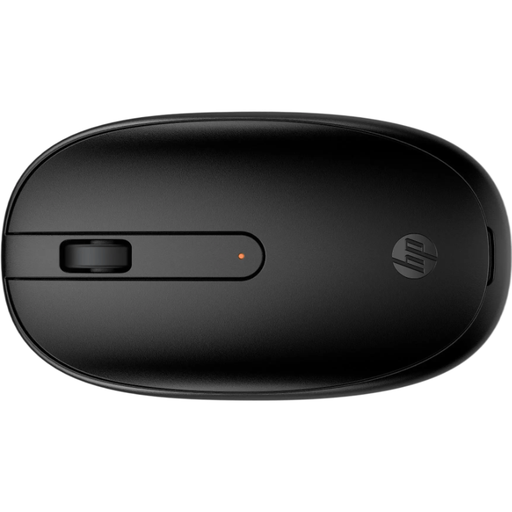
HP 240 Bluetooth mouse, black
An option to compare if you want to use a scroll wheel while browsing.
To pair via Bluetooth, Bluetooth must be available on the computer you want to use with the mouse.
View at Joybuy
Frequently asked questions
Do you mainly need a high DPI rating to organise photos?
No, a high DPI rating is not essential for organising photos. First, consider how comfortable it is to point and scroll, and how well the mouse works with your photo software. Logitech describes the MX Master 3S as having adjustable sensitivity; Lightroom Classic also has keyboard shortcuts.
Do you need to install software to use extra mouse buttons?
That depends on the model and how you want to assign the buttons. Logitech lists Logi Options+ for customising the MX Master 3S on Windows and macOS. Before choosing a mouse for its extra buttons, check that the software works with your operating system and photo software.
Is a vertical mouse enough if you sort photos for long periods?
No, a suitable mouse is only one part of your workspace. Arboportaal recommends taking breaks from screen work, varying your posture and taking short micro-breaks. A vertical design does not guarantee that discomfort will disappear.
What are the rules in the Netherlands when buying online and dealing with a faulty mouse?
When you buy online from a business, you generally have a 14-day cooling-off period; check the applicable terms and exceptions. According to the Dutch government, the Netherlands has no fixed statutory warranty period. The seller must resolve an issue with a faulty product if it does not meet reasonable expectations.
Do screen-work rules also apply when you organise personal photos at home?
The obligations mentioned apply to employers and employees who work with screens, including when working from home. They do not set legal mouse specifications for someone organising personal photos. However, advice on varying your activities and posture can still be useful.


