Mice at Joybuy
This product selection includes mice for document navigation, wireless use and different hand preferences. For each model, check the connection, controls and any software requirements for your home workspace.
 No image available
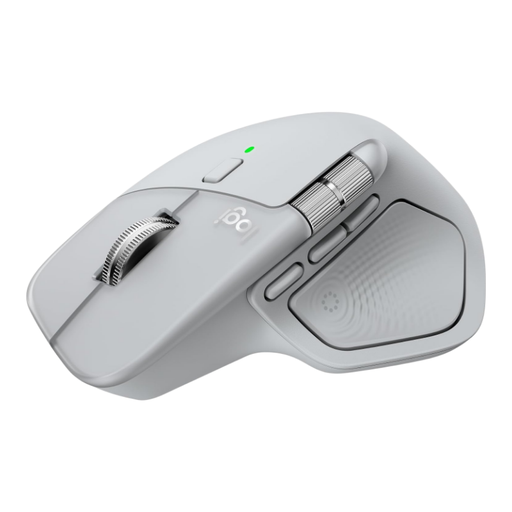
Logitech MX Master 4 Light Grey
An option if you often navigate long documents while editing. The product information mentions MagSpeed scrolling and horizontal scrolling; check that the features work with your computer via Logi Options+.
View at Joybuy
 No image available
Microsoft Surface Arc Mouse Violet
An option if you want to work wirelessly and scroll both vertically and horizontally. The product information mentions Bluetooth and compatibility with Windows 10/11; check that these connections and software suit your computer.
View at Joybuy
 No image available
Philips 3000 Series Wireless Mouse SPK7378B/00
An option if click noise and wireless use are important to you. The product name mentions 2.4 GHz, a USB receiver, silent click and 1600 DPI; check that your computer can use the receiver.
View at Joybuy
 No image available
Trust Bayo II Medical Right-Handed Mouse
An option if you want to try a vertical mouse designed for right-handed use. The product information mentions a vertical design and control via a USB receiver; check that this version suits your hand.
View at Joybuy
 No image available
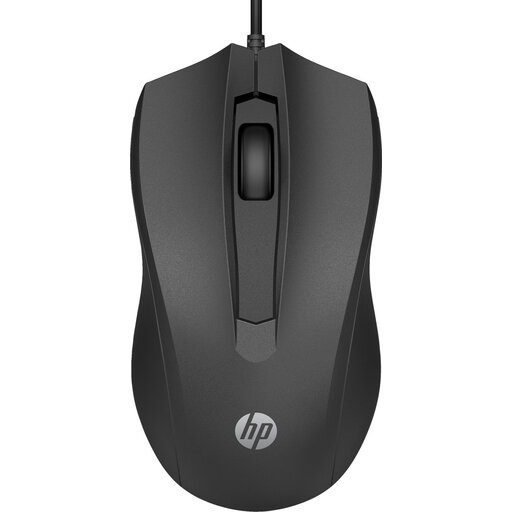
HP 105 Ambidextrous Optical Wired Mouse USB-A
An option for standard document navigation and use with either hand. The product name mentions a wired USB-A mouse with three buttons; check that your computer has a suitable spare port.
View at Joybuy
Frequently asked questions
Do I need a vertical mouse to edit a newsletter?
No, it is not essential. Choose a design that suits your hand and the work you do. The Dutch Arboportaal highlights the importance of a well-set-up workspace and varying your tasks; a different mouse shape is no substitute for either.
How do I connect a wired Trust Verto or Kensington Orbit?
According to their manufacturers, both models mentioned have a USB cable. Before buying, check that your computer has a suitable spare port and that the cable will reach your desk set-up: Trust lists a 1.5-metre cable for the Verto and Kensington lists 150 cm for the Orbit.
What can I do if a mouse I bought online does not feel comfortable?
According to the Dutch government, consumers buying online from a business usually have a 14-day cooling-off period. There are exceptions, and the rules differ in some cases, including purchases from private individuals. Check who the seller is and read the returns information.
Is the statutory warranty in the Netherlands always exactly two years?
No. The Dutch government says that the Netherlands does not have a fixed statutory warranty period: what you can expect from a product depends, among other things, on the product and the information provided. If something is faulty, contact the seller; a manufacturer’s warranty is in addition to your statutory rights.
Does Dutch law require a particular type of mouse for a home workspace?
The government information cited does not specify a particular mouse model. The Arboportaal outlines employers’ obligations relating to safe screen work and alternating it with other work or a break. Whether those employer rules apply to your situation depends on your working relationship.


