
Analyst working with wide loan lists
You often navigate wide tables and want to move smoothly between columns. Trust and Logitech offer a side-scrolling wheel on specific models; check that it works in the application you use.


If you often work with wide loan lists, look for a useful side-scrolling wheel; quiet main buttons are also worth considering in a calm, shared space. Choose a size and style of operation that suit your hand and desk, and check whether Bluetooth or the required USB connection is allowed at your workplace. None of these features makes one mouse suitable for everyone.
You often navigate wide tables and want to move smoothly between columns. Trust and Logitech offer a side-scrolling wheel on specific models; check that it works in the application you use.
You want to disturb your colleagues as little as possible and may switch between desks or computers. Trust and Dell describe the main buttons on specific models as quiet; also check which connections are allowed on your computer.
You have little room to move a mouse, so you may be considering a stationary trackball. Kensington describes the Orbit as a trackball that stays in place; how it operates and how it fits your hand are personal choices.
Start with what you do most often when analysing data: navigate horizontally between columns, work quietly, find a comfortable style of operation or switch between workstations.
| What to consider | What should you check? | Who is this most important for? |
|---|---|---|
| Navigating tables | Trust and Logitech list a side-scrolling wheel for specific models. Check that it works in the application you use to view loan lists. | When working with wide lists, I want to move quickly between columns. Around 36% of consumers prioritise table navigation. |
| Quiet clicks | Trust and Dell describe the main buttons on specific models as quiet. Don’t assume that scrolling or moving the mouse is equally quiet. | When colleagues are working beside me, I want to keep clicking noise down without assuming that every mouse sound will disappear. Around 29% of consumers put consideration for others first. |
| Fit and working habits | Check the size and hand preference; the Logitech M650 series comes in different sizes, including a large left-handed version. If space is limited, you could also consider the stationary Kensington Orbit. | During longer working sessions, I want a shape and style of operation that suit my hand, and to vary my work. Around 21% of consumers say fit and variety are their main considerations. |
| Connection and switching | Check whether Bluetooth, a USB receiver or a cable is suitable for your computer and local IT policy. Kensington lists a 150 cm USB cable for the Orbit. | When I switch computers or desks, I want a connection that’s allowed and works at that workstation. Around 14% of consumers prioritise being able to move between workstations. |
Logitech compares the main clicks of the MX Master 3S with those of the MX Master 3, measured at a distance of one metre. This comparison doesn’t mean that every sound made by the mouse is inaudible.
Check which actions a noise claim applies to, and consider scrolling separately if quiet operation matters to you.
For loan lists, scroll direction, how the mouse operates, its connection and how it fits your hand all matter too. A DPI figure alone won’t tell you whether a mouse is right for your task.
Start with your tables, hand and computer; then compare the features you actually need.
The Kensington Orbit stays in place, but you control it with a ball and connect it with a cable. It works differently from a mouse that you move across the desk.
Consider a trackball if you have limited room to move, and check that its ball control and cable suit your workstation.
The Dutch government distinguishes between statutory rights and additional warranties. If a product is faulty, the retailer is your point of contact for a solution.
Keep your proof of purchase and contact the retailer if there’s a problem with the product.
According to Trust, the Ozaa+ combines quiet buttons, a side-scrolling wheel and multi-device connectivity. These features may be useful if you work with tables at a shared desk.
According to Logitech, the MX Master 3S has a thumb wheel and a MagSpeed scroll wheel for extensive navigation. The M650 series comes in different sizes, including a large left-handed version.
Dell describes the Pro MS355 as a compact, quiet mouse for anyone who values simplicity and has limited desk space.
The Orbit K72337EU is a wired, stationary trackball with a scroll ring and a symmetrical design. It operates differently from a mouse that you move across the desk.
HP describes the 280 Silent Wireless Mouse as a straightforward wireless mouse with quiet clicks.
This selection includes mice and a keyboard-and-mouse combo that offer features relevant to your choice, such as quiet operation or different connection options. Check whether each model’s features suit your tables and shared workstation.
 Image unavailable
Worth considering if you navigate horizontally through wide tables or switch between computers; check that the features are available at your workstation.
The product name lists Bluetooth, USB-C charging, fast scrolling and compatibility with MacOS, iPadOS and Windows.
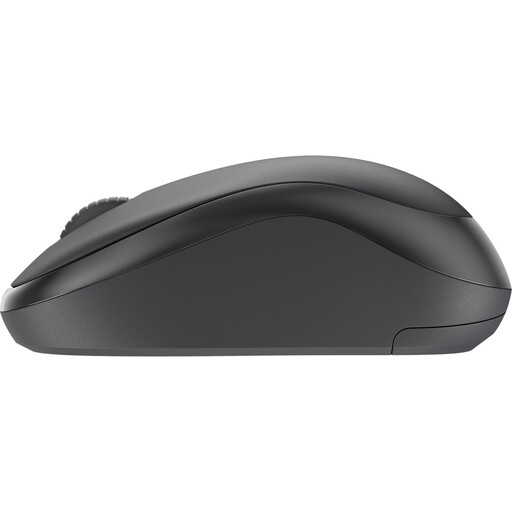 Image unavailable
The product name describes a quiet wireless mouse; consider this model if click noise and wireless use at your shared workstation are important to you.
The name specifies the colour as black. Check that the controls and connection suit your computer.
 Image unavailable
The product name describes this model as a quiet office mouse; check that its connection options are allowed on the shared computer.
The name lists 2.4G+BT, adjustable DPI levels and one AA battery.
 Image unavailable
The name identifies this model as a gaming mouse; consider whether its listed specifications suit the way you work with loan lists.
The product name lists three modes: BT, 2.4G and USB-C, plus 24000 DPI, a PAW3311 sensor and a weight of 63 g.
 Image unavailable
A keyboard-and-mouse combo may suit you if you need both; check first that the keyboard layout is right for your work.
The product name specifies a US QWERTY layout and a wireless 2.4GHz set.
Only if you regularly navigate horizontally between columns and the feature works in your software. Trust and Logitech list this feature on the Ozaa+ and MX Master 3S respectively; for lists that are mainly vertical, a different scrolling control may be enough.
First check that the computer supports your chosen connection and that connecting or pairing a device is allowed. The Trust Ozaa+ is listed with Bluetooth and a 2.4GHz USB receiver; if you’re unsure, check your local IT policy.
Vary your posture and tasks, and set up your workstation appropriately; changing your mouse doesn’t replace these steps. The Arboportaal explains that under Arbobesluit 5.10, screen work must be regularly alternated with other work or a break.
For distance purchases, the Dutch government says you often have a 14-day cooling-off period; check whether it applies to your purchase. If a product is faulty, the retailer is your point of contact for your statutory rights, in addition to any extra warranty.