
Lesson planner in a quiet shared space
You want to edit documents without making noticeable clicking noises beside your colleagues. Also check which connections are available on the computer you use.


Start with what matters most to you: quiet clicks, a comfortable shape or a connection that works with the computers you use. A compact Bluetooth mouse doesn’t need a USB receiver; a mouse with both Bluetooth and a receiver gives you more connection options, while a wired mouse avoids pairing and battery management. Check that it fits your hand and is compatible with the connections available at your desk. A mouse is no substitute for adjusting your workstation or taking breaks from screen work.
You want to edit documents without making noticeable clicking noises beside your colleagues. Also check which connections are available on the computer you use.
You’re looking for a shape that suits your hand and want to adjust your workstation to suit the way you work. A mouse alone won’t remove the strain of prolonged screen work; the Arboportaal also describes the strain caused by repetitive actions and static working postures.
For example, you use your own laptop as well as a desktop computer at work. Check in advance how the mouse connects to both devices and whether pairing is allowed on the shared computer.
First decide whether quiet operation, a comfortable fit, switching between computers, easy connection or maintenance matters most to you.
| What to consider | What should you look for? | Who is this important for? |
|---|---|---|
| Quiet operation | Check whether the buttons on the version you’re considering are described as quiet. A manufacturer’s claim isn’t an independent measurement of the noise at your workstation. | If I work beside colleagues, I want to minimise clicking noises without overlooking my other needs. Around 31% of consumers say quiet operation is their top concern. |
| Fit and working posture | Check your hand size, whether the mouse is designed for left- or right-handed use, and the space beside your keyboard. Adjust your workstation to suit you, too. | When pointing for long periods, I want a shape and design that suit my hand. Around 25% of consumers give fit and working posture top priority. |
| Switching between devices | Compare Bluetooth support, available USB ports and the option to switch between devices. Check your school’s policy, too. | If I switch between my laptop and a shared computer, I want to know how to connect to both. Around 19% of consumers put switching between devices first. |
| Connection without battery management | Check whether a USB-A port is available and whether a cable will suit your setup. For a wireless model, check how it’s powered. | I’d rather connect without wireless pairing or battery management, and may be happy to use a cable. Around 13% of consumers make ease of connection their top priority. |
| Cleaning and sharing | Look up the care instructions for the exact model and agree on who will clean the mouse. Don’t assume that every cleaning product is suitable for every model. | If several people use the same mouse, I want to know how to care for it according to the instructions. Around 12% of consumers put maintenance for shared use first. |
A Bluetooth mouse without a receiver needs compatible Bluetooth support. Other models also come with a receiver, but the computer needs the right USB port for it.
Check the connections on your laptop and the shared computer, and ask whether pairing is allowed at your workplace.
A shape that feels comfortable for one person may not suit every hand. Prolonged screen work can also put more strain on you than just moving the mouse.
Check the size and whether it’s designed for left- or right-handed use, adjust your workstation to suit you and vary your tasks. If you start to experience discomfort, seek appropriate professional advice if needed.
Cleaning tests for specific models don’t automatically apply to other versions. Using an unsuitable product can damage the material.
Follow the care instructions for the exact model, and don’t use a cleaning product without checking that it’s suitable.
The ACM distinguishes between consumer protection and a contract used mainly or exclusively for business purposes.
Check who is legally making the purchase and which returns terms apply.
The M240 Silent is a Bluetooth model without a receiver. The Signature M650 range is available in different hand-specific designs, with Bluetooth or Logi Bolt depending on the model.
According to Trust, the Ozaa Compact is designed for use with Bluetooth and a 2.4GHz receiver.
The GENTIX SILENT is a wired model for a workstation with a compatible USB-A port. The MW 4500 range has separate right- and left-handed versions with an angled shape.
These Joybuy product picks are for lesson planning at a shared desk, with quiet operation, connection type and hand preference in mind.
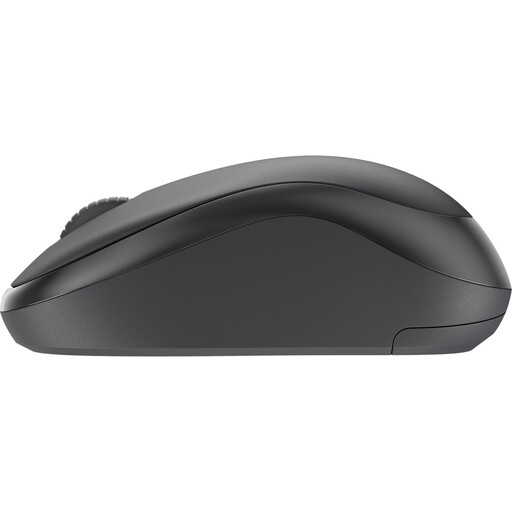 No image available
An option if you want quiet operation and wireless convenience at a shared desk.
The product name includes Silent and wireless.
 No image available
An option if you want quiet operation and would like to compare different connection options.
The product name includes 2.4G+BT, Silent and adjustable DPI levels. The mouse runs on an AA battery, so remember to replace it when needed.
 No image available
This version is designed for left-handed users with larger hands. Check that it’s the right fit for you.
The product information lists quiet operation and Bluetooth Low Energy or a Logi Bolt receiver. The mouse runs on an AA battery.
 No image available
A vertical shape may be worth trying if you’d like a different grip. Decide for yourself whether it suits your hand.
This version is described as suitable for small to medium-sized right hands. A different mouse grip is no substitute for adjusting your workstation.
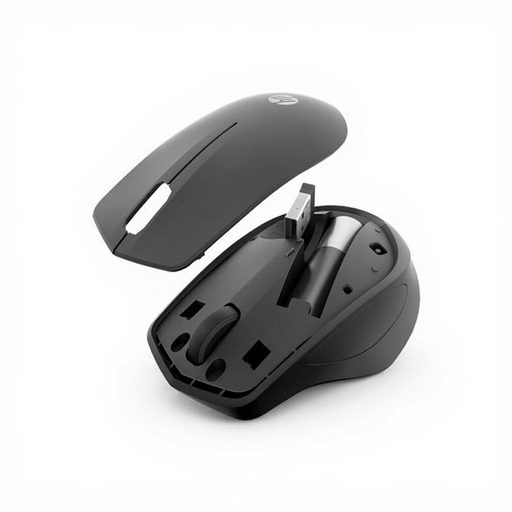 No image available
An option if you’re looking for a quiet wireless mouse for a shared workspace.
The product name includes Silent and Wireless. The connection described requires an available USB-A port.
No. Don’t assume you can without checking the computer and workstation. The computer needs compatible Bluetooth support, and pairing must be allowed. A model with a receiver offers another way to connect, provided the necessary USB port is available.
Follow the instructions for the exact model. Logitech describes cleaning tests for specific education products; those results don’t prove that the M240, M650 or mice from other brands can withstand the same cleaning products.
You can’t tell that from the product specifications. The Arboportaal recommends, among other things, adjusting your workstation to suit you and varying your tasks. If you start to experience discomfort, seek advice from your occupational health doctor if needed.
For an online consumer purchase in the Netherlands, you generally have up to 14 days after delivery to change your mind, according to ACM ConsuWijzer. Statutory guarantee rights also apply if, under normal use, the product doesn’t do what you could reasonably expect; there is no fixed general guarantee period of two years. If you’re buying on behalf of a school or mainly for business use, you can’t automatically assume that consumer rights apply.
According to the Rijksinspectie Digitale Infrastructuur, radio equipment sold must meet the applicable European requirements and carry a CE mark. Check the marking and product information for the specific version. A listing in an online shop alone doesn’t prove that it meets the requirements.