
Writers who want a quieter workspace
If you write or edit at home and want a quieter workspace, look for quiet main buttons to reduce clicking noise and interruptions. Logitech describes the M650 series as offering quiet operation.


If you write or edit at home, a silent standard mouse is a good choice if you mainly want to reduce clicking noise while keeping familiar controls. Choose a vertical mouse if you’d like to try a different grip and the size and handedness suit you. A stationary trackball can be practical if you have little space next to your keyboard. Whatever type of mouse you choose, fit, connectivity and taking breaks from computer work remain important.
If you write or edit at home and want a quieter workspace, look for quiet main buttons to reduce clicking noise and interruptions. Logitech describes the M650 series as offering quiet operation.
If you spend long periods at a computer, look for a mouse shape and size that suit your grip and preferred hand. Arboportaal recommends varying your activities during screen work; Logitech specifies which hand sizes or hand preferences each M650 and Lift version is designed for.
If you have little space next to your keyboard and documents, consider a stationary trackball. Kensington describes the Orbit as a trackball that stays in place.
Choose this if: clicking noise is your main concern and you want to keep the familiar feel of a standard mouse. Logitech describes the M650 series as offering quiet operation.
Bear in mind: quiet buttons don’t automatically mean a better fit; check the size and handedness.
Choose this if: you’d like to try a different, more upright grip and the size and handedness suit you. Logitech says the Lift is suitable for small to medium hands and is also available in a left-handed version.
Bear in mind: it works differently from a standard mouse and may take some getting used to; its shape is no guarantee that discomfort will go away.
Choose this if: you have little room to move your mouse next to the keyboard. The Kensington Orbit with scroll ring stays in place.
Bear in mind: using the ball is different from using a standard mouse; the Orbit version mentioned has a USB cable.
| What to consider | What should you check? | Who should pay particular attention? |
|---|---|---|
| A quieter writing experience | Check that the specific version you’re considering has quiet main buttons. Even a silent mouse may make a noise when you move or scroll it. | If I write in a quiet room, I want less clicking noise without compromising on a mouse that fits. Around 36% of consumers prioritise a quieter experience. |
| Fit and hand position | Compare the mouse size and whether it’s designed for left- or right-handed use. A vertical shape changes your grip, but doesn’t prove it will have a particular effect on discomfort. | For long writing sessions, I want a grip and size that suit my hand. Around 29% of consumers prioritise hand position. |
| Connectivity and scrolling | Check that your computer supports the Bluetooth connection or USB receiver for the version you’ve chosen, and consider which scrolling controls you prefer. | If I often switch between sentences and longer documents, I want connectivity and scrolling that suit my computer and the way I work. Around 21% of consumers prioritise connectivity and navigation. |
| Desk space | Check how much space the mouse needs and whether you’d find a trackball comfortable to use. For the Kensington Orbit, also note that its USB cable is 150 cm long. | With little space next to my keyboard, I want to control the cursor without sliding the whole mouse across the desk. Around 14% of consumers prioritise desk space. |
A vertical shape changes your hand position, but a product specification can’t predict how it will affect an individual user physically.
Check the size and handedness, set up your workspace to suit you, and vary your screen-based activities. Arboportaal recommends taking breaks and short pauses.
Some versions need a USB receiver. For example, Trust says the Verto uses a USB micro receiver.
Check the connection required by the exact model and make sure your computer supports it with a suitable port or Bluetooth. Also check which accessories are included.
There is no fixed statutory warranty period in the Netherlands. Any extra cover is separate from your rights if a product is faulty.
Read the details of any additional cover and contact the seller if the product is faulty. The Dutch government explains your statutory rights and the seller’s role.
The Signature M650 range includes standard mice in different sizes and versions; Lift is a vertical range.
The Ozaa+ is a standard mouse with quiet buttons; the Verto is a wireless vertical option.
The Orbit trackball with scroll ring is an alternative to a mouse that moves across the desk.
According to the manufacturer, the HE Break range includes vertical mice in different sizes and left- or right-handed versions.
This selection focuses mainly on silent standard mice for writing and editing, with a vertical mouse also included if you’d like to try a different grip.
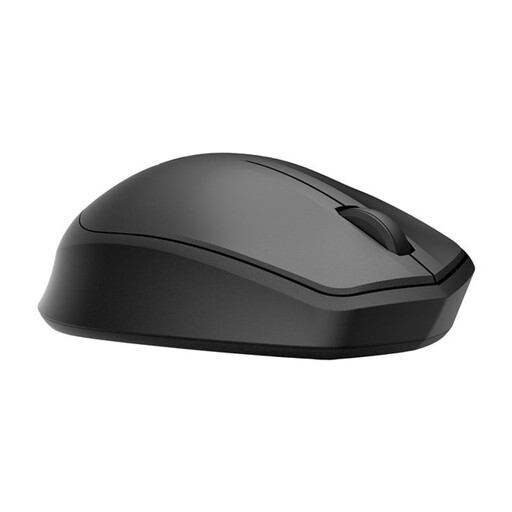 No image available
A good option if you want quiet main buttons while you concentrate on writing.
It connects via a 2.4 GHz dongle, so you’ll need a compatible USB port.
 No image available
A compact option if you want quiet clicks and need a mouse that works for both left- and right-handed use.
The description mentions Bluetooth and an RF receiver; check which connection is right for your computer.
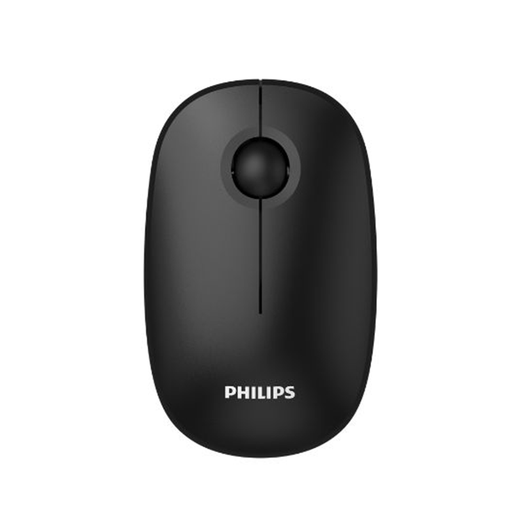 No image available
A good option if you’re looking for quiet clicks and adjustable cursor sensitivity for writing.
According to the description, this version is designed for right-handed use, connects via a 2.4 GHz USB receiver and has a specified resolution of 1600 DPI.
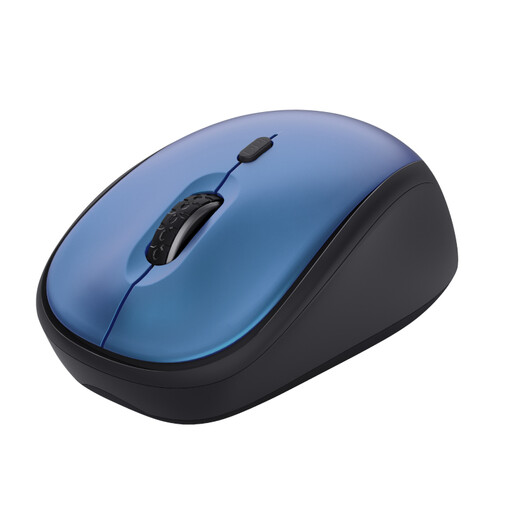 No image available
A compact option if you want quiet buttons and have limited space in your writing area.
The mouse uses a USB micro receiver; its sensitivity is adjustable from 800 to 1600 DPI, according to the description.
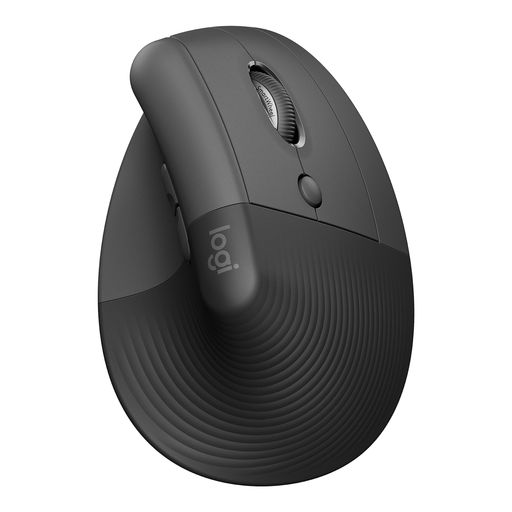 No image available
A vertical option if you’d like to try a different grip and the version suits your hand.
The version described is for small to medium right hands. The description lists Bluetooth or a USB receiver and SmartWheel.
Not necessarily. Choose one if you’d like to try a different grip and the size and handedness suit you. If you mainly want to reduce clicking noise, a well-fitting silent standard mouse may be a better choice. Remember to vary your activities while working at a computer, too.
Before you buy, check that your computer supports the Bluetooth connection or USB receiver required. Logitech lists Bluetooth Low Energy or Logi Bolt for the Signature M650; the wired Kensington Orbit needs a USB connection. For a wireless mouse, also check the battery or charging details for the exact version.
According to the Dutch government, online purchases from a business often come with a 14-day cooling-off period. If a product is faulty, contact the seller to find a solution; the Netherlands has no fixed statutory warranty period of two years. Check the terms of any additional warranty.
The requirements described by Arboportaal are aimed at employers and employees, so don’t assume they apply as a legal obligation to writing in your own time. However, Arboportaal does recommend varying your activities and taking short breaks when using a screen.