
Readers of lengthy archives
You search through lots of pages and scans and want to switch between precise and fast scrolling. Logitech describes both scroll modes for the MX Master 3S.


For long archive pages, a mouse with both precision and free-spinning scroll modes is useful. If you spend hours using a mouse, its fit and your workspace set-up matter more. A standard mouse, vertical mouse or trackball each works differently, so check the fit, connection and any software requirements before choosing. None of these designs is, in itself, a treatment for physical discomfort.
You search through lots of pages and scans and want to switch between precise and fast scrolling. Logitech describes both scroll modes for the MX Master 3S.
You click and compare for long periods, so you pay attention to your hand position and workspace set-up. Arboportaal also highlights repetitive movements and static strain when working at a screen.
You keep sources and notes beside your keyboard and want to control the cursor without sliding the mouse across the desk. Logitech and Kensington describe trackballs operated with the thumb and fingers respectively.
When working with long digital archives, start by choosing a scroll control that suits your documents. Then consider your hand position and desk space, and finally check that the connection and any software are compatible with your computer.
| What to consider | What should you check? | Who is this important for? |
|---|---|---|
| Comfort during extended use | How the mouse fits your hand and suits your preferred hand; the position of the mouse in relation to your keyboard. | If I click and compare for long periods, I want a shape and workspace set-up that suit me. Around 36% of consumers give hand position top priority. |
| Scrolling through archives | Check whether you want both precise and fast scrolling, and whether you also search through horizontal content. | If I search long pages, scans and wide family trees, I want to be able to switch between precise and fast navigation. Around 29% of consumers prioritise scrolling and navigation. |
| Cursor control on a crowded desk | Choose deliberately between thumb and finger control; check that the controls suit the user. | If there is little space beside my keyboard, I want to move the cursor without moving the mouse itself. Around 21% of consumers give limited desk space for moving the mouse top priority. |
| Connection | Check the port type, your preferred wireless connection and whether you need space for a cable. | If I want to connect the mouse at a fixed workstation, I want to know whether a cable, Bluetooth or receiver is compatible with my computer. Around 14% of consumers prioritise easy connection. |
Repetitive movements, a static posture and the way your workspace is set up can all play a part. The shape of a mouse alone cannot predict how it will work for you.
Consider the fit alongside your workspace. If discomfort persists, seek appropriate professional advice rather than relying on a product alone.
A trackball operated with your thumb requires a different movement from one operated with your fingers.
Check who will be using the mouse and which type of control they find comfortable.
A range may include versions for different hands or connections; the model name alone does not always tell you which variant you are choosing.
Before buying, check the full model code, handedness, connection, included components and software support.
The models mentioned offer different ways to control the cursor: a mouse with scroll functions, a vertical mouse and a thumb-operated trackball.
The wired Orbit with scroll ring is a symmetrical trackball operated with the fingers.
The wired Verto has a vertical grip and does not require a wireless connection.
The RollerMouse Red is controlled centrally using a rollerbar in front of the keyboard.
The VerticalMouse 4 is available in versions for different hand sizes and preferred hands.
This selection includes mice for scrolling through digital sources, a vertical grip or a fixed wired set-up at your home desk.
 No image available
For searching long pages and wide documents, this model offers vertical and horizontal scrolling.
The MagSpeed wheel has free-spinning and precise modes, and the mouse also has horizontal thumb scrolling. Connect via Bluetooth or a USB-C receiver.
 No image available
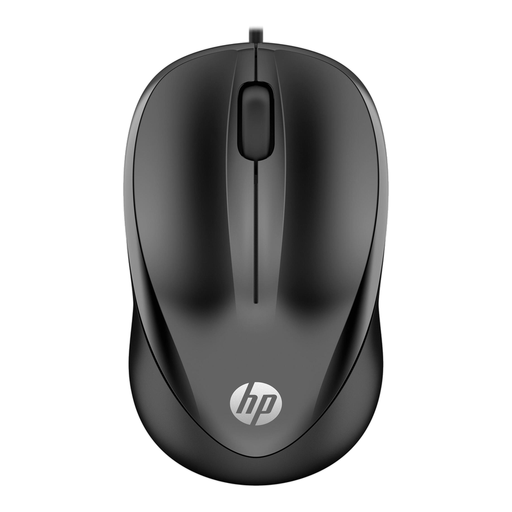
A wired option for a fixed workstation or for sharing between users with different preferred hands.
Symmetrical design, USB Type-A connection, three buttons and a stated resolution of 1200 DPI. The cable is 1.5 metres long.
 No image available
A vertical mouse for those who prefer an upright grip; the version described is for right-handed use.
Connect via Bluetooth 5.3 or a dongle. According to the product information, it can be connected to up to three devices. It charges via USB-C and has a detachable wrist rest.
 No image available
A wired vertical mouse for a fixed workstation; the version described is designed for right-handed use.
USB connection and 1.5-metre cable. The DPI can be adjusted from 800 to 2400; the mouse has two thumb buttons.
 No image available
According to the product information, this version is a vertical mouse for small to medium right hands.
Connect via USB receiver or Bluetooth. The mouse has a SmartWheel and four customisable buttons.
A wheel that switches between precise and free-spinning scrolling gives you two ways to navigate lists and long pages. Logitech describes these modes in the MX Master 3S manual; also check whether you want horizontal scrolling for wide documents.
Make sure your arm is supported and avoid working in a static posture for long periods. Arboportaal highlights repetitive movements and static strain as things to consider when working at a screen; then choose a mouse shape and position that suit your desk.
Compare the connection on the exact mouse version with the ports and wireless options available on your computer. According to Trust, the Trust Verto has a USB cable; Joybuy’s product information for the Logitech Lift lists a USB receiver or Bluetooth.
According to ACM ConsuWijzer, for a standard online consumer purchase you usually have a statutory cooling-off period of up to 14 days after delivery, with some exceptions. Also check the seller’s returns information.
No. ACM ConsuWijzer distinguishes between any manufacturer’s or seller’s warranty and your statutory rights. If a product does not perform as you could reasonably expect under normal use, the seller is responsible for providing an appropriate remedy free of charge; there is no single fixed statutory two-year warranty period that automatically applies to every mouse.