What should you look for when choosing?
First check the connection and the space on your desk. Then decide whether quiet buttons or grip and scrolling controls matter more to you. Logitech, Trust, HP and CHERRY describe features of specific models, while Arboportaal covers broader considerations for screen-based work.
| What to consider |
What should you check? |
Who is this important for? |
| Space and portability |
Compare the size and shape with the space available on your desk and the room you have to move the mouse. |
When my desk is covered with my laptop and notes, I want enough room to move the mouse and one that’s easy to carry. Around 29% of consumers make space and portability their top priority. |
| Quiet buttons |
Check which buttons the quiet-operation claim applies to; the scroll wheel may need checking separately. |
In a shared room, I want to keep audible clicks to a minimum while organising my notes. Around 29% of consumers prioritise quiet operation. |
| Connectivity |
Check whether your laptop supports Bluetooth or has a free USB port that’s compatible with the mouse’s receiver. |
If I don’t want to keep switching between devices or ports, I want to know in advance which connections my laptop supports. Around 21% of consumers give connectivity top priority. |
| Grip and navigation |
Compare the shape and handedness, and check what scrolling controls the model offers. |
For long reading sessions, I want a mouse that suits my hand and lets me navigate documents comfortably. Around 21% of consumers prioritise hand comfort and navigation. |
Joybuy products
This selection includes wireless mice you can compare for quiet clicks, connectivity and features that may be useful when organising study notes. Check the connection and specifications of each version to make sure they suit your laptop and how you plan to use it.
 No image available
HOFOTEK M311 2.4G+BT Silent Office Mouse, 1xAA Battery
The title mentions quiet clicks and Bluetooth plus 2.4G; check which connection option suits your laptop.
The title lists adjustable DPI and one AA battery.
View at Joybuy
 No image available
Philips 3000 Series SPK7378B/00, 2.4GHz, 1600 DPI, EU Version
The title mentions quiet clicks and a USB receiver, so it’s worth checking which ports your laptop has.
The title lists an optical mouse with 1600 DPI.
View at Joybuy
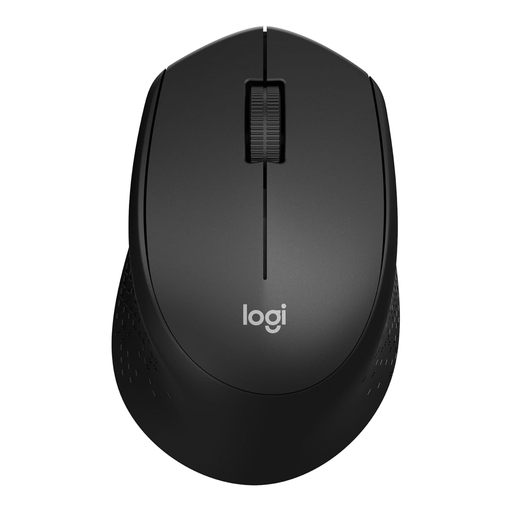 No image available
Logitech M330 Silent Plus Wireless Mouse, Black
The title describes a quiet wireless mouse; check how this version connects before choosing.
View at Joybuy
 No image available
Trust Yvi+ Wireless Mouse, Silent Buttons, 1600 DPI, Blue
The title mentions quiet buttons and a compact design—features to consider if you have limited space or study in a shared room.
The title lists 1600 DPI.
View at Joybuy
 No image available
Trust Ozaa+ Optical Office Mouse, RF Wireless and Bluetooth, 3200 DPI, Right-Handed
The title lists RF and Bluetooth connectivity; check which connection your laptop supports and whether the right-handed design suits you.
The title lists an optical mouse with 3200 DPI.
View at Joybuy
Frequently asked questions
How do you connect a mouse if your laptop doesn’t have a free USB-A port?
Choose a Bluetooth mouse if your laptop supports Bluetooth. According to HP, the HP 280 Silent needs a free USB-A port; Trust also lists Bluetooth for the Puck. Check the connectivity options for the exact version.
Will a vertical mouse automatically help prevent wrist pain?
No, you can’t conclude that from the product information. CHERRY describes the MW 4500 as offering a different hand position, while Arboportaal also mentions repetitive movements and workspace layout. Check the handedness option and consider your overall workspace; a particular mouse shape doesn’t guarantee protection from discomfort.
What cancellation period and guarantee apply to an online purchase in the Netherlands?
According to ACM ConsuWijzer, online purchases from a business generally come with a 14-day cooling-off period after delivery, subject to statutory exceptions. You also have a statutory guarantee: you’re entitled to expect a product to do what you could reasonably expect it to do under normal use. Report any fault to the seller; a statutory guarantee isn’t necessarily the same as a manufacturer’s guarantee.
Where can you take an old mouse or an empty AA battery?
According to the Dutch Government, you can return an old electrical appliance to the shop where you buy a new, similar appliance. Empty batteries shouldn’t go in the bin; check where you can recycle them locally.


