
Form designer looking for precise alignment
You move fields around and check small gaps. Look for cursor control and scrolling that you can adjust to your liking; a high DPI is no guarantee of quality.


Choose a mouse with cursor control that suits your work and is compatible with the shared computer. Check whether its click noise might disturb others, too. A wireless model is handy if you move between workspaces, while a wired mouse means no pairing or battery maintenance. A higher stated DPI does not, by itself, guarantee more accurate alignment of form fields.
You move fields around and check small gaps. Look for cursor control and scrolling that you can adjust to your liking; a high DPI is no guarantee of quality.
You take your mouse with you or use different computers. Connectivity, pairing and keeping track of any receiver are all important things to consider.
You’ll want to consider click noise and a shape that suits your hand and how long you use it. A particular ergonomic design won’t necessarily suit everyone sharing the desk.
Start with cursor control for your layout work, then check connectivity, noise and fit for the shared workspace.
| What to consider | What should you check? | Who is this important for? |
|---|---|---|
| Aligning form fields | Check whether you can adjust the cursor speed and how the scroll wheel works. DPI alone doesn’t tell you how accurately you’ll be able to work. | If you place small elements and check spacing, comfortable, adjustable cursor control comes first. Around 36% of consumers say precise alignment is their main buying priority. |
| Connecting and switching | Compare USB-A, Bluetooth and any receiver. Check which ports are available and whether pairing is allowed. | If you switch between shared computers, you’ll want to get started without connection problems. Around 29% of consumers prefer easy connection and switching. |
| Click noise | Check whether the version you choose has quiet main buttons and whether the click feels comfortable. This doesn’t automatically tell you how noisy the other buttons or wheel are. | If you work alongside colleagues, audible clicks can be distracting. Around 21% of consumers prioritise working quietly alongside others. |
| Hand comfort | Consider your hand size, whether you’re left- or right-handed, and the space beside the keyboard. If possible, try out an angled design. | If you use a mouse for long periods, you’ll want a shape and position that suit your hand. Around 14% of consumers name hand comfort as their main buying priority. |
A stated resolution doesn’t tell you whether the cursor speed, grip and controls will feel right for your form work.
Consider adjustability and handling together. According to the manufacturer, the CHERRY MW 4500 has three resolution settings. Compare these with the scrolling behaviour you need, without declaring any one model the performance winner.
Bluetooth, a receiver and USB-A are different ways to connect. The available ports and workplace rules determine which option will work for you.
Check the connections and, if necessary, ask whether pairing is allowed. Choose a wired USB-A mouse only if that port is available.
Models can differ in hand size, handedness and shape. A design that suits one user won’t necessarily suit all their colleagues.
For prolonged personal use, choose a mouse to suit your hand and posture. If you share a workspace, consider whether an ambidextrous mouse would be more practical.
The Signature M650 is a wireless work mouse with SmartWheel, available in versions for different hand sizes and for left-handed users.
The Ozaa+ is a larger wireless office mouse for anyone who switches between devices and wants to scroll horizontally.
The MW 4500 and MW 4500 LEFT are separate angled designs for right- and left-handed use respectively.
The Desktop 320M is a basic wired, ambidextrous mouse for a computer with an available USB-A port.
The RollerMouse Red sits centrally in front of the keyboard, for anyone who wants to explore an alternative to a traditional mouse.
This selection includes wireless mice and wired models for cursor control and connecting at a shared desk.
 No image available
A wireless option to compare if cursor control and click noise matter to you. Check the features of this version before you decide.
 No image available
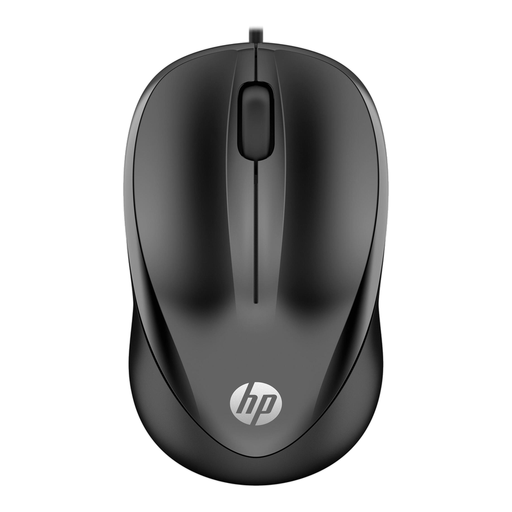
A wired option if you want to connect without wireless pairing and the shared computer has a free USB Type-A port.
The product name lists a 1200 DPI optical sensor and three buttons. The cable will remain on the desk.
 No image available
A wireless option to compare if cursor control and scrolling through longer documents matter to you.
According to the product information, this model doesn’t use Bluetooth and requires a USB receiver. Check whether you can use it with the shared computer.
 No image available
An option to compare if you want to work wirelessly and click noise matters to you. Check that the connection is suitable for the shared computer.
The product name lists 2.4G+BT, quiet operation and adjustable DPI settings. The version also requires one AA battery.
 No image available
A wireless gaming mouse to compare if you’re looking for adjustable cursor control and several connectivity options.
The product name lists a PAW3311 sensor, 24000 DPI, a charging dock, USB-C, 2.4G and Bluetooth. Check which connection method is permitted on your work computer.
Yes, if the computer supports Bluetooth and pairing is allowed in this workspace. Logitech describes Bluetooth as a connection that doesn’t require a USB port; check what your computer supports and what rules apply.
Follow the cleaning instructions for the exact model. Logitech’s published cleaning test applies to specific education products; the products used or results achieved don’t automatically apply to every mouse.
The Dutch government’s guidance says employers must ensure that screen-based work does not endanger employees’ safety or health. So don’t choose a mouse based on an assumed mandatory specification; consider what suits the workspace and the user instead.
For many online distance purchases from a business, you have 14 days to change your mind. You’re also entitled to a product that works properly; in the Netherlands, there is no fixed statutory warranty period. Check the applicable terms and contact the seller if the product is faulty.