
Student sharing a room
You’re making digital flashcards while your housemate is trying to rest. So consider how loud the clicks are and how the mouse connects; Logitech and HP describe quiet models with different connection methods.


First, choose a mouse that connects to your laptop and feels comfortable in your hand. If you share a room or study while others are trying to rest, prioritise quiet buttons. Bluetooth keeps a USB port free, a USB receiver needs a compatible port, and a wired mouse doesn’t need a battery. Balance compactness with comfort for longer sessions, and check the exact model before you buy.
You’re making digital flashcards while your housemate is trying to rest. So consider how loud the clicks are and how the mouse connects; Logitech and HP describe quiet models with different connection methods.
If you’re selecting and organising lots of text in one go, you’ll want a shape that suits your hand and workspace. Arboportaal advises changing your posture and taking micro-breaks when working at a screen; switching to another mouse doesn’t replace the need to do this.
You’re looking for a mouse that connects to your laptop without features you won’t use, such as switching between devices. Check that your setup supports Bluetooth or has the required USB port.
Choose this option if: you want quieter clicks and your laptop supports Bluetooth mice.
Keep in mind: the shape needs to suit your hand; a compact mouse isn’t automatically comfortable for a long session.
Choose this option if: you have a suitable USB port free and prefer using a wireless receiver.
Keep in mind: the receiver takes up a port and you’ll need to bring it with you if you move to another workspace.
Choose this option if: you have a suitable USB port and don’t want to manage a battery or wireless connection.
Keep in mind: the cable takes up space on a small desk; no quiet-click feature has been confirmed for the Trust Voca.
| What to consider | What to check before buying | Who should pay extra attention? |
|---|---|---|
| Click noise | Check that the specific model you’ve chosen has quiet buttons, and see which connection method it uses. | If I study in a shared room, I want to disturb others as little as possible with clicking. This is the top priority for around 31% of consumers who value quiet above all else. |
| Hand comfort | Consider the shape, dimensions and space available to move the mouse; also check which hand the model is designed for. | For long sessions, I want a shape that feels comfortable in my hand, without assuming that an ergonomic design will prevent discomfort. Around 25% of consumers prioritise fit. |
| Connection | Check for Bluetooth support and available USB ports; for the Yvi+, check the full product number. | If I’m connecting a mouse to my laptop or switching between devices, I want to be sure the connection suits my setup. This is the top priority for around 25% of consumers. |
| Ease of use | Check whether the mouse uses a cable, replaceable battery or rechargeable battery, and what’s included. | I want a simple setup and as little battery management as possible. Around 19% of consumers prioritise simplicity and ease of use. |
The Trust Yvi+ Multi-Device is described as offering Bluetooth and a USB receiver, while a separate Yvi+ Silent model works only with a USB receiver. The name alone doesn’t tell you which connection you’ll get.
Compare the full product number and check the connection details in the product description before ordering.
The Logitech M240 Silent uses Bluetooth without a dongle; according to HP, the HP 280 Silent needs a free USB-A port for its 2.4 GHz receiver.
Check your laptop’s ports and Bluetooth support before choosing a connection method.
If your laptop doesn’t have a suitable USB-A port free, you may need an adapter for a mouse with a receiver.
A shape or angle described by a manufacturer doesn’t prove that a mouse will prevent discomfort for you. Taking breaks from prolonged screen work remains important.
Consider how well the mouse fits and how your workspace is set up, vary your tasks and take breaks. If discomfort persists, seek appropriate professional advice.
The Dutch government says there is no fixed statutory warranty period in the Netherlands. Your legal protection doesn’t simply depend on one general time limit.
Read the Dutch government’s guidance on your rights, and keep any additional commercial warranty terms separate from your statutory rights.
The Logitech M240 Silent is a compact Bluetooth option for a laptop you don’t want to connect to a USB receiver.
The HP 280 Silent is a wireless option with a 2.4 GHz receiver and thumb support.
The Trust models described include a wired mouse, a Yvi+ Multi-Device for switching between devices, and a vertical wireless design.
This selection includes quiet Bluetooth and wireless mice, a wired option, and a mouse for anyone who wants to switch between devices.
 Image unavailable
An option if you’re looking for a mouse for Mac and want to switch between devices.
The product name lists Bluetooth, USB-C charging and compatibility with MacOS, iPadOS and Windows.
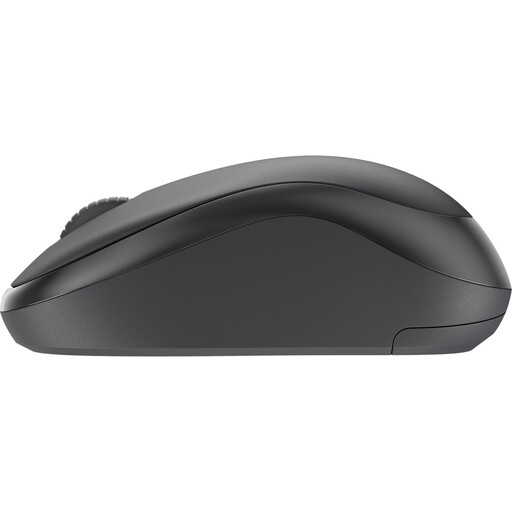 Image unavailable
A good fit for a shared room if quiet clicks matter and your laptop supports Bluetooth.
Logitech describes the M240 Silent as using Bluetooth without a dongle, with a shape suitable for both left- and right-handed use.
 Image unavailable
An option if you’re looking for a quiet wireless mouse; check which type of receiver and port this model needs before buying.
 Image unavailable
A good fit for a setup with a free USB-A port if you don’t want a wireless connection or a mouse battery.
The product name lists optical tracking, a scroll wheel and 1200 DPI; this is a wired mouse.
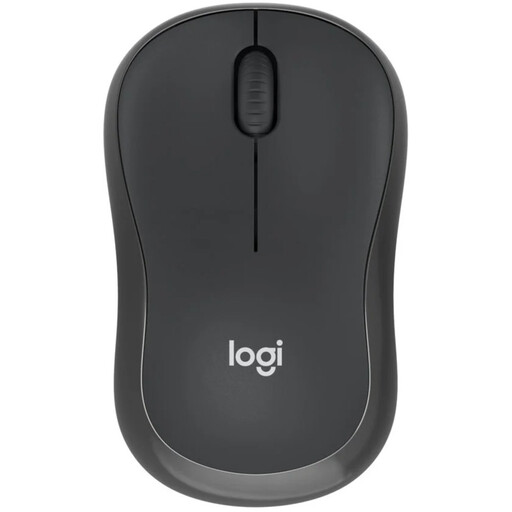 Image unavailable
A good fit for a shared room if you want quiet clicks and to keep a USB port free.
The Logitech M240 Silent is described as using Bluetooth without a dongle, with a shape suitable for both left- and right-handed use.
Choose a connection method supported by your laptop. Logitech describes the M240 Silent as a Bluetooth mouse that works without a dongle; according to HP, the HP 280 Silent uses a 2.4 GHz receiver that needs a free USB-A port; and the Trust Voca uses a USB cable. Check the port and exact model before buying.
Set up your workspace to suit you and break up screen time with other tasks. Arboportaal advises changing your posture and taking micro-breaks when working at a screen; this is general workplace guidance, not proof that one mouse model will prevent discomfort.
For an online purchase from a business, you’ll usually have a statutory 14-day cooling-off period, according to the Dutch government. In the Netherlands, you also have statutory protection entitling you to a product that works properly, with no fixed statutory warranty period; if a product is faulty, contact the seller. Check any additional retailer terms separately.
No. According to the Dutch Authority for Digital Infrastructure, Bluetooth can be used in the Netherlands on the designated frequencies without a permit, notification or registration. Radio equipment sold in Europe must meet product requirements and carry the CE marking; check the details for the exact mouse model.