
Laptop users with no spare USB ports
If you don’t have a USB port available, you could consider a Bluetooth mouse. Check that your laptop supports Bluetooth first.


If you want to keep a USB port free, choose a Bluetooth mouse if your computer supports the required Bluetooth connection. If you mainly want to avoid setting aside a place to charge your mouse, compare models with replaceable batteries against those with rechargeable batteries. A wired USB mouse doesn’t need a separate mouse battery, but it does use a USB port. Before you decide, check the connection type, power source and exact model.
If you don’t have a USB port available, you could consider a Bluetooth mouse. Check that your laptop supports Bluetooth first.
If you don’t want to set aside a separate place to charge your mouse, compare replaceable batteries with a built-in rechargeable battery.
If you have a suitable USB port free and don’t want to manage a mouse battery, you could consider a wired mouse.
A spare power socket and a spare USB port are two different things. First decide which connection you need, then check how the mouse is powered.
Suitable for: anyone who wants to keep a USB port free, has a Bluetooth-compatible device and doesn’t want to set aside a place to charge the mouse.
Trade-off: the battery will eventually need replacing.
Suitable for: anyone who wants to choose between Bluetooth and a USB receiver, for example when using different devices.
Trade-off: Bluetooth keeps a USB port free, but the receiver uses one; a built-in battery needs charging.
Suitable for: anyone with a suitable USB port free who doesn’t want to manage a separate mouse battery.
Trade-off: the cable uses a USB port and limits where you can place the mouse.
| What to consider | What to look for | Who is this most important for? |
|---|---|---|
| Keeping a USB port free | Check that your device supports Bluetooth and whether the exact model connects without a USB receiver. | If I have few USB ports, I want to connect without a receiver and check Bluetooth support first. Around 36% of consumers say keeping a USB port free is their main concern when buying. |
| Avoiding the need for a charging spot | Check whether the mouse has a replaceable battery or a built-in rechargeable battery, and what charging involves. | I don’t want to set aside a separate place to charge my mouse, so I pay attention to the power source. Around 29% of consumers prioritise avoiding the need for a separate charging spot. |
| Avoiding battery management | Check whether you have a USB port free and whether the cable will sit comfortably in your workspace. | If I don’t want to replace or recharge batteries, I check whether a wired connection suits my workspace. Around 21% of consumers prioritise avoiding battery management. |
| Comfort during extended use | Consider how it sits in your hand, its shape and whether it’s designed for left- or right-handed use. | If I use a computer for long periods, I want to check whether the shape suits my hand rather than assume it will be comfortable based on its design alone. Around 14% of consumers say comfort during extended use is their main concern when buying. |
A Bluetooth connection can eliminate the need for a USB receiver, but it doesn’t tell you how the mouse is powered. A wired mouse, on the other hand, uses a USB port.
First work out which type of connection is actually in short supply, then compare both the connection method and the power source.
Logitech distinguishes between the standard M240 Silent, which uses Bluetooth, and the M240 for Business, which is listed with a Logi Bolt receiver.
Check the full model name and what’s included in the box before comparing models.
The Logitech models mentioned here offer both Bluetooth and wired connections. The M240 Silent and M100 differ in their connection and power source, among other things.
Trust lists both Bluetooth and USB receiver connectivity for the Fyda Multi-device, which has a built-in rechargeable battery.
The HP 480 Comfort Bluetooth Mouse is a specific Bluetooth model from HP.
This Joybuy selection includes Bluetooth mice with AA batteries, models with Bluetooth and a USB receiver, and rechargeable options. Check the connection and power source for each model.
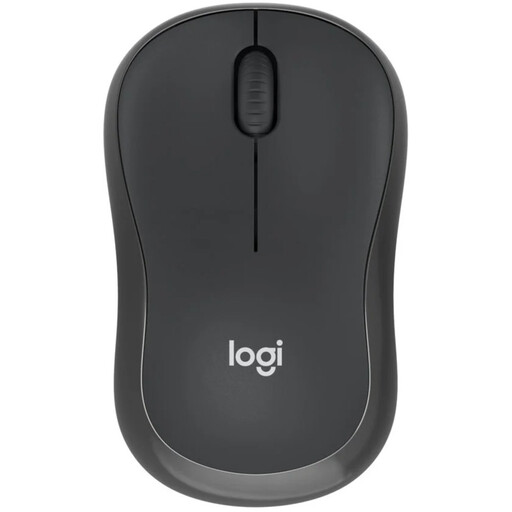 No image available
Suitable for anyone who wants to keep a USB port free and is looking for a mouse with a replaceable AA battery.
Bluetooth connection; the AA battery will eventually need replacing.
 No image available
Could suit anyone who wants to compare Bluetooth with an alternative connection method.
The product name lists 2.4G+BT. The USB receiver uses a USB port when you choose this connection method.
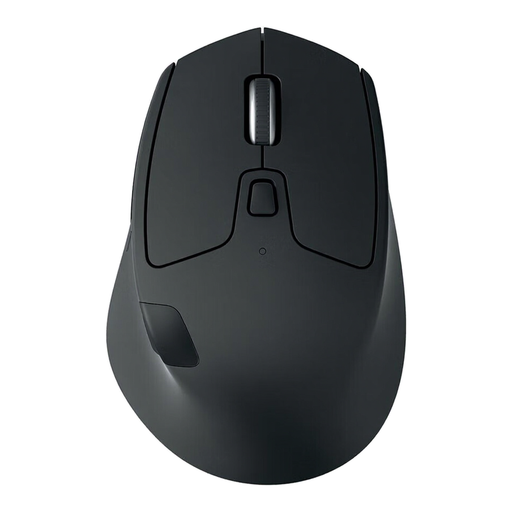 No image available
Could suit anyone looking for a wireless mouse designed for right-handed use who wants to check the connection method for each device.
The product name describes a wireless mouse for right-handed use. The receiver uses a USB port when you choose this connection method.
 No image available
Could suit anyone considering a rechargeable mouse with several listed connection options.
The product name lists 2.4G, USB-C and BT, a 400 mAh battery and a weight of 56 g. The charging dock contains magnets; the product information advises keeping it away from pacemakers and other medical implants.
 No image available
Could suit anyone who wants to compare Bluetooth with a USB receiver as an alternative.
The product name lists RF wireless and Bluetooth, 3200 DPI and right-handed use. The built-in battery charges via a cable; according to the product information, you can continue working while it charges. The receiver uses a USB port when you choose this connection method.
A Bluetooth mouse can eliminate the need for a USB receiver, provided your laptop supports the required Bluetooth connection. Logitech says the standard M240 Silent doesn’t need a dongle or USB port to connect; the M240 for Business is a different model, listed with a Logi Bolt receiver.
Check whether the model you choose has a replaceable battery or a rechargeable battery. Logitech lists one pre-installed AA battery for the M240 Silent; Trust lists a built-in rechargeable battery for the Fyda Multi-device. Take used loose batteries to a collection point rather than putting them in your general waste.
According to ACM ConsuWijzer, if a product breaks during normal use sooner than could reasonably be expected, the seller must put it right free of charge. This could mean repairing or replacing it, or refunding you where appropriate. There isn’t one fixed statutory warranty period that applies to every mouse.
The Dutch Authority for Digital Infrastructure describes European requirements and CE marking for radio equipment. These obligations apply to businesses placing products on the market and, by themselves, don’t prove that a specific item has been checked. According to the Dutch government, individuals can hand in an old device free of charge when buying a new, similar one.