
Researcher with a crowded desk
You spread records or notes out beside your keyboard and want to use as little space as possible to move the pointer. With a trackball, check that the body itself will fit.


If paper records leave little room to move a mouse, a stationary trackball is a natural option to compare. Just check that its body will fit and that you find the ball comfortable to use. If you still have a small area to move a mouse around, compare compact mice for their scroll controls and fit in your hand. A vertical mouse is worth considering if a different hand position matters more to you than minimising the space needed to move it.
You spread records or notes out beside your keyboard and want to use as little space as possible to move the pointer. With a trackball, check that the body itself will fit.
You often switch between long lists of search results, scans and individual records. Scroll-wheel controls and precise pointing matter more to you than having the simplest possible mouse.
You compare different mouse shapes for extended computer use. Check that the shape suits your hand and workspace, and vary your tasks and posture. An ergonomic label does not guarantee a personal health benefit.
Best suited to: situations where paper documents take up the space you would otherwise use to move a mouse.
Trade-off: the body stays in place, but still takes up space, and the ball needs to feel comfortable to use.
Best suited to: situations where you still have room to move the mouse and spend a lot of time browsing archive pages.
Trade-off: even a compact model needs room to move. Also check that your hand rests comfortably on it.
Best suited to: situations where you mainly want to try a different hand position during long research sessions.
Trade-off: you still need to move the mouse across the desk, and its shape needs to suit your hand.
Start with the space you have to move the mouse, then consider scroll controls, how it fits your hand and connectivity.
| What to consider | What to check before buying | Who should prioritise this |
|---|---|---|
| Room to move | Measure the space available for the mouse body; compare a stationary trackball with a mouse that needs to move across the desk. | If paper records take up my moving space, I want to move the pointer without having to shift the mouse body. Consumers who prioritise room to move account for around 28% of consumers in this use case. |
| Scrolling and pointing | Logitech describes the MX Anywhere 3S as offering line-by-line clicks and faster free scrolling; Kensington lists a scroll ring for the Orbit Wireless. Also check whether you can point accurately at individual records. | When I search through long pages, I want to scroll smoothly and point to specific records. Around 22% of consumers in this use case prioritise scroll controls. |
| Long research sessions | Compare how much arm movement the controls require and how your arm rests at your workstation; take breaks from extended screen work. | When searching repeatedly, I want controls that stay comfortable in my own setup. Consumers who prioritise comfort during extended use account for around 22% of this group. |
| Hand position and fit | If possible, try the grip and check that the shape suits you. Trust gives the Bayo II an angle of 57 degrees; Kensington describes the Orbit Wireless as symmetrical. | If a standard grip does not suit my preference, I want to compare a different shape before choosing. Around 17% of consumers in this use case prioritise hand position and fit. |
| Connectivity and battery | Check Bluetooth support, available USB ports, whether a receiver is included and the battery type for the exact version. | I want to know in advance how the mouse connects to my computer and what type of battery it needs. Consumers who prioritise connectivity and ease of use account for around 11% of this group. |
You do not need to move the body to move the pointer, but the trackball itself still sits on the desk.
Measure the clear space beside your keyboard and check that you find the ball comfortable to use.
The MX Anywhere 3S can connect via Bluetooth and is supplied without a Logi Bolt receiver. According to Trust, the wireless Bayo II uses a 2.4 GHz USB receiver; the Pebble Mouse 2 M350s has a replaceable AA battery.
Check Bluetooth, available USB ports, the battery type and what is included in the box for the exact version.
Hand fit and workstation setups vary from person to person. Arboportaal identifies repetitive actions and static load as points to consider when working at a screen.
Try the mouse in your own setup, and vary your posture and your time spent working at a screen.
Dirt in the socket can affect how smoothly it moves.
Check the care instructions for your chosen trackball. If it remains faulty, contact the seller; according to the Government of the Netherlands, the seller must resolve problems with faulty products.
Options to suit this desk range from a stationary trackball to compact standard mice.
The Orbit Wireless Trackball with Scroll Ring is a stationary trackball worth comparing if you are looking for a scroll ring.
The wireless Bayo II is a vertical mouse worth comparing if you want to try a different hand position.
This selection includes vertical mice and standard mice that move across the desk. Check how much room you have to move the mouse before choosing a model.
 No image available
A vertical shape to consider if you are looking for a different hand position and have room to move the mouse.
The product name lists USB-C charging, Bluetooth, 2.4 GHz and three DPI levels: 800/1200/1600.
This is not a stationary trackball; check that the shape suits your hand.
 No image available
This vertical shape is designed for anyone who wants to compare a different hand position and still has room to move the mouse.
The product name lists six buttons, a 2.4 GHz connection and a range of 800–1600 DPI.
Check the connection required and whether the grip suits your hand.
 No image available
A standard wireless mouse for anyone looking for quiet clicks and with enough room to move the mouse.
The product information lists quiet clicks and a wireless connection.
Check how the version you choose connects to your computer.
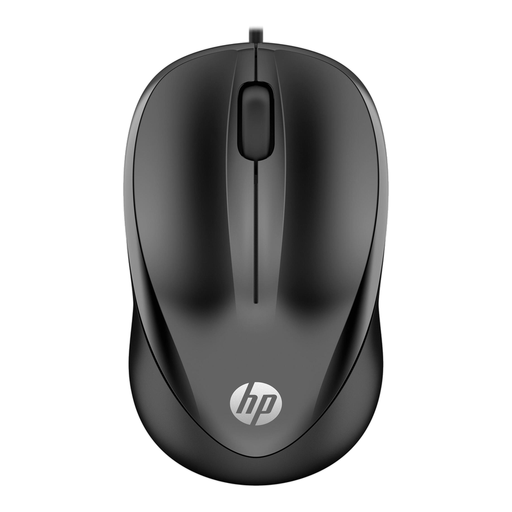 No image available
A standard wired mouse to consider if you have a clear space to move it and can use a USB Type-A connection.
The product name lists USB Type-A and 1200 DPI.
Bear in mind that you need to move the mouse across the desk.
 No image available
A wired mouse to compare if you want a scroll wheel for searching and have room to move the body.
The product name lists a scroll wheel, USB connection and 1200 DPI.
Check that the cable and connection suit your desk and computer.
No. According to Logitech, with the ERGO M575S you move the pointer with your thumb while the body stays in place. Just check that the body will fit on your desk.
Check the ball and socket for dirt, and clean them according to the care instructions. Kensington says that a build-up of dust and dirt can cause stiff or uneven movement.
No. According to Logitech, the MX Anywhere 3S can connect via Bluetooth and is supplied without a Logi Bolt receiver. According to Trust, the wireless Trust Bayo II uses a 2.4 GHz USB receiver. Before buying, check your computer’s connections and the version you have chosen.
Contact the seller. According to the Government of the Netherlands, the seller must resolve problems with faulty products and cannot simply send you to the manufacturer.
The obligations described by Arboportaal apply to employers and employees; they do not require you to buy anything for personal family history research. Varying your tasks and setting up your workspace appropriately are still useful recommendations, but they do not prove that any one mouse will prevent discomfort.