
Dataset explorer with limited charging opportunities
Works in different locations and wants to minimise charging. Logitech and HP offer mice with a replaceable AA battery; rechargeable models will eventually need a power source.


Start by thinking about how you navigate your data: fast scrolling helps with long tables, while horizontal scrolling is useful for wide spreadsheets. If charging is difficult, compare a mouse with a replaceable AA battery with a rechargeable model, and check the connection, shape and scrolling features too. A stated battery life is a manufacturer’s specification, not a guarantee of how long it will last for you.
Works in different locations and wants to minimise charging. Logitech and HP offer mice with a replaceable AA battery; rechargeable models will eventually need a power source.
Works with long and wide spreadsheets and could benefit from a combination of fast and horizontal scrolling. Logitech describes the M720 as offering horizontal scrolling, while Trust lists a separate side scroll wheel for the Ozaa+.
Moves between workspaces or devices and weighs up size, connectivity and hand comfort. Logitech offers a compact model, while Kensington’s TB550 has trackball control; Arboportaal highlights the importance of changing posture when working at a screen.
First, choose a power source that suits your charging options. Then compare the scroll controls, connection and shape with the way you explore datasets.
| What to consider | What should you check? | Who is this more important for? |
|---|---|---|
| Power source | Compare a replaceable AA battery with a rechargeable battery; check whether you can use the mouse while it’s charging. | If I can’t get to a power socket during a dataset session, I want to keep working without having to stop and recharge. Around 33% of consumers put reliable power ahead of other reasons for buying. |
| Scrolling | Check separately for fast vertical scrolling and horizontal scrolling, for example via a tilting wheel or side scroll wheel. | When working with long tables and wide spreadsheets, I want to move quickly up, down and sideways. Data navigation is the top priority for around 27% of consumers. |
| Connection | Check that your computer supports Bluetooth and whether you need a USB port for a receiver or for charging. | If I move between workspaces or devices, I want a connection that suits my computer and the ports available. Portability and connectivity are the main considerations for around 20% of consumers. |
| Shape and control | Check the hand orientation and dimensions; a trackball works differently from a standard mouse. | When working at a screen for long periods, I want controls that suit my hand and leave enough room to change posture. Hand comfort is the main concern for around 20% of consumers. |
A Bluetooth connection, USB receiver and USB charging each have different requirements for your workspace.
Check separately whether your computer has Bluetooth, whether a USB port is free, and which receiver or charging cable comes with the model you choose.
Depending on the mouse and computer, a receiver may take up a USB port, or you may need to charge the mouse at an inconvenient time.
Fast vertical scrolling helps with long tables, but wide spreadsheets need controls that also let you move sideways.
Check whether the exact model has a tilting wheel, 4D scrolling or a separate side scroll wheel.
A manufacturer’s maximum or estimate depends on the conditions of use and won’t be the same for everyone.
Choose a power source that suits your charging options rather than simply comparing the highest stated number of months.
Logitech describes the M720 as a right-handed model with fast and horizontal scrolling. The more compact, rechargeable MX Anywhere 3S is designed for those who want to take their mouse with them.
Trust has designed the Ozaa+ for use with multiple devices and wide documents, with a separate side scroll wheel.
According to HP, the HP 480 Comfort Bluetooth Mouse combines horizontal scrolling, pairing with multiple devices and power from a single AA battery.
The Pro Fit Ergo TB550 EQ is a trackball alternative for those who don’t want to move the mouse across their desk.
According to JLab, the GO Charge is a compact, rechargeable mouse with stored connections for multiple devices.
This selection mainly includes mice with replaceable AA batteries, as well as a rechargeable model for those who can charge via USB.
 No image available
Suits anyone who doesn’t want to rely on being able to recharge while working.
The product information lists AA battery power and fast scrolling through long documents.
 No image available
Suits anyone who wants a replaceable battery and needs to switch between multiple devices.
The product information lists Bluetooth, 2.4 GHz and switching between up to three devices; the title specifies one AA battery.
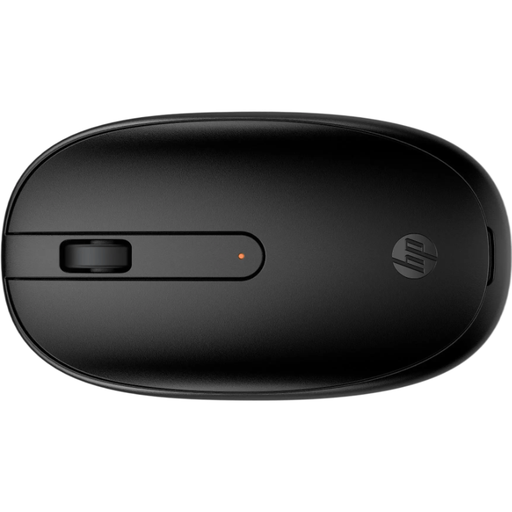 No image available
Suits anyone who wants a replaceable battery and needs to keep a USB port free for other equipment.
The product information lists one AA battery, Bluetooth without a dongle, and a shape designed for left- and right-handed use.
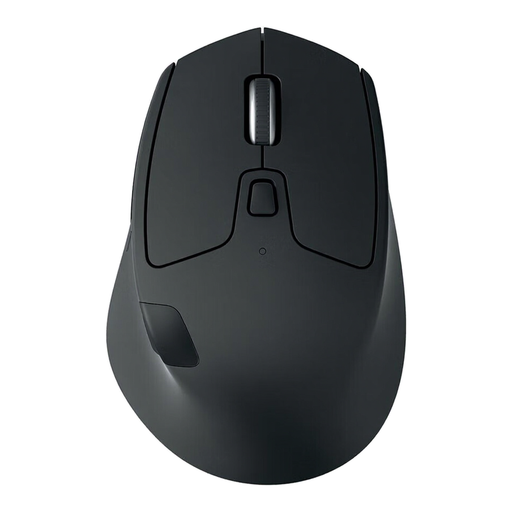 No image available
Suits right-handed users who want to navigate long and wide tables without relying on being able to recharge.
Logitech lists fast and horizontal scrolling for the M720; the product information specifies one AA battery and battery life of up to 24 months. Actual usage time may vary.
 No image available
Suits anyone who wants a rechargeable Bluetooth mouse that can be charged via USB or the charging dock.
The product information lists Bluetooth, 2.4 GHz, USB-C, a rechargeable battery and a magnetic charging dock. Keep the magnetic base at least 15 cm away from pacemakers and away from medical implants and credit cards. Do not dismantle, puncture or burn the lithium battery.
You don’t need a USB receiver for the Bluetooth connection itself if your computer supports Bluetooth. A rechargeable mouse will need a power source eventually; Logitech says the MX Anywhere 3S can be charged via USB-C while you work.
Check the battery or charge level before you leave, and if you have a model with a replaceable battery, take a suitable spare if needed. Set up your workspace properly too, and vary your posture and tasks; Arboportaal recommends changing activities when working at a screen.
According to ACM ConsuWijzer, for a standard online purchase you usually have a statutory cooling-off period of up to 14 days after delivery. The seller is also responsible for the statutory guarantee if the product doesn’t meet what you can reasonably expect from normal use; a commercial warranty period doesn’t replace this right.