When planning cycling routes, choose a mouse with extra scroll controls if you often navigate large maps, a vertical mouse if hand position is your priority, or a trackball if you have little room to move a mouse around. A standard mouse may be suitable if you mainly click to add route points. Logitech and Trust describe quiet operation for specific models, so check which buttons and wheels are quiet and whether the features work with your mapping software.
Who is this relevant for?
Route planner who needs quiet
You add lots of route points in a shared or quiet space and want to know which clicks are described as quiet on the exact model. Quiet does not automatically mean silent; Logitech and Trust describe features for individual models.
Frequent map navigator
You view long or wide routes and are weighing up extra scroll controls against hand shape and getting used to a new design. Whether a side wheel works as you want also depends on how your mapping software handles it.
Planner with limited desk space
You want to move the cursor without sliding the whole mouse across your desk, so you are considering a trackball. It involves a different way of pointing, which may take some practice.
What should you consider when choosing?
First, decide whether you mainly navigate maps, add route points, want a different hand position or have limited space. Then compare the controls and fit of the exact model with your computer and mapping software.
Mouse with extra scroll controls
Choose this if: you often navigate large maps and want a separate control in addition to vertical scrolling.
Bear in mind: you may need time to get used to it, and your mapping software may not handle the side wheel as you expect.
Vertical mouse
Choose this if: hand position matters more to you than extra map controls.
Bear in mind: the shape may take some getting used to; check the hand size it suits and whether it is designed for left- or right-handed use.
Stationary trackball
Choose this if: you have little room to move a mouse next to your keyboard.
Bear in mind: using your thumb or fingers to control the cursor may take practice when placing precise route points.
Standard quiet mouse
Choose this if: you mainly click to add route points and do not need a separate side wheel.
Bear in mind: check which buttons are quiet and what type of connection your computer needs.
| Consideration |
What to look for |
Who does this matter to? |
| Click noise |
Check whether the quiet-operation claim applies to the main buttons, side buttons or scroll wheel too. |
If I add lots of route points in a quiet space, I want to know which parts of this exact model are quiet. Around 33% of consumers say click noise is their top priority. |
| Map controls |
Test precise pointing and vertical or horizontal scrolling in your own mapping software. |
For long or wide routes, I want to move smoothly around the map and place points accurately; a side wheel only helps if my software supports it. Around 27% of consumers prioritise map controls. |
| Hand fit |
Check the hand size the mouse suits, whether it is designed for left- or right-handed use, and how much room you have next to your keyboard. |
During longer planning sessions, I want a shape that fits my hand, without assuming a different design will prevent discomfort. Around 20% of consumers say hand fit is their top priority. |
| Room to move |
Compare the free space on your desk with the room you need to move a standard mouse around. |
At a narrow desk, I want to move the cursor without having to keep shifting the mouse itself. Around 13% of consumers prioritise limited desk space. |
| Connectivity |
Check your computer's ports and whether the receiver is included with the exact version. |
If I switch between my own devices, I want to know whether Bluetooth or a USB receiver will work with my connections. Around 7% of consumers say connectivity is their top priority. |
How to avoid common buying mistakes
-
Assuming ‘quieter clicks’ means silent
For the MX Master 3S, Logitech compares the sound of the left- and right-clicks with those of the MX Master 3. Logitech says they are 90% quieter, measured from a distance of 1 metre. This comparison does not mean that all the buttons and the scroll wheel are silent.
Check exactly which controls and testing conditions the claim refers to. If possible, try the exact model in a quiet environment.
-
Choosing a mouse based solely on the ‘ergonomic’ label
A vertical mouse and a trackball control the cursor in different ways. A shape that sounds comfortable on paper may not suit your hand size, preferred hand or way of adding route points.
Check the version and try the controls with your own mapping software. Also check the returns policy in advance.
-
Assuming an extra wheel will automatically work better
A side wheel is only useful for navigating maps if your mapping software handles the input in the way you want.
Test horizontal and vertical scrolling in the software you use to plan routes before making extra controls a deciding factor.
-
Confusing a commercial guarantee with your statutory rights
An additional guarantee offer is separate from your statutory rights. ACM ConsuWijzer explains that there is no fixed statutory guarantee period of just two years; what you can reasonably expect from a product also matters.
Compare the terms of any additional guarantee with your statutory rights, and keep your proof of purchase.
Brands to compare
Logitech
The range described for this choice includes a mouse with extra scroll controls, a vertical mouse and a stationary thumb trackball.
- For the MX Master 3S, Logitech describes quieter left- and right-clicks than on the MX Master 3. For the Lift, Logitech specifies small to medium hands and quiet buttons.
- The click comparison does not guarantee silent operation. Check the hand orientation and fit of the Lift; the thumb control on the ERGO M575S offers a different way of pointing.
Trust
The Ozaa+ and Mydo are described as mice with quiet controls; the Ozaa+ also has two scroll wheels.
- Trust specifies quiet buttons for the Ozaa+ and two quiet main buttons for the Mydo.
- The claim for the Mydo applies specifically to its two main buttons. Check separately which features your mapping software can use with an extra wheel.
Rapoo
The M500 Silent is an option with adjustable sensitivity and a choice of Bluetooth or a 2.4GHz receiver.
- Rapoo lists quiet clicks and adjustable sensitivity for this model.
- These features do not mean it has separate horizontal map controls. Check the connection and controls of the exact model.
Kensington
Kensington describes the Orbit with scroll ring as a stationary trackball with a symmetrical design.
- You do not move a stationary trackball across your desk; the Orbit model mentioned has a scroll ring.
- The product specification cited does not mention quiet clicks. Check the noise level separately if this matters in your study space.
Mouse options at Joybuy
These product options are suited to using a mouse to plan routes. For each model, check the click and scroll noise, connectivity and controls in your own mapping software.
 No image available
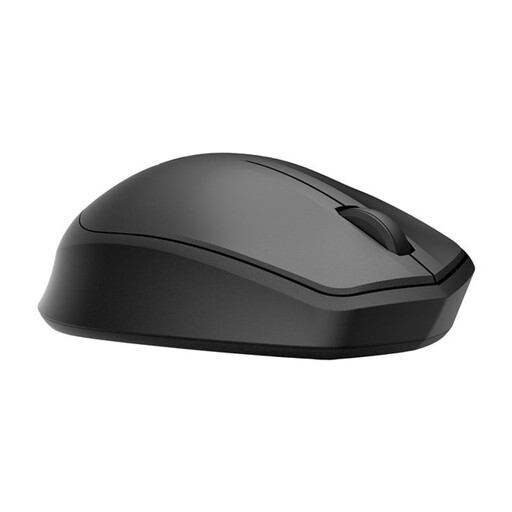
HP 285 Silent Wireless Mouse
A standard wireless mouse for adding route points; the product description mentions noise reduction for the left and right buttons.
2.4 GHz connection via receiver; 1200 DPI.
View at Joybuy
 No image available
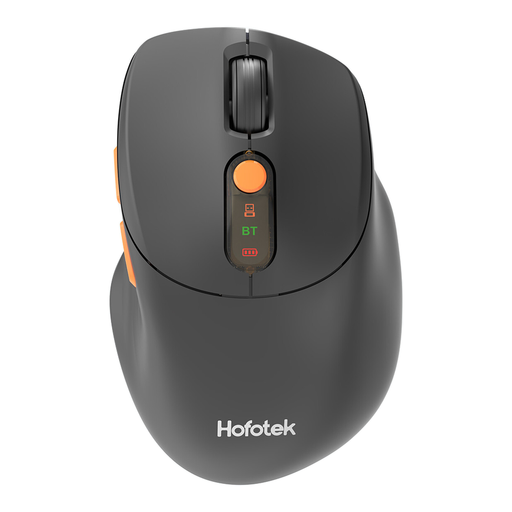
HOFOTEK M311 2.4G+BT Silent Office Mouse, 1xAA battery
A quiet office mouse for adding route points and making cursor movements in different directions.
2.4 GHz or Bluetooth; adjustable DPI; connects to up to three devices.
View at Joybuy
 No image available
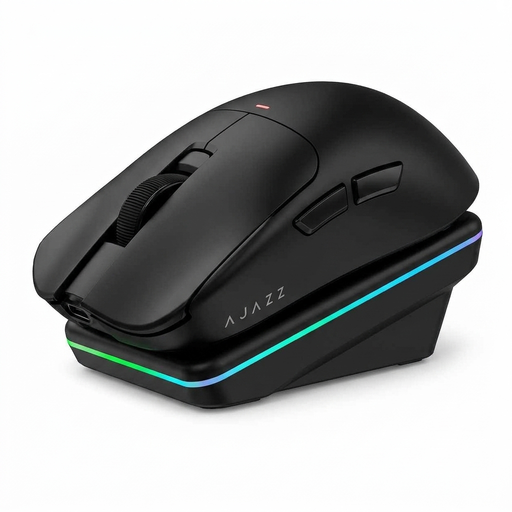
AJAZZ AJ200 AI MC Wireless Gaming Mouse with Charging Dock
A computer mouse for moving the cursor and pointing to route points; the product name identifies it as a gaming model with a charging dock.
Bluetooth, 2.4G or USB-C; 24000 DPI PAW3311 sensor; 63 g.
View at Joybuy
 No image available
DELL Pro Compact Silent Mouse MS355
A compact mouse for planning routes in a quiet space; the product description mentions quiet operation when clicking and scrolling.
RF or Bluetooth connection; adjustable DPI.
View at Joybuy
 No image available
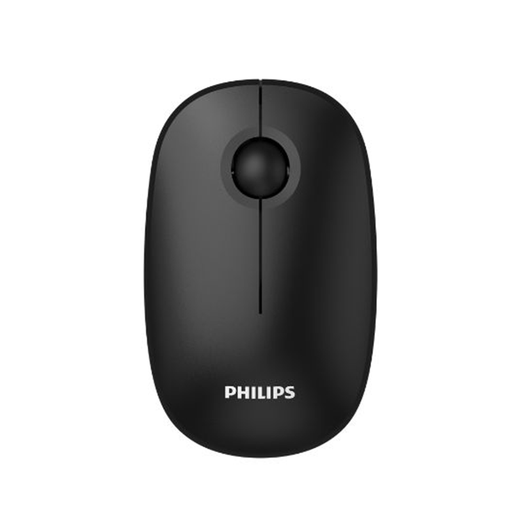
Philips 3000 Series Wireless Mouse SPK7378B/00, EU Version
A wireless mouse for adding route points; the product name mentions quiet clicks.
2.4 GHz connection with USB receiver; 1600 DPI.
View at Joybuy
Frequently asked questions
Should you automatically choose the mouse with the highest DPI for route planning?
No. First check whether you can set the cursor speed comfortably and place route points accurately in your mapping software. A maximum DPI value describes a device setting, not how well you will be able to draw cycling routes.
How do you connect a wireless mouse?
Use Bluetooth if the model and your computer support it, or plug the appropriate USB receiver into a free port. Check the connectivity options and what is included in the box for the exact version.
What can you do if an ergonomic mouse is uncomfortable to use?
Check the hand size the mouse suits and the version, then try the controls with your own mapping software. A mouse is no substitute for taking breaks from prolonged screen work; Arboportaal explains that employees should regularly alternate screen work with other work or a break.
What are your rights when buying online in the Netherlands?
For a standard online consumer purchase, you generally have a 14-day cooling-off period. Check the applicable terms and any exceptions, as explained by the Dutch government. If a product is faulty, the retailer is your point of contact for your statutory guarantee. ACM ConsuWijzer explains that the product's expected lifespan also helps determine what you can reasonably expect from it.


