What should you look for?
A mouse usually doesn’t need a separate power socket. A wired mouse or USB receiver does use a USB port; Bluetooth can leave that port free if your computer supports it.
| What to consider |
What to look for |
Who is this important for? |
| Connectivity and ports |
Count power sockets and USB ports separately; check Bluetooth support and the type of free USB port. |
I don’t want to use up a USB port, so I’ll first check whether my computer supports Bluetooth; around 33% of consumers prioritise keeping ports free. |
| Pointing and scrolling |
Try selecting small targets and navigating long pages in your own editor; check that the settings you need work. |
If I’ll be placing lots of fields and scrolling, I want to assess the pointer and scroll wheel in my editor; around 27% of consumers prioritise form controls. |
| Power |
Check whether the mouse uses a rechargeable battery, replaceable batteries or USB power, and what you’ll need to charge it. |
I don’t want to unexpectedly run out of power while building a form, so I’ll choose between charging, batteries or USB power; around 20% of consumers prioritise reliable power. |
| Fit in your hand |
Consider your hand size, whether the mouse is designed for left- or right-handed use, and whether you can try its shape; take breaks from screen work. |
If I use a mouse repeatedly, I want a grip that suits my hand, without assuming that a particular shape will prevent discomfort; around 20% of consumers prioritise how a mouse fits their hand. |
Mice available at Joybuy
This selection includes mice to help you weigh up connectivity, scrolling controls, power and how each mouse fits your hand when building forms.
 No image available
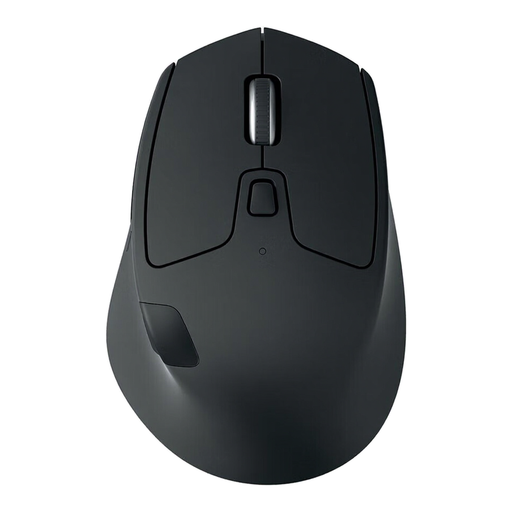
Logitech M720 Triathlon, 910-004791
A good fit if you want to use Bluetooth and switch between multiple devices.
Bluetooth LE; connects to up to three devices; AA battery; fast and stepped scrolling; right-handed design.
Joybuy
 No image available
Dell Pro Compact Mouse MS355
A good fit if you want Bluetooth and the option of using a USB receiver too.
Bluetooth and RF receiver; adjustable DPI; symmetrical design for left- and right-handed use.
Joybuy
 No image available
HOFOTEK M311 2.4G+BT
A good fit if you want Bluetooth connectivity as well as the option to use a 2.4 GHz receiver.
AA battery; connects to up to three devices; adjustable pointer speed; compatible with Windows, macOS and Android.
Joybuy
 No image available
HP 925 Ergonomic Vertical Mouse
A good fit if you want to consider a vertical shape and prefer a rechargeable battery to replaceable batteries.
Bluetooth or USB receiver; connects to up to three devices; built-in battery with USB-C charging; right-handed design. The vertical shape doesn’t guarantee relief from discomfort.
Joybuy
 No image available
HP 125 wired mouse
A good fit if you have a free USB-A port and don’t want wireless pairing or a mouse battery.
Wired USB-A connection; optical sensor; three buttons; scroll wheel; 1200 DPI; symmetrical design for left- and right-handed use. The cable uses a USB port.
Joybuy
Frequently asked questions
Do I need an extra power socket or USB receiver for a Bluetooth mouse?
No, not to connect it to a computer that supports Bluetooth. A rechargeable mouse will need a suitable power source from time to time; a wired mouse and a separate wireless receiver each use a USB port.
How do I connect a mouse if all the USB ports are already in use?
Check that both your computer and mouse support Bluetooth, then pair the mouse using your computer’s Bluetooth settings. Follow the instructions for the mouse you’ve chosen.
How do I keep my mouse working, and what should I do with flat batteries?
Check which type of power the mouse uses and plan to recharge or replace the batteries in good time. According to the Dutch Government, flat batteries must not go in general waste; take them to a collection point.
What if a mouse breaks sooner than expected during normal use?
In the Netherlands, statutory consumer rights apply alongside any manufacturer’s warranty. If a product doesn’t meet what you could reasonably expect during normal use, the seller is responsible for offering an appropriate solution under the applicable terms; there is no fixed statutory warranty period of exactly two years for every mouse.
Which Dutch product regulation is relevant to a wireless mouse?
According to the Dutch Authority for Digital Infrastructure, electrical, electronic and radio equipment sold in Europe must meet the applicable European requirements and carry a CE mark. This general rule for products sold in Europe does not, by itself, confirm that an individual product meets every applicable requirement.


