
Tester with USB ports in use
If you want to keep USB ports free for other equipment during checkout testing, a computer with Bluetooth support could be a good choice. Logitech describes the M240 Silent as a model that connects without a dongle.


Choose based on the connections available on your test computer: Bluetooth keeps a USB port free, while a wired USB mouse doesn’t need a mouse battery or Bluetooth pairing. A mouse with both Bluetooth and a USB receiver gives you two connection options, but the receiver uses a USB port and a rechargeable model needs charging. For the exact version, also check that it has the correct CE marking; the Dutch Authority for Digital Infrastructure says electrical and electronic equipment must have one.
If you want to keep USB ports free for other equipment during checkout testing, a computer with Bluetooth support could be a good choice. Logitech describes the M240 Silent as a model that connects without a dongle.
If you have a free USB-A port and don’t want to use a mouse battery or pair via Bluetooth, consider a wired connection. HP lists a USB-A cable for the HP 125 265A9UT.
If you switch between computers with different connection options, you could consider a model with both Bluetooth and a USB receiver. Trust lists both connection methods for the Puck 24059, but the battery needs to be charged.
When carrying out checkout tests somewhere with few power sockets, the number of free USB ports matters too: a mouse may need a computer port, even if it doesn’t need its own power socket.
| What to consider | What to check before buying | Who should prioritise this? |
|---|---|---|
| Available connections | Check for Bluetooth support and whether a USB-A port is needed for a cable, receiver or charging. | If I need USB ports for other test equipment, I want to know whether my computer supports Bluetooth. Around 36% of consumers give keeping connections free their highest priority. |
| Quick to connect | Check whether the mouse uses Bluetooth, a supplied receiver or a USB-A cable, and whether your computer supports that connection. | If I want to get started on another test computer without pairing via Bluetooth first, I check which connections are available. Around 29% of consumers give being able to connect straight away their highest priority. |
| Power during testing | Check whether the mouse uses an AA battery, a rechargeable battery or power from a USB cable. If necessary, charge it or have a spare battery ready beforehand. | If a flat battery or rechargeable battery could interrupt my test session, I want to know how the mouse is powered. Around 21% of consumers give avoiding interruptions caused by mouse power their highest priority. |
| Comfort during repeated use | Consider the size, which hand you use and the clicking and scrolling controls; try the shape for yourself where possible. | If I’ll be clicking and scrolling a lot, I want a shape that feels comfortable in my hand. Around 14% of consumers give comfort during repeated use their highest priority. |
A wired mouse and a wireless USB receiver use a computer port; a Bluetooth mouse can leave that port free.
Count the available power sockets and compatible USB ports separately before choosing a connection method.
Wireless can mean Bluetooth, a USB receiver or both. So check the connection method for the exact version.
Check whether a receiver is included and whether your test computer supports Bluetooth.
Logitech describes the M240 for Business separately from the M240 Silent. Trust identifies the black Puck as 24059 and the blue version as 24126.
Compare the full model number, colour and relevant specifications with the product information for the version you want to buy.
According to the Dutch government, there is no fixed statutory warranty period in the Netherlands. Your legal rights if a product doesn’t meet what you could reasonably expect are separate from any additional manufacturer’s warranty.
Keep your proof of purchase and report any fault to the seller.
The M240 Silent is an example of a compact Bluetooth mouse that doesn’t need a dongle. Don’t confuse this consumer model with the separate M240 for Business.
The rechargeable Puck 24059 gives you the choice of Bluetooth or a supplied USB micro receiver.
The HP 125, product number 265A9UT, is an example of a wired USB-A mouse.
This selection includes wired USB mice, battery-powered Bluetooth mice and mice with Bluetooth and a USB receiver. For the exact version, check that it has the correct CE marking; the Dutch Authority for Digital Infrastructure says electrical and electronic equipment must have one.
 No image available
Suitable for a test computer with a free USB-A port if you don’t want to use a separate mouse battery.
The product description lists a 1200 DPI optical sensor, three buttons, a scroll wheel and a 1.8-metre cable.
The cable uses a USB Type-A port.
 No image available
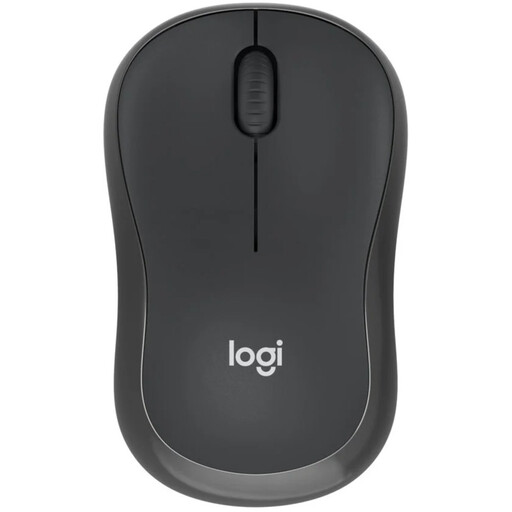
Suitable for a test computer with Bluetooth if you don’t want to reserve a USB port for a mouse.
The product description mentions quiet clicks and an included AA battery. Logitech states a battery life of up to 18 months; this is the manufacturer’s figure.
Bluetooth must be available on the test computer, and the battery will eventually need replacing.
 No image available
Suitable for a test computer with Bluetooth if you don’t want to use a receiver, or for a computer with a free USB port for RF.
The product description lists Bluetooth and RF with a dongle, quiet operation and adjustable sensitivity up to 4020 DPI.
When using RF, you’ll need the dongle, which takes up a USB port. The description lists batteries as the power source.
 No image available
Suitable if you want to switch between Bluetooth and a USB receiver, provided you can charge the rechargeable battery in good time.
The product description lists Bluetooth, a 2.4 GHz USB receiver, a sensor of up to 3200 DPI, a charging indicator and horizontal scrolling. According to the description, you can use the mouse with the cable while it’s charging.
The receiver uses a USB port; this model is designed for right-handed use.
 No image available
Suitable for a test computer with Bluetooth if you want to use a wireless mouse without connecting a USB receiver.
The product description lists Bluetooth and Razer HyperSpeed Wireless as connection options, six buttons and power from an AA or AAA battery. The title states 18,000 DPI.
HyperSpeed Wireless requires a dongle; the mouse needs an AA or AAA battery.
Not necessarily: the wired HP 125 we looked at connects to the computer via USB-A, while Bluetooth mice use a battery or rechargeable battery. A rechargeable mouse will need to be charged eventually. Check separately whether the computer itself can run without an extra power socket.
Switch on the mouse and follow the pairing instructions for the exact model in your computer’s Bluetooth settings. Microsoft specifies Windows 10 or 11 and Bluetooth 4.0 or later for its Bluetooth Mouse; check the system requirements for other mice separately.
For the Puck, Trust recommends trying a different surface or a mouse mat and cleaning the sensor underneath with a dry cloth. Also check the battery or rechargeable battery status according to the instructions for your version.
According to the Dutch government, there is no fixed statutory warranty period in the Netherlands, but you can expect a product to meet what you could reasonably expect. Report any fault to the seller. Any manufacturer’s warranty is separate from these legal rights.
The Dutch Authority for Digital Infrastructure says electrical and electronic equipment must have the correct CE marking. Check this for the exact version you want to buy.