
Testing on different computers
At a shared desk, you want to check which connections are available on the computer and which connection methods are allowed.


Start by checking which connection the test computer allows: a wired USB-A mouse needs no wireless pairing, Bluetooth keeps a USB port free, and a mouse with a receiver needs a compatible port. Then consider click noise, how it fits your hand and scroll control. Test the checkout separately using only the keyboard, too.
At a shared desk, you want to check which connections are available on the computer and which connection methods are allowed.
You click through a checkout repeatedly and want to be considerate of colleagues working nearby.
You consider how the mouse fits your hand and how easy it is to use when carrying out lots of steps and scrolling through pages regularly.
First, check which connections the shared computer allows. Then compare click noise, fit and the level of scroll control you need.
| What to consider | What should you check? | Who is this important for? |
|---|---|---|
| Connection | Check which USB ports are available, whether Bluetooth is supported, and the workspace rules on pairing devices or using receivers. | When testing on a shared computer, I want to know which connection I’m allowed to use first. That’s why around 36% of consumers prioritise connectivity. |
| Click noise | Check whether quiet buttons are specified for the exact model; try the scroll wheel too, if possible. | When clicking repeatedly alongside colleagues, I want to keep noise down without assuming the whole mouse is silent. Around 29% of consumers prioritise quiet clicks. |
| Fit | Consider your hand size, whether you’re left- or right-handed, and how much room you have to move the mouse. | When carrying out lots of repeated actions, I want a shape that suits my hand and working position. Around 21% of consumers prioritise how a mouse fits their hand. |
| Scroll control | Check whether you can stop accurately at fields and buttons, and whether any scroll modes work predictably. | On long checkout pages, I want to switch between precise scrolling and moving through the page more quickly. Around 14% of consumers prioritise scroll control. |
Bluetooth and a USB receiver work in different ways. A mouse won’t help if its connection isn’t available or allowed on the test computer.
Check the computer and the workspace rules first; then choose a connection method.
A quiet mouse won’t tell you whether you can use fields and buttons without a pointer.
Use the mouse to test pointer actions, then test the checkout separately using only the keyboard. According to W3C, pointer actions must have a keyboard equivalent, except for the specified exception for path-based inputs.
Hand size, handedness and familiarity with a different shape all vary from person to person. A manufacturer’s ergonomic claims don’t guarantee the same results for everyone.
Check that the mouse fits your hand and, where possible, try it out before choosing.
The models mentioned range from a quiet Bluetooth mouse to options with different sizes, scroll modes or a vertical shape.
The Ferro and the wired Verto offer different connections and ways of using a mouse.
The HP Wired Mouse 1000 is a wired USB-A option.
According to CHERRY, the STREAM MOUSE COMFORT has a right-handed shape and quiet buttons.
The Expert Mouse Optical Trackball is a stationary alternative to a conventional mouse.
This selection features wireless mice. For each model, check whether its connection is allowed on the computer you’ll use to test the checkout.
 No image available
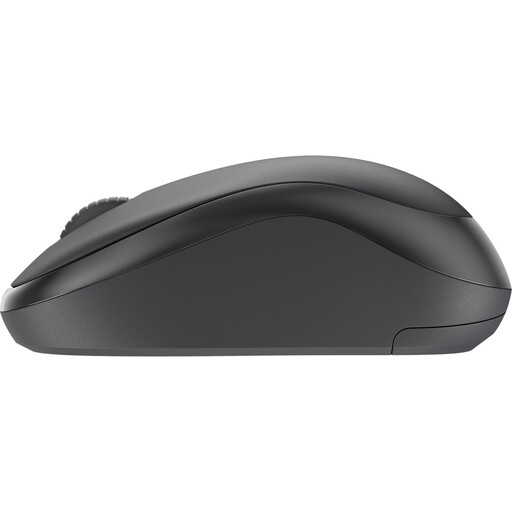
The product title describes a quiet wireless mouse, making it worth comparing if click noise matters at a shared desk.
 No image available
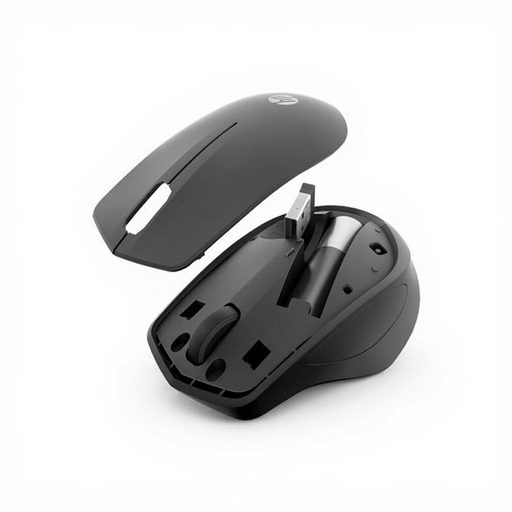
The product title describes a quiet wireless mouse. Check the connection method before using it with a shared test computer.
 No image available
The product title describes a quiet office mouse with 2.4G+BT; compare its connection options with those allowed on the test computer.
The title lists adjustable DPI levels and a 1xAA battery.
 No image available
The product title mentions quiet clicks and a USB receiver; check whether you’re allowed to use the receiver with the shared computer.
The title lists 2.4GHz, a USB receiver, 1600 DPI and EU Version.
 No image available
The product title describes a right-handed optical office mouse; check that its shape suits the person carrying out the tests.
The title lists RF wireless and Bluetooth, 3200 DPI and a right-handed design.
No. Test the interactions without a mouse as well: according to W3C, pointer actions must have a keyboard equivalent, except for the specified exception for path-based inputs. A mouse is useful for testing pointer interactions, but it doesn’t replace a keyboard test.
Check which ports are available and which connection methods are allowed. The HP Wired Mouse 1000 uses USB-A, the Logitech M240 Silent uses Bluetooth without a dongle, and according to Trust, the Trust Ferro offers Bluetooth and a USB-A receiver. Whether you’re allowed to pair a device or plug in a receiver depends on the workspace.
A mouse that suits you doesn’t replace a suitable workspace set-up and taking regular breaks or varying your activities. Arboportaal advises limiting intensive use of a screen, keyboard and mouse to a maximum of six hours a day, especially if the software you use increases the risk of discomfort. Consider the shape and your working position for your own needs; manufacturers’ claims about reduced strain aren’t a guarantee for individual users.
When you buy as a consumer, the product must be of satisfactory quality; according to the Dutch government, the seller must provide a solution if something goes wrong. A manufacturer’s warranty is in addition to this. If you’re buying on behalf of a business, check the business terms and conditions: this consumer information doesn’t determine which rights apply to business buyers.
According to the Dutch government, electronic products sold in the EU must carry a CE mark. Check the marking and product information for the specific item. Take a discarded electric mouse to an appropriate collection point; according to the Dutch government, used batteries shouldn’t go in the general rubbish.