Who is this guide for?

Tester with limited desk space

You want to work through the checkout page without your mouse bumping into things on your desk. Compare a compact mouse with a trackball; Logitech and Kensington describe these different ways of controlling the pointer.

Tester working across several computers

You switch between devices during testing and want to know how pairing, switching and receivers work. Logitech and Trust describe models that connect to multiple devices.

Frequent clicker

You click and scroll for extended periods and want the controls and fit to suit the way you work. Arboportaal identifies precise mouse placement and frequent repositioning as considerations when working at a screen.

What should you look for when choosing?

Compact wireless mouse

A good fit if: you still have room on your desk to move the mouse around.

Keep in mind: a compact mouse still needs to be moved. Also check the connection type and whether a receiver is included, if you need one.

Compact wired mouse

A good fit if: you have a spare USB-A port and want a wired connection.

Keep in mind: the cable takes up space, and the connection needs to be compatible with your computer.

Trackball

A good fit if: you have little room to move a conventional mouse back and forth.

Keep in mind: you control the pointer differently, and the device itself still needs a fixed spot on your desk.

What to consider What should you check? Who should pay particular attention?
Room to move Measure the clear space beside your keyboard and check whether you can move a conventional mouse around there. I don’t want to keep clearing space while I test. Around 36% of consumers prioritise having room to move their mouse on the desk.
Clicking and scrolling Check that you can click fields comfortably and scroll through pages; test the checkout using a keyboard too. On long checkout pages, I want to control fields precisely and scroll easily. Around 29% of consumers give clicking and scrolling top priority.
Connection and switching Check the ports, Bluetooth support, operating system compatibility and what’s included with the exact version. When I switch between test computers, I want to know in advance which connections and receivers I’ll need. Around 21% of consumers prioritise connecting and switching.
Fit for extended use Assess the mouse’s shape and position in your usual working posture; vary your tasks when using it intensively. During longer tests, I want controls and a fit that work well for my hand and posture. Around 14% of consumers make comfort their top consideration.

Common mistakes

  • Assuming a compact mouse needs no room to move

    You still need to move a conventional mouse around. With a trackball, you control the pointer using the ball, but the device itself still takes up space.

    Work out whether you’re short of space for the device itself or whether you can’t move the mouse back and forth easily.

  • Assuming every wireless mouse includes a receiver

    Logitech states that a compatible Logi Bolt receiver is not included with the MX Anywhere 3S.

    Check whether your computer supports Bluetooth and look at what’s included with the exact version before ordering.

  • Confusing the manufacturer’s warranty with your statutory rights

    The Dutch government explains that the Netherlands has no fixed statutory warranty period. A manufacturer’s warranty is an extra; if a product is faulty, contact the seller.

    Keep your proof of purchase and check your statutory rights and any additional warranty terms separately.

Brands to consider

Logitech

The MX Anywhere 3S reviewed here is a compact wireless option with adjustable tracking, different scrolling modes and the ability to switch between devices.

  • Logitech states that it can connect via Bluetooth to up to three devices.
  • A compatible Logi Bolt receiver is not included. Manufacturer claims about speed or precision are not an independent test of checkout work.

Trust

The Ozaa Compact reviewed here offers Bluetooth and a 2.4GHz receiver for use with different test computers.

  • Trust lists silent buttons, side buttons and a rechargeable battery for this model.
  • Check that the shape and controls suit you; the listed features don’t prove it will work better for your checkout testing.

HP

The USB Travel Mouse reviewed here is a compact wired option for a computer with a spare USB-A port.

  • HP lists an ambidextrous design and a scroll wheel.
  • The cable and need for a USB-A port make it less suitable if you want to work wirelessly or use different types of connection.

Kensington

The Orbit Trackball with Scroll Ring reviewed here offers a different way to control the pointer if you have little room to move a conventional mouse.

  • Kensington lists a ball, scroll ring, wired USB connection and ambidextrous design.
  • Check that the device fits your desk and is compatible with your computer. Kensington notes a limitation for Windows on ARM.

Joybuy products

These product picks are compact, wireless conventional mice for a small workspace. Check that each model’s connection and controls suit your checkout testing.
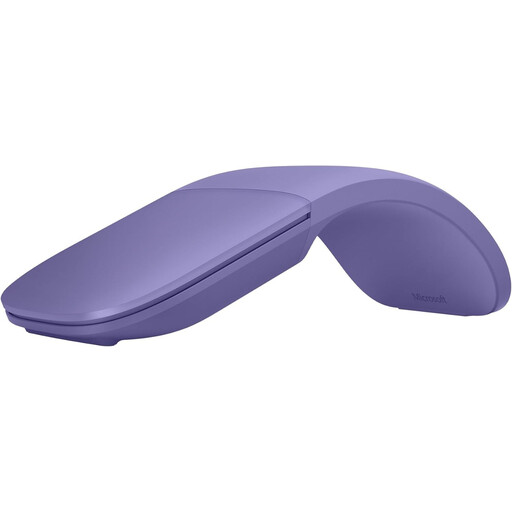
Microsoft Surface Arc Mouse, Violet

Microsoft Surface Arc Mouse, Violet

The foldable design and touch controls may suit a small workspace and checkout pages that require vertical and horizontal scrolling. The mouse uses Bluetooth; the description lists compatibility with Windows 10 and 11.

View at Joybuy
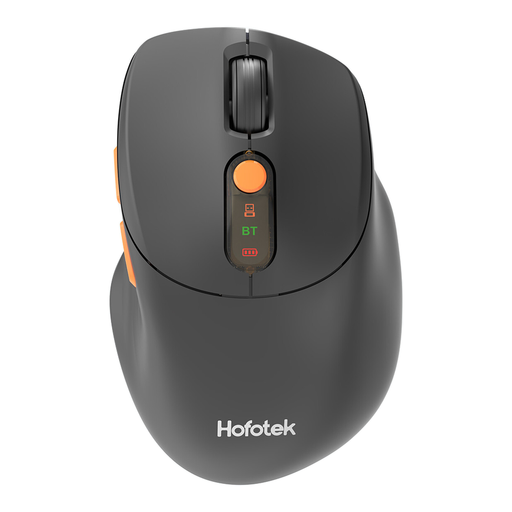
HOFOTEK M311 2.4G+BT Silent Office Mouse

HOFOTEK M311 2.4G+BT Silent Office Mouse

This compact model may suit you if you want to switch between devices while testing. The description lists Bluetooth 5.1 and 2.4GHz connectivity, adjustable DPI settings and connections to up to three devices; this version uses 1xAA Battery.

View at Joybuy

DELL Pro Compact Silent Mouse MS355

DELL Pro Compact Silent Mouse MS355

This compact mouse may suit a small workspace and use by either hand. The description lists RF and Bluetooth connectivity, adjustable DPI and silent operation.

View at Joybuy
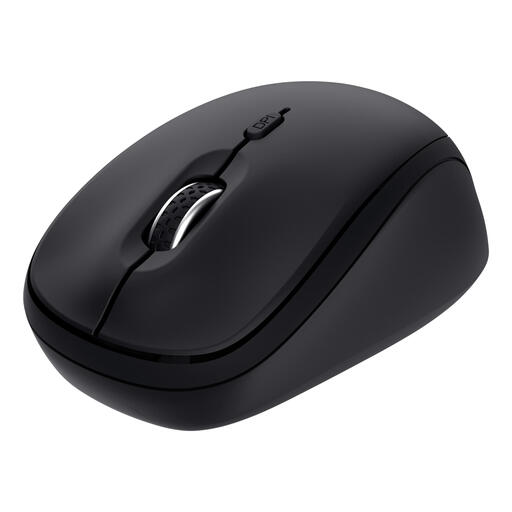
Trust Yvi+ Wireless Mouse Multi-Device, Black

Trust Yvi+ Wireless Mouse Multi-Device, Black

This compact model may suit you if you switch between computers during checkout testing and want quiet clicks. The description lists Bluetooth and a 2.4GHz receiver, connections to up to three devices and a scroll wheel; the receiver requires a spare USB-A port.

View at Joybuy
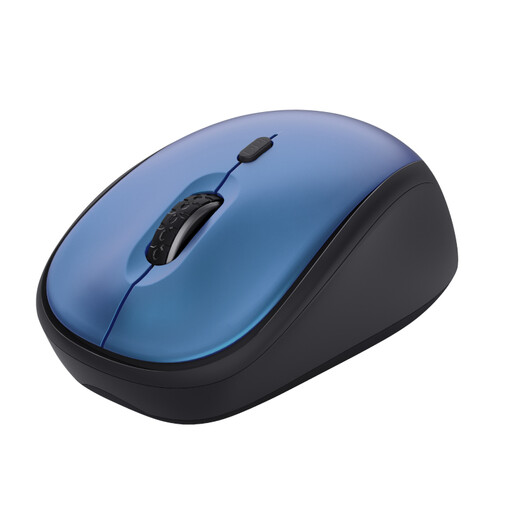
Trust Yvi+ Wireless Mouse, Silent Buttons, 1600 DPI, Blue

Trust Yvi+ Wireless Mouse, 1600 DPI, Blue

This compact mouse may suit you if you want to test in a quiet workspace. The description lists silent buttons and a DPI setting from 800 to 1600; this version uses a USB micro receiver and does not list Bluetooth connectivity.

View at Joybuy

Frequently asked questions

Can I check whether a checkout page is accessible using only a mouse?

No, test the checkout page with a keyboard as well. The W3C explanation of criterion 2.1.1 requires a keyboard alternative for pointer actions, except for path-based gestures. This is guidance for testing, not an assessment of whether a particular online shop complies.

What should I check before connecting the mouse?

Check the connections and the exact version of the mouse. The HP USB Travel Mouse reviewed here uses USB-A, the Logitech MX Anywhere 3S uses Bluetooth, and the Trust Ozaa Compact uses Bluetooth or a 2.4GHz receiver. Logitech states that a compatible Logi Bolt receiver is not included with the MX Anywhere 3S.

What should I do with an old mouse or flat batteries?

The Dutch government outlines collection options for small electrical items discarded by households. You can return used household batteries to shops and supermarkets that sell batteries.

What are my rights if a product is faulty or I buy online in the Netherlands?

When you buy as a consumer, you’re entitled to a product that is fit for purpose. According to the Dutch government, the Netherlands has no fixed statutory warranty period, and the seller is your point of contact for a fault they are responsible for. When buying online from a business, you usually have a 14-day cooling-off period, with some exceptions. Check the terms that apply to your purchase.
