What should you look for?
Manufacturer information from Logitech, HP, Trust and CHERRY makes hand orientation, scrolling, click noise and connectivity useful points to compare before you buy.
| What to consider |
What should you check? |
Who is this important for? |
| Hand shape and fit |
Check the hand orientation, size and whether the shape suits your hand. |
If you use a mouse for long periods, choose one that suits your hand preference and grip. Around 28% of consumers prioritise fit. |
| Scrolling through documents |
Compare the scrolling modes and consider whether you mainly work line by line or also want to move quickly through pages. |
If you check lots of passages and switch between detail and overview, you’ll want navigation that suits the task. Around 28% of consumers prioritise document navigation. |
| Quiet clicks |
Check that the quiet-click version also has the shape, connection and scrolling function you want. |
At a shared desk, you’ll want clicks that disturb others as little as possible. Around 22% of consumers prioritise quiet clicks. |
| Connecting to your computer |
Check the available USB ports, Bluetooth and any restrictions on your work computer. |
If your computer only allows certain connections, or you switch between devices, check in advance which connection method will work. Around 22% of consumers consider connectivity decisive. |
Joybuy products for checking reports
These Joybuy products are suited to checking reports, from precise or fast scrolling and quiet clicks to switching between devices and choosing a shape to suit your hand.
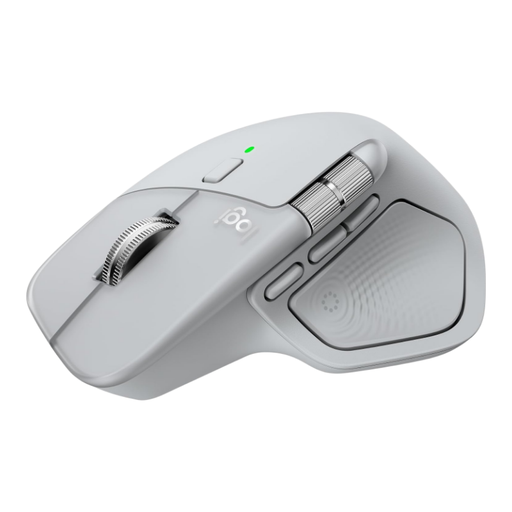 No image available
Logitech MX Master 4 Light Grey
An option to compare if you want to navigate long documents precisely and quickly, and quiet clicks matter to you.
The described contour is designed for right-handed use.
View at Joybuy
 No image available
HOFOTEK M311 2.4G+BT Silent Office Mouse
A good fit if quiet clicks and connecting to multiple devices matter to you for office work.
The product name lists 2.4G+BT, adjustable DPI, multiple systems and one AA battery.
View at Joybuy
 No image available
Trust Ozaa+ optical office mouse
An option if you switch between devices and view wide documents as well as standard pages.
The product name lists RF wireless and Bluetooth, 3200 DPI and right-handed use. The described shape is generously sized.
View at Joybuy
 No image available
Logitech Signature M650 L Left White 910-006240
Worth comparing if you’re left-handed, have larger hands and want to scroll through a report precisely or quickly.
This version is designed for left-handed users with larger hands.
View at Joybuy
 No image available
Logitech Lift Vertical Ergonomic Mouse Graphite
An option to compare if you’d like to try a vertical mouse shape when checking long documents.
The described version is for small to medium-sized right hands.
View at Joybuy
Frequently asked questions
Do I need a USB port on my work computer for a wireless mouse?
It depends on the model and which connections your work computer allows. HP specifies a free USB-A port for the receiver with the 280 Silent; Logitech also lists Bluetooth Low Energy for the Signature M650. Check whether Bluetooth pairing is allowed on your work computer.
Will an ergonomic mouse alone help prevent discomfort during long checking sessions?
A different mouse shape does not prove that discomfort will be prevented. The Arboportaal also highlights repetitive movements and static strain when working with screens. Break up long periods of work with another task or a break.
What should I consider for maintenance and ongoing costs?
Check the power source used by the model. HP lists one replaceable AA battery for the 280 Silent; Trust describes the Ozaa+ as having a rechargeable battery that can be used while charging. If your mouse has a receiver, keep the dongle with the mouse.
Which Dutch rules are relevant when buying?
According to the Dutch government, online purchases from a business often come with a 14-day cooling-off period. The Dutch government also states that there is no fixed statutory warranty period in the Netherlands; your statutory rights depend on what you can reasonably expect from the product.
Does my employer have to provide a specific type of mouse?
The information consulted from the Arboportaal does not prescribe a specific type of mouse. However, it says that screen work should be regularly broken up with another task or a break.


