
Someone who works from home and also plays card games
You use the same mouse for work and play, and want a grip and desk setup that feel comfortable for both.


For card games at a home-working desk, it’s best to choose a mouse with a comfortable grip and connectivity that suits your setup; the highest possible DPI needn’t be your priority. If click noise matters, look for switches explicitly described as quiet. Choose a wired mouse if you don’t want to manage batteries, or a wireless model if you want more freedom of movement or to connect to multiple devices. Always check the connectivity and button layout of the exact version.
You use the same mouse for work and play, and want a grip and desk setup that feel comfortable for both.
You share your space with others, so you want to look for models that are explicitly described as having quiet switches.
You want fewer cables or the option to switch between devices. Check whether the mouse supports Bluetooth, a 2.4GHz receiver or both.
| What to consider | What should you look for? | Who should pay particular attention? |
|---|---|---|
| Grip and fit | Try the shape in your own hand and consider where the mouse sits on your desk. | If I use the same mouse for work and card games, I want it to feel comfortable for both. Around 33% of consumers say fit and everyday use are their main buying concerns. |
| Click noise | Look for switches explicitly described as quiet; don’t assume a mouse is quiet just because it’s labelled as a gaming model. | In a shared space, I want to work or play without clicks needlessly disturbing others. Around 25% of consumers prioritise quiet operation. |
| Wireless connectivity | Check whether the exact model offers Bluetooth, a 2.4GHz receiver or both, and whether you’ll need a USB port. | If I want to keep my desk free of cables or switch between devices, the connectivity needs to suit my setup. Around 25% of consumers prioritise flexible connectivity. |
| Wired use | Check that the cable and connection suit your computer and desk; a cable limits your freedom of movement. | For a fixed computer setup, I don’t want to replace or recharge batteries. Around 17% of consumers prioritise simplicity and avoiding battery management. |
Wireless can also mean that the mouse connects via a USB receiver. Logitech says the G305 connects via the LIGHTSPEED receiver.
Before buying, check the connectivity of the exact model and make sure your computer has the required port.
A different grip doesn’t guarantee that discomfort will go away. Trust describes the GXT 145 Rexxa as having a vertical design; Arboportaal also highlights the importance of varying your posture.
Consider whether the mouse fits your hand, and take a look at your workstation setup too.
According to the Dutch government, a manufacturer’s warranty is separate from your right to a product that meets legal requirements. If a product is faulty, contact the seller to arrange a solution.
Check what any additional warranty covers, and keep your proof of purchase.
The G203 LIGHTSYNC is a wired option, while the G305 LIGHTSPEED is suited to anyone using a wireless USB receiver.
The Pro Click Mini is a productivity mouse for anyone who values quiet clicks for both work and play.
The Rival 3 Wireless Gen 2 is a gaming option for anyone comparing Bluetooth with a 2.4GHz receiver.
The GXT 145 Rexxa is a wired, vertical gaming mouse for anyone who wants to try a different grip.
These mice are options for card games and working from home, with a range of connection types, wired use and an alternative grip to consider.
 No image available
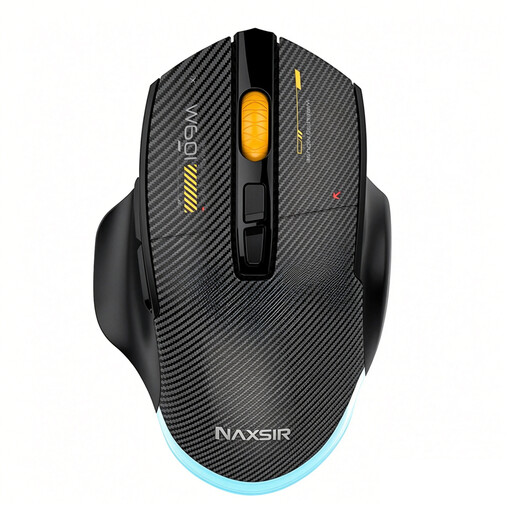
An option to consider if you want to compare different connection types for work and card games.
Connections listed in the product name: wired, 2.4G wireless and Bluetooth. Also listed: 12,800 DPI, 7 programmable macro buttons and RGB lighting. Colour: black.
 No image available
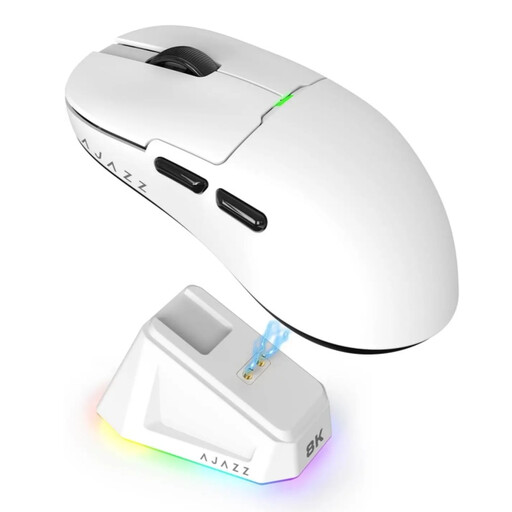
A wireless option to consider if you want to weigh up connection types and the mouse’s shape for your workspace.
The product name lists 2.4G, USB-C and Bluetooth, a PAW3395 sensor and a magnetic base. Also listed: 26K DPI, a 400 mAh battery, a weight of 56 g and RGB lighting. Colour: white.
The product description warns you to keep the magnetic base away from pacemakers, medical implants and credit cards.
 No image available
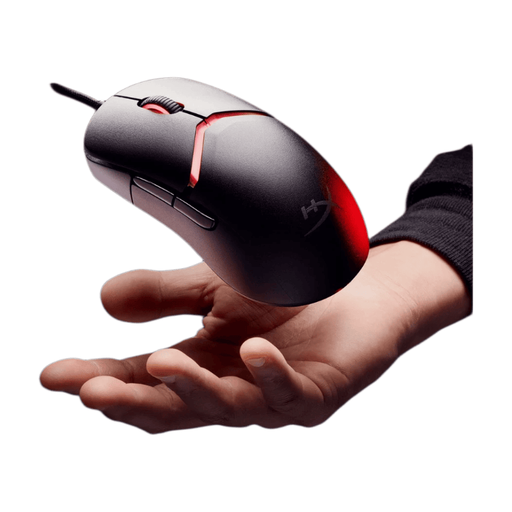
A wired option to consider if you use a fixed computer setup and the cable works with your desk.
The product name lists a wired connection, RGB lighting and 26,000 DPI. Colour: black.
 No image available
A wired option for a fixed workspace with a compatible USB Type-A connection.
The product name lists an optical mouse and 25,600 DPI. The product description mentions programmable buttons and a wired USB Type-A connection.
 No image available
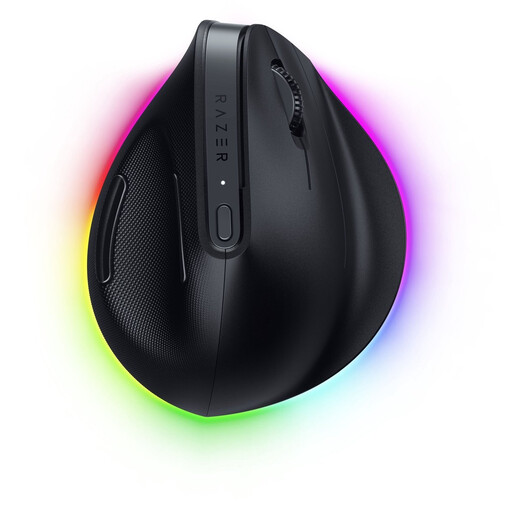
A vertical model to consider if you want to try a different grip for work and card games.
The product description mentions a vertical shape and programmable buttons. Decide for yourself whether the grip suits your hand and workspace.
No, the highest possible DPI doesn’t need to be a deciding factor for card games. Focus on a comfortable grip, the button layout and a connection that suits your computer. A high maximum DPI alone doesn’t tell you whether a mouse is right for you.
It depends on the model. Logitech says the G305 uses a LIGHTSPEED receiver, while SteelSeries lists both a 2.4GHz receiver and Bluetooth for the Rival 3 Wireless Gen 2. Check the connectivity of the exact version and make sure you have the required USB port available.
No, you can’t tell from its vertical shape alone. Trust describes the shape of the Rexxa, while Arboportaal also highlights the importance of a suitable workstation setup and changing your posture. Check the fit for yourself and, if necessary, speak to a professional about any existing discomfort.
Check which type of battery the model uses and how its stated battery life varies by connection mode. Logitech lists one AA battery for the G305; SteelSeries gives different usage times for 2.4GHz and Bluetooth for the Rival 3 Wireless Gen 2.
For online consumer purchases from a business, you’ll often have 14 days to change your mind, although exceptions apply. If a product is faulty, contact the seller to arrange a solution. The Dutch government states that there is no fixed statutory warranty period in the Netherlands that applies to every product.