
Calendar designer who works with lots of detail
You place and move elements around, and navigate large or wide designs. Arboportaal identifies precise positioning and frequent movement as situations where mouse use needs particular attention.


For calendar design at a shared desk, choose a mouse based on what matters most to you: precise pointing and scrolling, a comfortable hand position during long sessions, or quiet operation and a connection that works with the computer available. Check the mouse’s size and whether it’s designed for your left or right hand, and set up your workstation properly too; the shape of a mouse alone cannot guarantee that you’ll avoid discomfort.
You place and move elements around, and navigate large or wide designs. Arboportaal identifies precise positioning and frequent movement as situations where mouse use needs particular attention.
You look for a hand position that suits you and vary your tasks and posture. Arboportaal points out that working at a screen can involve repetitive movements and static strain on the neck, shoulders and arms.
You want to minimise disruption to colleagues and connect the mouse to your work computer. Logitech and Trust describe models with quiet main buttons; also check the connection and whether the mouse is designed for your left or right hand.
| Buying concern | What should you look for? | Who is this important to? |
|---|---|---|
| Precise pointing and navigation | Assess the cursor speed and check that the scroll wheel suits your design software and working style. | If I want to position calendar elements precisely and navigate wide layouts, I need to be able to adjust the pointer and scrolling controls to suit me. Around 33% of consumers put design control at the top of their list. |
| Hand position during extended use | Compare the shape with your hand size and the hand you use; also set up your workstation and vary your screen-based tasks. | During long design sessions, I want a shape that feels comfortable in my hand, without assuming that one design suits everyone. Around 27% of consumers give hand position their highest priority. |
| Keeping things quiet for colleagues | Check whether quiet operation is specified for the exact version and, if possible, try the feel of the click. | When I work alongside colleagues, I want to reduce unnecessary clicking sounds without overlooking fit or the controls I need. Around 20% of consumers say keeping things quiet for colleagues is their main buying concern. |
| Connecting and changing workstations | Check Bluetooth support, available USB ports and whether any customisation software is permitted on your work computer. | When I work at different workstations, I want to know which connections are available and what comes with the version I choose. Around 20% of consumers put easy connectivity first. |
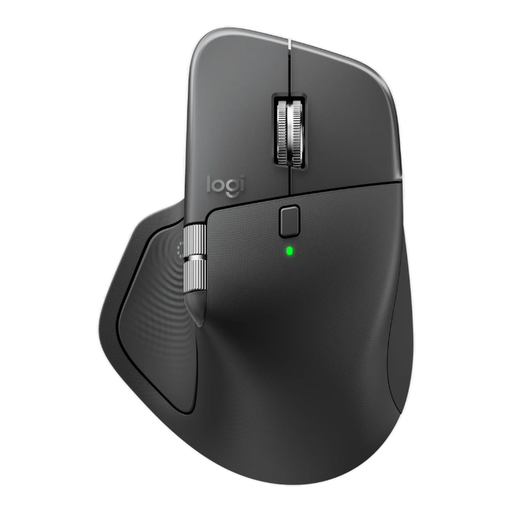
A name such as MX Master 3S doesn’t automatically tell you which version or connection accessories you’re looking at. The Logitech page reviewed describes a Bluetooth edition, while a Joybuy listing for the MX Master 3S mentions a USB receiver.
Compare the full product name, model code and box contents before choosing a version.
The Logitech Lift is marketed for small to medium-sized hands and is available in separate left- and right-handed versions.
Check your hand size and the version; also set up your workstation and vary your screen-based tasks.
Quiet main buttons don’t tell you whether the fit, connection and controls will also suit your design work and shared computer.
Compare the clicking noise with the navigation controls, shape and available connections.
The mouse ranges reviewed include quiet Signature M650 versions, the vertical Lift and the MX Master 3S with more advanced scrolling controls.
The wireless Bayo II is a vertical option with quiet main buttons and a USB receiver.
The Expert Mouse wireless trackball offers a different way to point and navigate from a conventional mouse.
The MW 8C ERGO is a contoured wireless mouse designed for right-handed use.
This selection of Joybuy products covers wireless productivity mice, a basic mouse, a trackball and a vertical mouse for calendar design at a shared desk.
 No image available
An option to consider if you’re looking for a wireless productivity mouse and want to check that its listed connection options suit your work computer.
8K DPI; Bluetooth; Logi Bolt receiver; USB-C charging; graphite.
 No image available
An option to consider if you’re looking for quiet clicks and a USB receiver for use at a shared desk.
2.4 GHz with USB receiver; 1600 DPI; optical mouse; quiet clicks; EU Version.
 No image available
An option to consider if quiet operation and horizontal scrolling matter to you; check that the shape and connection suit your workstation.
Wireless via RF and Bluetooth; 3200 DPI; right-handed design.
 No image available
An option to consider if you have limited space and want to try a thumb-operated trackball; see whether this style of control suits precise positioning work.
 No image available
A vertical shape to consider if hand position is your priority during long sessions; check the fit and whether it’s designed for your left or right hand.
No, the highest DPI setting isn’t automatically necessary for precise design work. Adjust the cursor speed so you can position elements with control; Logitech says the MX Master 3S Bluetooth edition has adjustable sensitivity.
Check whether the computer has Bluetooth or a suitable USB port, and whether any customisation software is permitted. Logitech says the Signature M650 can connect via Bluetooth Low Energy or a Logi Bolt receiver; don’t assume every work computer supports both options.
No. According to Arboportaal, Article 5.10 of the Dutch Working Conditions Decree requires screen-based work to be alternated with other work or a break at regular intervals. Choosing a mouse doesn’t replace this.
Contact the seller. According to the Dutch government, when you buy as a consumer you’re entitled to a product that works properly, and the seller must provide a solution if there’s a problem; a manufacturer’s guarantee doesn’t replace your statutory rights.
According to the Dutch government, when you buy online from a business, you’re usually entitled to a 14-day cooling-off period. Check whether this applies to your order; it doesn’t automatically apply when you buy from a private seller.