
Players who want to move
You want to swing or move in front of the TV while playing Nintendo Switch Sports. So, check which controller set-up is supported for each sport; Nintendo describes different set-ups for different sports.


Start with your console and the controls supported by the specific game. For Nintendo Switch Sports, Joy-Con or, depending on the sport, Joy-Con 2 are suitable; Pro Controllers do not work with the game, and Joy-Con 2 does not work with the leg strap. For button-controlled sports or arcade games, choose a controller for your Xbox, PlayStation or PC. However, no controller will make the picture on your TV easier to see in bright light.
You want to swing or move in front of the TV while playing Nintendo Switch Sports. So, check which controller set-up is supported for each sport; Nintendo describes different set-ups for different sports.
You play a sports or arcade game using buttons on Xbox, PlayStation or PC, and want a gamepad that suits both your platform and your game. Microsoft and Sony describe the platform compatibility and connection options for their controllers.
You want to play together on one TV. Consider how many controllers you need and how much room you’ll need to move, and separately check whether you can see the screen clearly from your playing area during the day.
First check your console and game, then choose between motion controls and button controls. Finally, assess your playing space and how clearly you can see the TV from where you’ll be playing.
| Consideration | What should you check? | Who is this important for? |
|---|---|---|
| Compatibility | Check the console version, game title, playing style and controller requirements for each game mode. | If I want to be sure my game accepts the controller, compatibility is my top priority. Around 36% of consumers put this first. |
| Movement and playing together | Count the controllers and players you already have; check the Joy-Con set-up for each sport and whether a leg strap is needed. | If we want to play using arm movements or with several players on the same TV, I check which set-up the sport requires. Around 29% of consumers prioritise movement and local multiplayer. |
| Space and TV picture | Check how clearly you can see your TV during the day, and leave enough room for every player to move around. | If I play in a bright living room, I want room to move and to be able to read the screen from where I’m sitting or standing. Around 21% of consumers put their living room set-up first. |
| Comfort while seated and power | Check that your game is supported, try the grip if possible, and look at the connection and power options for the exact model. | If I play a button-controlled game while seated, I pay attention to grip, connection and power. Around 14% of consumers give these points top priority. |
A motion sensor alone doesn’t prove that a game will accept another gamepad. Nintendo specifies which controller set-ups are supported for Nintendo Switch Sports.
Check the exact game and sport mode before choosing a controller; don’t rely on a gyroscope being listed.
Nintendo states that Joy-Con 2 does not work with the Nintendo Switch Sports leg strap.
Before buying, check which football controls you want to use and which Joy-Con you already own.
Your choice of controller won’t automatically make the picture on your existing TV easier to see in bright daylight.
Check the picture during the day from where you plan to play, and assess the TV set-up separately from the controller.
Joy-Con and Joy-Con 2 are designed for motion controls on supported Switch systems.
The Xbox Wireless Controller is an option for button-controlled games on supported Xbox consoles and Windows PCs.
DualSense is designed for compatible PS5 games and supported games on PC.
The Enhanced Wireless Controller Rechargeable is a traditional Switch gamepad with a motion sensor.
The Ultimate 2C Bluetooth is a Switch-focused gamepad; the similarly named Wireless version is designed for a different platform.
This selection includes traditional gamepads for button-controlled games on platforms including Xbox and PC, as well as Switch controllers for games with motion controls. Check support for your specific game and platform.
 No image available
Suitable for button-controlled games on Xbox and Windows when the game supports this controller.
Wireless connection and USB-C; the product information lists a hybrid D-pad, textured grip and battery life of up to 40 hours.
 No image available
A gamepad option for PC or Switch games that support this model; check the controls for each game.
The product information lists wired, wireless and Bluetooth connections, haptic feedback and programmable buttons.
 No image available
A gamepad for Switch and PC games that support the model; a gyroscope alone doesn’t confirm compatibility with specific motion-controlled games.
The product information lists a 6-axis gyroscope, TMR sticks and use with Switch and PC.
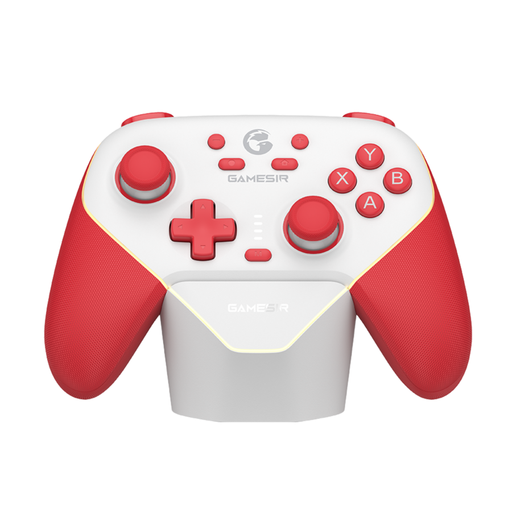 No image available
A traditional gamepad option for supported Switch and PC games; check whether your specific game accepts the model.
The product information lists Bluetooth, a wireless dongle and wired use.
 No image available
For motion-controlled games on Nintendo Switch 2 when the specific game supports Joy-Con 2. Joy-Con 2 does not work with the Nintendo Switch Sports leg strap.
The set includes a left and right controller and two wrist straps; the product information lists motion controls and battery life of up to 20 hours.
No. Nintendo states that neither the Nintendo Switch Pro Controller nor the Nintendo Switch 2 Pro Controller is compatible with Nintendo Switch Sports. For other sports games, check the controller requirements for that game.
Leave enough space around players and attach the wrist straps to any Joy-Con you’re using wirelessly. Nintendo recommends TV mode for Nintendo Switch Sports; also check for yourself that the screen is clearly visible from your playing area during the day.
First, count how many controllers the sport you’ve chosen requires and compare that with what you already own. Nintendo states that a Nintendo Switch Online membership is required for the online features in Nintendo Switch Sports; local multiplayer is a separate option.
According to ACM ConsuWijzer, online purchases generally come with a 14-day cooling-off period from delivery, although exceptions apply. If a product doesn’t perform as you could reasonably expect under normal use, you’re covered by the statutory guarantee; this is separate from any additional manufacturer’s warranty.