
Vandaag of morgen in huis

Kwaliteit gegarandeerd

Welkomstaanbiedingen ontgrendelen: GRATIS bezorging | Tot 80% korting | Gratis 30 dagen JoyPlus-proefperiode
Download de app
Buying a motherboard might seem straightforward at first: choose a socket, check the number of connections and compare prices. In practice, problems often only come to light after you’ve bought it. A processor may fit physically but not be supported by the BIOS. A compact case may turn out to be too small. Or you might pay for Wi-Fi 7 when your router and operating system can’t make full use of it.
This buying guide will help you assess specifications sensibly. The selection below is based on verifiable product details, such as socket, chipset, memory standard, storage connections and dimensions.
An AM5 motherboard doesn’t automatically support every AMD Ryzen processor, so you’ll need to check compatibility. The models listed support various Ryzen 7000, 8000 and 9000 processors, but the manufacturer also refers to its current processor support list. Check it before you order, especially if you have a newer CPU or need a BIOS update.
The same applies to an Intel LGA 1700 motherboard. Intel H610 and B760 chipsets use the same socket, but their supported memory standards, expansion options and BIOS features can differ considerably.
A DDR5 motherboard may support high speeds through XMP or EXPO, for example. The maximum speed is usually an overclocking profile, not a guarantee that every memory kit will run at that speed. Compatibility depends on the processor, memory modules and number of modules installed.
So check the manufacturer’s memory list. Also look at the maximum memory capacity: some compact models have two slots and support up to 96 GB, while models with four slots can accommodate 192 or 256 GB.
An ATX motherboard measures approximately 305 × 244 mm and needs a case that supports ATX. A micro-ATX motherboard is more compact, but may offer fewer expansion slots, fan connections or memory slots.
Also consider the connections you’ll actually need. Do you need multiple M.2 SSDs, a capture card, extra USB ports or a water-cooling pump? If so, two M.2 slots and just a few fan headers may not be enough.
Choose your platform first:
A DDR4 motherboard and a DDR5 motherboard use different memory modules. DDR4 won’t fit in a DDR5 slot, or vice versa. For example, according to the stated specifications, the MSI PRO H610M-G supports two DDR4 slots and up to 64 GB. The MSI PRO B760M-P has four DDR5 slots and supports up to 192 GB.
For a new motherboard for a PC build configuration, it’s worth comparing the total cost of the motherboard and RAM in advance. A more affordable DDR4 platform can be a practical choice if you already have compatible modules. If you’re building a new system, you may prefer the room to expand offered by four DDR5 slots.
M.2 slots are important for fast storage. Check the PCIe generation and where the lanes come from: some M.2 slots connect directly to the processor, while others connect to the chipset. A PCIe 5.0 motherboard doesn’t automatically support PCIe 5.0 on every slot, so check each one and bear in mind which CPU you’re using.
There are clear differences when it comes to wireless networking:
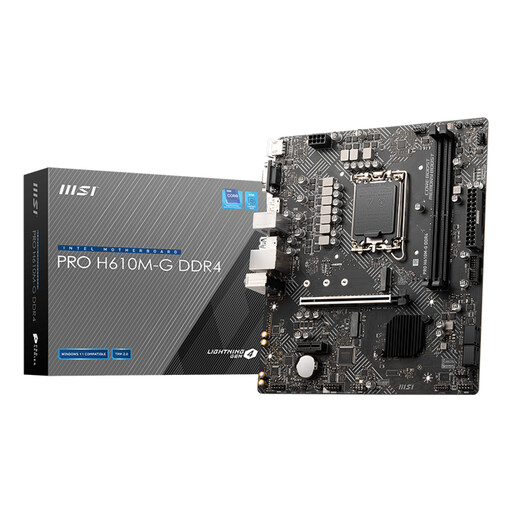
Why it suits this profile: A compact Intel foundation for anyone looking to reuse existing DDR4 modules and build a simple PC.
DDR4 support and micro-ATX dimensions are clearly specified. Just be sure to check CPU compatibility and the limited expansion options in advance.
Micro-ATX form factor, two DDR4 slots, one M.2 slot and PCIe 4.0 x16 for a straightforward setup.
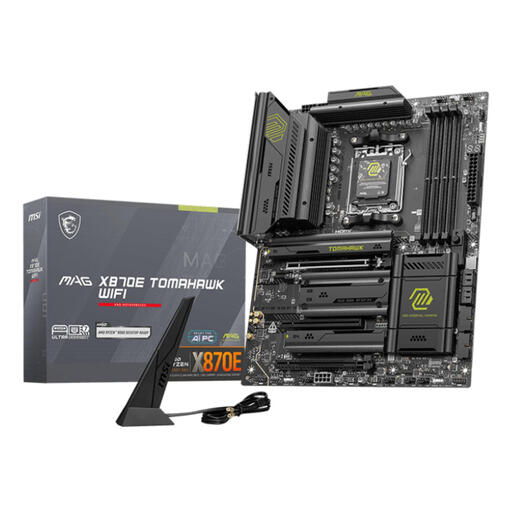
Why it suits this profile: Well suited to a high-spec AMD build, with four DDR5 slots, plenty of storage options and wired or wireless networking.
The chipset, AM5 socket, DDR5 memory and Wi-Fi 7 are all listed separately. Be sure to check your router, the CPU support list and the case you plan to use.
ATX form factor, up to 256 GB DDR5, 5 Gbit Ethernet, Wi-Fi 7 and support for AMD Ryzen 7000, 8000 and 9000 series processors.
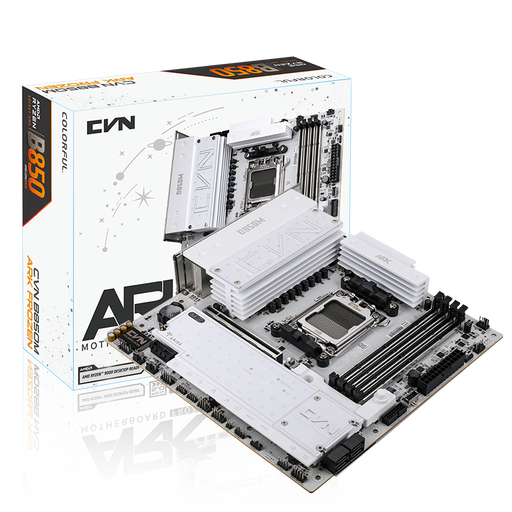
Why it suits this profile: A good fit for a powerful compact build with multiple NVMe drives, plenty of USB connections and built-in wireless networking.
Three M.2 slots, four memory slots and clear PCIe specifications make the expansion options easy to assess. Just check that your case supports the micro-ATX form factor.
B850 chipset, up to 192 GB DDR5, three M.2 slots, PCIe 5.0 x16, 2.5 Gbit Ethernet and Wi-Fi 7 according to the product specifications.
We’ve put together a complete, up-to-date list of products that meet these strict selection criteria and the applicable European safety regulations.
Use this quick checklist:
Take care with static electricity during installation. Switch off the power supply, don’t touch the socket contacts and use the correct standoffs in the case. The statutory consumer guarantee in the EU still applies; additional rights may be available under Dutch consumer law.
Choose your processor first, then pick a motherboard to match. For AMD Ryzen models, look for AM5 and check the official CPU support list. For Intel processors on the LGA 1700 platform, compare options such as H610 and B760. For a gaming motherboard, the PCIe slot for the graphics card, the number of M.2 slots and your preferred memory standard are also important.
It depends on your network. Wi-Fi 7 is only useful in practice if your router and operating system support the standard. If you mainly game over a wired Ethernet connection, you may get more benefit from extra M.2 storage or more fan headers than from a newer wireless standard.
Its lifespan depends on how you use it, the power supply, temperature and your expansion needs. A motherboard may remain technically usable for several years, but compatibility with future processors, memory standards and connections will determine how long you can practically upgrade the system. So consider not only your current components, but also the expansion options you expect to need later.
