
Filmmaker focused on colour
You compare tulips and changing daylight across shots and versions, and want to set up your monitor for the intended SDR or HDR output.


For an SDR tulip film, an accurate Rec.709 display as part of a consistent colour workflow matters more than a wide quoted colour gamut alone. If you want to review several edits at once, a larger physical workspace may be more useful. Adobe distinguishes Rec.709 for SDR from Rec.2100 PQ for HDR, and an HDR label alone does not prove that a monitor is suitable for critical HDR review. Also check that the colour workflow, connections and any laptop charging needs suit your setup.
You compare tulips and changing daylight across shots and versions, and want to set up your monitor for the intended SDR or HDR output.
You want to keep the preview, timeline and project panels easy to see when reviewing different edits of the same film.
You want to connect your display, peripherals and, if needed, laptop power through a monitor setup that suits your needs. The charging power required depends on your laptop.
When editing a tulip film with several project versions, your priorities depend on the delivery format, the screen layout you want and how the monitor connects to your editing computer.
| What to consider | What to look for | Who is it important for? |
|---|---|---|
| Colour for delivery | First decide whether you’re working in SDR or HDR. Then compare colour modes and calibration options with your workflow. | If I want to assess colours carefully across shots and versions, I want to match the settings to the final delivery. Around 34% of consumers put colour grading first. |
| Space for multiple versions | Compare screen size, resolution and how you want to arrange the preview, timeline and panels. | If I want to see the preview, timeline and project panels at the same time, I consider how much desk space the screen will take up. Around 33% of consumers prioritise a clear editing layout. |
| Connection and power | Check your computer’s video output and compare the monitor’s charging power with your laptop’s needs. | If I want to connect my laptop to the monitor and possibly charge it, I want to know whether the connection and power output suit my computer. Around 20% of consumers put ease of connection first. |
| HDR delivery | Confirm that HDR is actually your delivery format, and assess the relevant monitoring requirements separately. | If I’m delivering an HDR version, I want to factor the HDR workflow into my choice rather than relying on an HDR label alone. Around 13% of consumers prioritise HDR delivery. |
A Rec.709 SDR workflow differs from an HDR workflow. Adobe describes Rec.709 for SDR and Rec.2100 PQ for HDR; a product specification alone doesn’t tell you whether a monitor is suitable for critical HDR review.
Decide on your delivery format first. If your film is actually being delivered in HDR, assess HDR monitoring separately.
The 27-inch ASUS PA279CRV and 31.5-inch LG 32UQ850V-W both have 3840 × 2160 pixels. At the same resolution, the larger screen doesn’t automatically give you more pixels.
Compare the physical dimensions and think about how the preview, timeline and panels will fit into your workspace.
A USB-C connection alone doesn’t confirm that your laptop can output a video signal and receive enough power. The stated charging power varies by model.
Check your laptop’s video output and power needs against the monitor’s connections and Power Delivery.
Depending on the combination, you may still need a separate laptop charger or a suitable connection cable.
The ProArt PA279CRV is worth comparing if you want to assess colour coverage alongside your own output workflow.
The ColorEdge CS2740 is worth comparing if colour settings and screen specifications are important to your workflow.
The UltraFine 32UQ850V-W has a 31.5-inch 4K screen, making it an option if you’re looking for a larger physical workspace.
The Creative Pro PV3200U is marketed as a monitor for video editing.
The UltraSharp U2723QE is a model name to assess on its own; don’t confuse it with another UltraSharp model.
These Joybuy picks are 4K monitors for editing; screen size, colour information and connections vary by model.
 No image available
The stated 31.5-inch screen size may suit a layout with the preview alongside the project panels.
The product description lists 3840 × 2160 pixels, 99% DCI-P3 and an automatic calibration function.
The title lists 120Hz and QD-OLED.
 No image available
The 32-inch 4K screen may suit anyone looking for room for both the preview and timeline.
The product description lists 3840 × 2160 pixels, 100% sRGB, HDMI, DisplayPort and VESA mounting.
The title lists a 3000R curve and a VA screen.
 No image available
The 27-inch screen may suit a permanent desktop setup where space is limited.
The title lists 3840 × 2160 pixels, 60Hz and 4ms.
The product description mentions HDMI, DisplayPort and a height-adjustable stand.
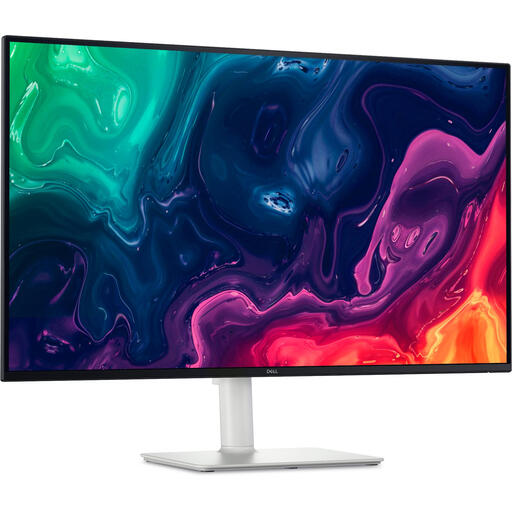 No image available
The stated 31.5-inch screen size may give you more room to arrange the preview and timeline.
The product description lists 3840 × 2160 pixels, a VA panel, HDMI and DisplayPort.
The description also mentions a height-adjustable stand and VESA mounting.
 No image available
The stated 31.5-inch 4K screen may suit an editing setup with multiple panels.
The product description lists Rec.709 colour coverage, USB-C with 90 W Power Delivery, HDMI, DisplayPort and a KVM function.
That depends on the planned delivery, not the monitor’s name. Adobe describes Rec.709 as an SDR working colour space and Rec.2100 PQ as an HDR option; check the source, sequence and output settings for each version.
Only if your laptop’s video output is compatible and the monitor provides enough charging power for it. ASUS lists 96 W for the PA279CRV and EIZO lists up to 60 W for the CS2740; compare these figures with your own computer’s requirements.
Don’t rely on a colour coverage percentage alone. Check which calibration method the exact model supports and what measuring equipment you’ll need. Also match the settings to your editing colour workflow.
According to the Dutch government, distance purchases generally come with a 14-day cooling-off period, although there are exceptions. ACM ConsuWijzer also explains that a product must meet what you could reasonably expect when used normally; statutory warranty is not simply the same as a fixed manufacturer’s warranty period.