First, measure the width and depth of your desk, including the monitor stand, cables and space for a drawing tablet. A smaller screen diagonal doesn’t necessarily mean a smaller footprint. Then choose between QHD for more pixels or 16:10 for a different, more vertical workspace, depending on the work you do. ASUS and BenQ specify QHD resolution for the PA24ACRV and PD2506Q respectively. EIZO specifies hardware calibration for the CS2400S, which has a resolution of 1920 × 1200 pixels.
Who is this monitor suitable for?
Illustrator with limited desk space
You want to keep space free for a drawing tablet or sketches. So compare the screen’s width and depth with the stand included, not just the diagonal measurement. For example, BenQ publishes the dimensions of the PD2506Q including its stand.
Colour-critical illustrator
You make deliberate colour choices and want to know which colour space and calibration options the specific model offers. EIZO describes hardware calibration for the CS2400S, while ASUS provides model specifications for products including the PA24ACRV and PA248QV.
Detail-focused artist using a laptop
You want to assess fine lines and check that your monitor, laptop and any peripherals work together. ASUS and BenQ list USB-C features and power delivery for the models mentioned; also check what your laptop requires.
What should you consider when choosing?
| What to consider |
What should you check? |
Who is this for? |
| Desk space |
Measure the available width and depth, then compare them with the monitor’s dimensions including the stand. BenQ lists a depth of 256,9 mm with the stand for the PD2506Q. |
I want to use my drawing tablet next to the screen, so I also need to account for the stand; around 31% of consumers give having clear space to draw their top priority. |
| Colour for your output |
First, decide whether your workflow is aimed at sRGB or another output. Then compare the specified colour space and calibration options for the exact model, such as the EIZO CS2400S. |
I want to match colours carefully to my final file, so I look at colour management for the specific model; around 31% of consumers prioritise colour management. |
| Fine lines and workspace |
Compare resolution, screen size and aspect ratio together. ASUS lists 2560 × 1440 pixels for the PA24ACRV; EIZO lists 1920 × 1200 pixels for the CS2400S. |
I want to assess building outlines and small details clearly; around 25% of consumers say detail is their top buying priority. |
| Connecting a laptop |
Check whether your laptop’s USB-C port supports video and how much power delivery you need. ASUS lists 96 W Power Delivery for the PA24ACRV and BenQ lists 65 W for the PD2506Q. |
I want to connect my laptop appropriately and check whether I’ll still need a separate power supply; around 13% of consumers give ease of connection their top priority. |
Which buying mistakes can you avoid?
-
Looking only at the screen diagonal
Even a compact screen can take up a lot of desk depth once you include the stand. BenQ lists the PD2506Q as having a depth of 256,9 mm including its stand.
Measure the available width and depth, and allow for cables, input devices and space for your drawing tablet.
A colour management or calibration workflow may require extra time and equipment.
-
Assuming USB-C provides enough power for your laptop
USB-C video doesn’t automatically mean the monitor provides enough power to charge your laptop. ASUS lists 96 W Power Delivery for the PA24ACRV; BenQ lists 65 W for the PD2506Q.
Compare the power delivery with your laptop’s requirements and check which cables come with the monitor you choose.
Depending on your laptop, you may still need a separate power supply.
Which brands are relevant for illustration monitors?
ASUS
The ProArt models mentioned offer different options for a compact workspace and illustration work.
- For the PA24ACRV, ASUS lists 2560 × 1440 pixels, 100% sRGB and USB-C with 96 W Power Delivery. For the PA248QV, ASUS lists 1920 × 1200 pixels and 100% sRGB.
- The listed inputs for the PA248QV don’t include USB-C video. Specifications for these models don’t automatically apply to other ProArt models.
BenQ
The PD2506Q is a 25-inch QHD model to compare if you want to consider resolution and desk footprint together.
- BenQ lists 2560 × 1440 pixels, 100% sRGB, 65 W USB-C Power Delivery and a stand depth of 256,9 mm.
- The quoted average Delta E ≤ 3 is a claim made by BenQ, not an independently verified colour performance result.
EIZO
EIZO positions the ColorEdge CS2400S for areas including design and illustration where colour management matters.
- For the CS2400S, EIZO lists hardware calibration, more than 99% AdobeRGB and a resolution of 1920 × 1200 pixels on a 24,1-inch screen.
- Its resolution is lower than that of the QHD models mentioned; the colour-space coverage is specified by EIZO for this particular model.
Dell
The UltraSharp U2424H is an adjustable 23,8-inch IPS model for general-purpose computing.
- Dell lists Full HD and a height-adjustable stand for the U2424H.
- Full HD offers fewer pixels than the QHD options mentioned. Don’t assume from the product page that it’s suitable for colour-critical work.
LG
LG presents the 24BA550-B, a 23,8-inch IPS model, for a range of workspaces.
- LG lists Full HD, 100 Hz and height, swivel and tilt adjustment.
- The product specifications listed aren’t, by themselves, enough to treat this model as a calibrated illustration monitor.
Monitors at Joybuy for illustration work
This selection at Joybuy ranges from portable screens for a laptop setup to desktop monitors for illustration work. For each model, compare the stated dimensions, connections and specifications with your own workspace and equipment.
 No image available
TECLAST V16Q portable monitor, 2.5K, 16:10
A portable screen to consider if you want to view or edit illustrations from a laptop.
The product name specifies an IPS screen, 2.5K, 144 Hz and a 16:10 aspect ratio.
The listed connections are two USB-C ports and mini-HDMI; the product name also mentions a built-in stand.
Joybuy
 No image available
UPERFECT portable monitor, 16 inch, 2560 × 1600
A portable monitor to compare if you’re looking for a laptop setup with a 16:10 screen.
The product name specifies 2560 × 1600 pixels, 16:10, 144 Hz and a QLED screen.
The listed connections are Type-C and mini-HDMI. The product name also mentions VESA compatibility.
Joybuy
 No image available
ARZOPA Z1RC portable monitor, 16 inch, 2.5K
A portable option to consider if you want to work on illustrations from a laptop and are looking for a 16:10 format.
The product name specifies an IPS screen with 2560 × 1600 pixels and a 16:10 aspect ratio.
The listed connections are USB-C and HDMI; the product name mentions a built-in stand.
Joybuy
 No image available
ASUS ProArt Display PA24ACRV, 23,8 inch, QHD
An option to compare if you want a QHD screen for your desk and need USB-C video for your laptop.
ASUS lists 2560 × 1440 pixels, 100% sRGB and USB-C with 96 W Power Delivery for this model.
Check that the USB-C features and power delivery meet your laptop’s requirements.
Joybuy
 No image available
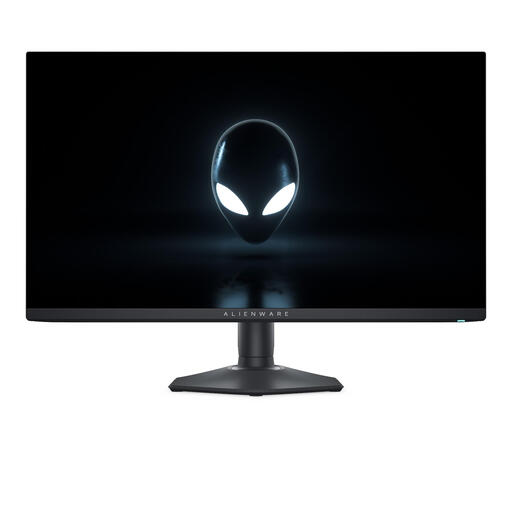
Alienware AW2725DF, 27 inch, QHD QD-OLED
A desktop monitor to consider if you’re looking for QHD and have room for a 27-inch screen.
The product name specifies 2560 × 1440 pixels and a QD-OLED panel.
A 27-inch screen may take up more space on a compact desk, so check that you have room for your complete setup.
Joybuy
Frequently asked questions
Do I need a wide colour gamut for a digital harbour illustration?
Not necessarily; start with the colour space for your intended output. ASUS lists an sRGB mode and specified sRGB coverage for the PA24ACRV, while EIZO also lists an AdobeRGB mode and hardware calibration for the CS2400S. A wide gamut doesn’t replace the need for a suitable colour mode and settings.
How can I check whether one USB-C cable will connect my laptop to the monitor?
Check whether your laptop’s USB-C connection supports video and how much power delivery you need. ASUS lists USB-C video and 96 W Power Delivery for the PA24ACRV; BenQ lists DisplayPort Alt Mode, data and 65 W Power Delivery for the PD2506Q.
What can I do if the colours don’t suit my work after setup?
First, choose a colour mode that suits your final file. For recurring colour-critical work, EIZO specifies hardware calibration with ColorNavigator for the CS2400S; check what measuring equipment your workflow requires.
What cooling-off period and warranty apply to an online purchase in the Netherlands?
ACM ConsuWijzer says that online purchases generally come with a statutory cooling-off period of up to 14 days after delivery, subject to exceptions. Statutory warranty also applies if a product doesn’t do what you could reasonably expect when used normally; the seller is responsible for this. A manufacturer’s warranty doesn’t replace this statutory right.
Are there legal requirements for my small screen-based workstation?
That depends on the situation. Arboportaal describes workplace rules for employers, including a height-adjustable, non-reflective screen, and states that they apply when screen work takes up more than 2 hours a day. These aren’t general legal purchasing requirements for every individual illustrator.


