
Vandaag of morgen in huis

Kwaliteit gegarandeerd

Welkomstaanbiedingen ontgrendelen: GRATIS bezorging | Tot 80% korting | Gratis 30 dagen JoyPlus-proefperiode
Download de app
A monitor arm can free up space on your desk and make it easier to position your screen at the desired height and viewing angle. However, not every monitor mount is suitable for every monitor or desk. The wrong choice can result in a wobbly screen, an arm that slowly drops or a clamp that damages the desktop.
This buying guide helps home workers, gamers, office staff and IT professionals compare the key specifications without being swayed by marketing jargon.
A 27-inch monitor will not automatically fit every monitor arm designed for 27-inch screens. The weight of the screen is at least as important. A heavy gaming monitor or ultrawide monitor may fall within the stated inch range but still be too heavy for the arm.
So always check:
A VESA monitor arm uses a standardised hole pattern on the back of the screen. Many models support 75 x 75 mm and 100 x 100 mm, but not every screen has one of these patterns. Larger monitors may also use wider patterns.
Does your monitor lack a VESA connection? You may need a separate adapter plate. Check this before buying, as a separate adapter is not always included.
An adjustable monitor arm exerts force on the desktop as it moves. A thin, glass or unstable desk is therefore not always suitable for a clamp or grommet mount. Also check that there is enough room for the clamp and that the cables will not be pulled tight.
A 180° stop is useful when your desk is positioned against a wall. This function limits movement towards the wall or a partition, but it is not a substitute for secure mounting.
Choose a monitor arm with sufficient headroom. If your screen weighs 7 kg, an arm with a 7 kg limit is technically suitable, but there is little room left for variations in accessories or mounting. With a dual monitor arm, you should check the limit per screen; the total load capacity is not always distributed equally.
A triple monitor arm is useful for three screens, but the individual limit per arm remains the deciding factor. For example, the Neomounts DS60-600BL3 supports three screens from 10 to 27 inches and up to 6 kg per screen.
The most common patterns are:
A monitor arm with VESA 75 x 75 and 100 x 100 mm fits many office and home monitors. Check the manual or measure the distance between the screw holes on the back.
A standard manually adjustable monitor arm is often sufficient if you only move the screen occasionally. A gas spring monitor arm makes regular adjustments easier, for example when one desk is used for both work and gaming. Do pay attention to the spring’s minimum and maximum load capacity.
Also look for:
A monitor arm for a curved monitor must also be suitable for the shape and weight of the screen. A curved ultrawide monitor often has a different centre of gravity from a flat model.
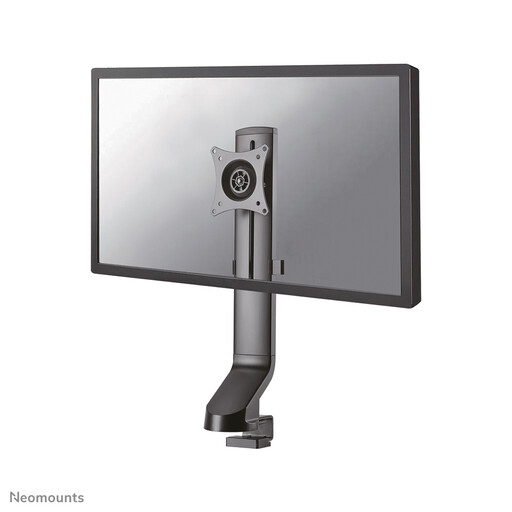
Why it suits this profile: This single monitor arm is suitable for screens from 10 to 32 inches and up to 8 kg. The desk clamp and grommet option give beginners two mounting choices.
The load capacity and VESA sizes of 75 x 75 and 100 x 100 mm are clearly stated. This means you do not have to rely on screen size alone.
Manual height adjustment from 26 to 45 cm, plus tilting, rotating and swivelling.
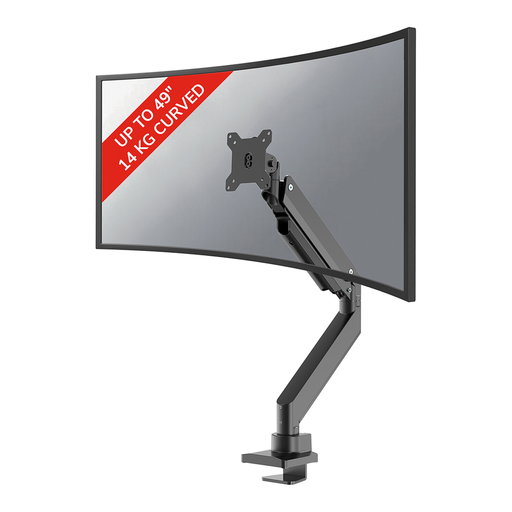
Why it suits this profile: For a large curved screen, this gas spring monitor arm offers a load capacity of up to 18 kg and supports screens up to 49 inches.
The specifications state both the maximum screen size and maximum weight. The 180° stop helps limit contact with a wall or panel.
Height adjustment up to 60 cm, depth adjustment from 0 to 63 cm, and VESA 75 x 75 and 100 x 100 mm.

Why it suits this profile: This triple monitor arm is designed for users who need multiple screens for activities such as trading, development, video editing or multitasking.
The 6 kg limit applies per screen. This makes it easier to compare each of the three monitors individually by weight.
Quick-release VESA system, cable management, and manual height and depth adjustment.
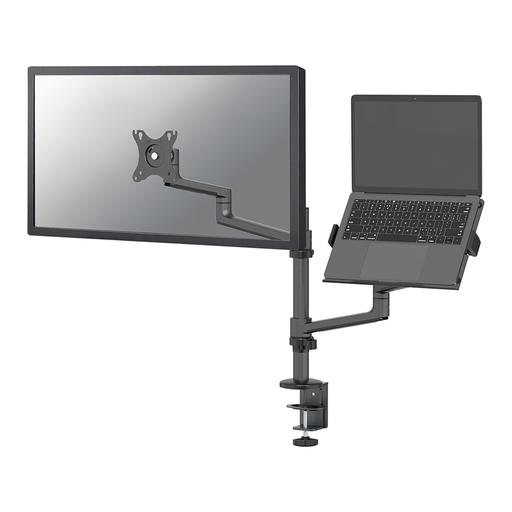
Why it suits this profile: This monitor arm with laptop stand supports a screen up to 27 inches and a laptop up to 17.3 inches. It is ideal for a compact home office.
The load capacities are stated separately: up to 8 kg for the screen and 5 kg for the laptop. This prevents the total limit from being misinterpreted.
Supports VESA 75 x 75 and 100 x 100 mm, with manual height and depth adjustment.
A desk monitor arm is usually attached with a clamp to the edge or with a grommet through an existing cable hole. A clamp can be positioned flexibly, while a grommet mount often needs less space at the back.
A wall-mounted monitor bracket makes more sense when the desk does not have a sturdy edge or when you want to keep the entire desktop clear. The Neomounts FPMA-W830 is a movable wall mount for screens up to 27 inches and 12 kg. For fixed, slim mounting up to 30 inches, the FPMA-W25 is an option; according to the product specifications, it supports up to 30 kg and VESA 50 x 50 to 100 x 100 mm.
For wall mounting, always check the type of wall, the correct wall plugs and the load-bearing capacity. Do not drill without first checking for pipes or cables.
We have put together a complete, up-to-date list of products that fully meet these strict selection criteria and the applicable European safety regulations.
No. The monitor must have a suitable VESA hole pattern, usually 75 x 75 or 100 x 100 mm, and its weight must fall within the arm’s limit. Also check that the supported screen size is suitable.
That depends on how often you adjust the screen. For a fixed workstation, manual adjustment is often sufficient. If you regularly switch between working while standing and sitting, or share a monitor with several users, you may benefit from a gas spring mechanism.
Its lifespan depends on the mounting, load and how often the arm is moved. Retighten screws and clamps periodically, do not exceed the load capacity and check that the cables are not pulling. The statutory guarantee still applies; some models also come with an additional manufacturer’s warranty, as stated in the product information.
