
Vandaag of morgen in huis

Kwaliteit gegarandeerd

Welkomstaanbiedingen ontgrendelen: GRATIS bezorging | Tot 80% korting | Gratis 30 dagen JoyPlus-proefperiode
Download de app
A monitor arm can free up desk space and make it easier to position one or more screens at the desired height and viewing angle. However, an attractive product page does not guarantee that the arm will be suitable for your desk or monitor. Load capacity, VESA compatibility and desk mounting are often assessed too superficially.
The most common poor purchases result from three pitfalls:
First check the number of screens, the maximum diagonal size and the weight of each monitor. A monitor arm for 2 screens does not automatically support two heavy 32-inch models, for example. A monitor arm for 3 screens also has a wider base and requires more free space behind or on the desk.
Pay attention to the following details:
For a monitor arm for an ultrawide monitor, the combination of width, weight and depth is particularly important. According to the product details, the Neomounts NM-D775BLACKPLUS supports one curved screen up to 49 inches and a maximum of 18 kg. This makes this type of monitor arm suitable for a large screen, provided that the desk and VESA connection are also compatible.
A VESA monitor arm uses the screw holes on the back of the screen. Many models in this range support VESA 75 × 75 mm and 100 × 100 mm. Measure the distance between the holes horizontally and vertically before ordering.
Does your monitor have a larger or non-standard hole pattern? You may then need a separate VESA adapter plate. Also check that the supplied screws are suitable for your screen. Do not use screws that are too long, as they could damage internal components.
An adjustable monitor arm can work manually, with a spring or with a gas spring. A gas spring monitor arm is practical when you regularly want to position the screen higher, lower, closer or further away. However, the arm must be adjusted correctly to match the monitor’s weight.
Also look at:
A product description may refer to an ergonomic monitor arm. Treat this as an adjustable aid, not a medical promise. The correct height and viewing distance also depend on your chair, desk and screen settings.
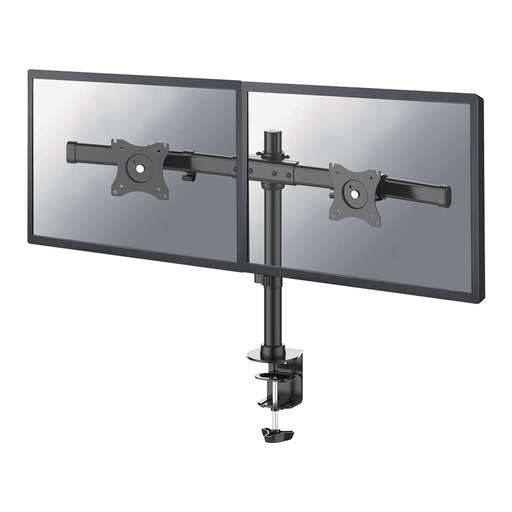
Why it matches this profile: This dual monitor arm is designed for two screens up to 27 inches and can be attached with a desk clamp or through-desk mount. That makes it practical for a first set-up with two compact monitors.
The specifications clearly state 10 kg per screen, VESA 75 × 75 and 100 × 100 mm, and an adjustable range from 0 to 45 cm.
Supports two screens, offers tilt, rotation and swivel functions, and includes cable management.
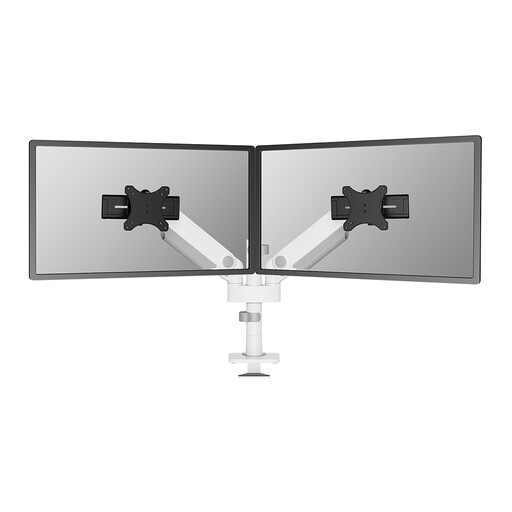
Why it matches this profile: This monitor arm for 2 screens is designed for larger flat or curved monitors. The gas spring and sliding crossbars provide additional adjustment options for a more spacious workspace.
The specifications distinguish between a maximum of 11 kg per flat screen and 9 kg per curved screen. This prevents the weight of curved models from being overlooked.
Suitable for two screens up to 34 inches, with gas spring height adjustment up to 54,2 cm and a 10-year warranty according to the product information.
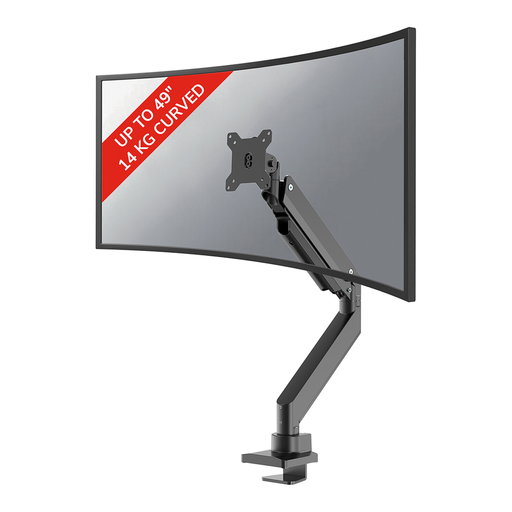
Why it matches this profile: This gas spring monitor arm is designed for one large flat or curved screen, such as an ultrawide monitor. Its range of up to 49 inches and 18 kg is suited to demanding office, gaming and dashboard set-ups.
The 18 kg limit, VESA dimensions and suitability for curved screens are listed separately. You should still check these against your screen’s weight.
Supports a screen up to 49 inches, offers height adjustment up to 60 cm, depth adjustment up to 63 cm and cable management.

Why it matches this profile: This monitor arm for 3 screens is suitable for a wide workstation with three monitors up to 27 inches. It is ideal for multitasking, CCTV monitoring, financial dashboards and sim racing.
The load capacity is specified as 6 kg per screen. The dimensions, VESA sizes and maximum screen size are also clearly stated.
Supports three screens, offers tilt, rotation and swivel functions, and has a 180° stop mechanism for positioning close to a wall.
We have compiled a complete, up-to-date list of products that fully meet these strict selection criteria and the applicable European safety regulations.
Before installation, check that the desktop is sturdy enough to support the combined weight of the arm and monitors. Do not attach a desk clamp to a damaged edge or a surface that could split. With a through-desk mount, the hole must be large enough for the mounting components.
Next, attach the VESA plate using suitable screws and adjust the spring or gas spring tension. Then move the arm slowly through its full range of motion. The cables need sufficient slack; a taut cable can put strain on the monitor port. After installation and regularly thereafter, check that the clamps, bolts and pivot points are still secure.
No. Check the hole pattern, usually 75 × 75 or 100 × 100 mm, as well as the screen’s weight and size. An adapter plate may be required for non-standard patterns.
That depends on the construction and the manufacturer’s instructions. A clamp applies concentrated pressure. Do not use one on glass or an unstable desktop if the product information advises against it.
Its service life depends on the load, installation and how often you move the screen. Keep the screen within the stated limit, do not overtighten the screws and check the connections regularly. The statutory guarantee in the EU is at least two years; some models also come with a longer manufacturer’s warranty.
