
Vandaag of morgen in huis

Kwaliteit gegarandeerd

Welkomstaanbiedingen ontgrendelen: GRATIS bezorging | Tot 80% korting | Gratis 30 dagen JoyPlus-proefperiode
Download de app
Mounting a monitor or television on the wall or on an arm saves space and can improve the viewing angle. However, not every monitor mount or TV mount is suitable for every screen. The wrong combination of weight, VESA size and mounting method can result in an unstable setup, limited freedom of movement or a screen that does not fit your workspace properly.
As a Joybuy Product Recommendation Officer, I filter the most important product specifications so that you can compare marketing claims with verifiable information.
A mount for screens up to 32 inches is not automatically suitable for every 32-inch screen. Weight and VESA size are just as important. For example, a heavy ultrawide monitor may place too much strain on a basic monitor arm, even if the screen size falls within the stated limit.
A full-motion wall mount, swivelling TV mount or tilting TV mount offers more freedom of movement, but it also needs sufficient space behind the screen. Therefore, check the minimum and maximum distance from the wall. In a small alcove, an arm that extends a long way may actually be impractical.
A TV wall mount does not just support the screen; it is also put under strain when you pull or swivel the television forwards. Check whether the wall is load-bearing and use fixings suitable for concrete, brickwork or another surface. For a monitor arm, the desk must be sturdy enough for clamp or grommet mounting.
VESA refers to the distance between the mounting holes on the back of your screen. Many monitors, for example, use 75 × 75 mm or 100 × 100 mm. Larger televisions may have patterns such as 400 × 400 mm, 600 × 400 mm or 800 × 400 mm.
Measure the horizontal and vertical distance between the screw holes before ordering a VESA mount. Also check that the supplied screws are suitable for the depth of the mounting holes.
Compare the weight of your screen without its separate stand with the mount’s maximum load capacity. With a movable arm, take the additional strain into account when the screen is fully extended.
Some practical examples:
Do not exceed the stated limit, and include the weight of any accessories.
Think about how you will use the screen before making your choice. For a fixed seating position, a simple tilting TV mount may be sufficient. If you regularly switch between gaming, working and watching television, you may get more from a swivelling TV mount or full-motion wall mount.
Look out for these features:
The choices below are based on the stated screen size, VESA compatibility, load capacity and adjustment range. Always check the current product specifications and installation instructions before fitting.
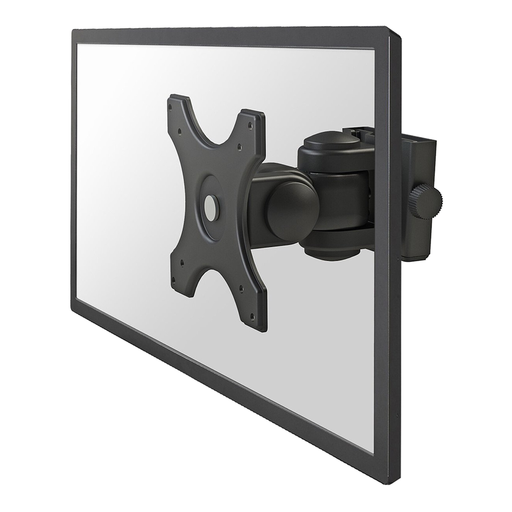
Why it suits this profile: This compact monitor wall mount is designed for screens from 10 to 30 inches and supports up to 12 kg according to the product specification. It is suitable for a basic monitor or small TV setup in a bedroom, study or home office.
The relevant limits are clearly stated: VESA 75 × 75 and 100 × 100 mm, a fixed depth of 12 cm and a maximum load capacity of 12 kg. This prevents you from choosing based on inch size alone.
Tilting and swivelling function, support for screens up to 30 inches and a stated warranty period of 5 years.
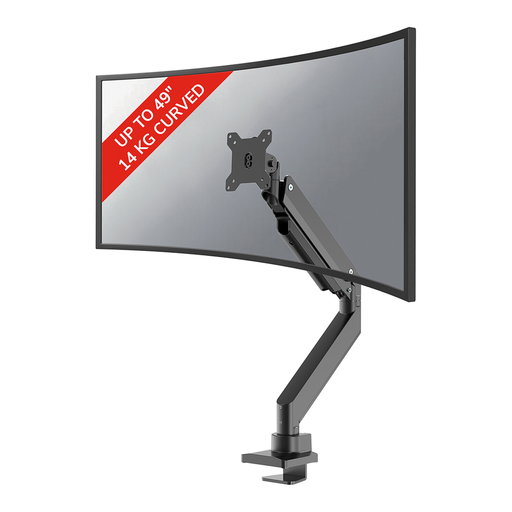
Why it suits this profile: This gas-spring monitor arm is designed for large curved and ultrawide screens up to 49 inches, with a maximum weight of 18 kg. The desk clamp or grommet mount is suitable for home workspaces, reception desks and office desks.
The product specification explicitly states support for curved screens, a reinforced head, VESA 75 × 75 and 100 × 100 mm, and a 180° stop mechanism.
Gas-spring height adjustment of up to 60 cm, depth adjustment from 0 to 63 cm, cable management and 360° rotation.
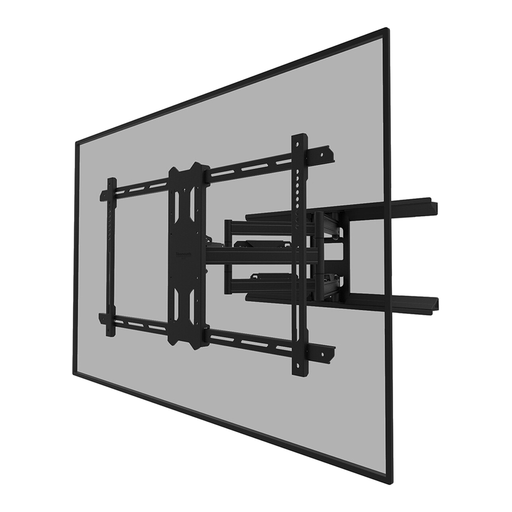
Why it suits this profile: This TV wall mount is suitable for larger screens from 43 to 86 inches and a stated load of up to 60 kg. The adjustable arm is suitable for living rooms, presentation areas and screens viewed from different positions.
The 60 kg load limit, VESA range from 200 × 100 to 800 × 400 mm and wall distance from 5 to 61 cm are listed separately. This makes checking the specifications before purchase easier.
Tilting up to 18°, swivelling up to 35°, horizontal correction, Easy Release system and cable management.
We have put together a complete, up-to-date list of products that fully meet these strict selection criteria and the applicable European safety regulations.
Use this quick checklist:
If you are unsure about the wall structure or electrical wiring, it is best to have the mount installed by a qualified professional.
No. A TV mount is only suitable when the screen falls within the stated size and weight range and its VESA pattern is supported. Check these three points separately.
Position the screen so that you are looking straight ahead and do not have to bend your neck for long periods. The exact height depends on your chair, desk and screen size. An adjustable monitor arm is practical when several people use the same workstation.
The lifespan depends on the materials, load, installation and how often the screen is moved. After installation, regularly check the screws, wall fixings and pivot points. Never use an arm above its stated load capacity and do not force a stop mechanism.
