
Writers who use a section outline
If you want to compare your verses with the structure of your sections as you write, the screen’s aspect ratio and window layout are important considerations.


Choose a monitor that suits the way you organise your text and section outline. At the same horizontal resolution, a 16:10 screen offers more vertical pixels than Full HD, while an ultrawide gives you room to place windows side by side. Also check that the screen fits your desk and that its connections, including any USB-C power delivery, work with your laptop. A larger screen is not automatically more comfortable for long writing sessions.
If you want to compare your verses with the structure of your sections as you write, the screen’s aspect ratio and window layout are important considerations.
A screen you can position to suit you can help you set up your workspace. Arboportaal also recommends varying your posture and activities; adjusting your monitor alone is no substitute for this.
If you switch between using your laptop on the go and at your desk, check whether one cable can provide a display signal and enough power, or whether you’ll need separate cables or a charger.
Best for: viewing text and your section outline one above the other, or working with limited desk space.
The trade-off: you get less horizontal space for several full-size windows than with a 34-inch ultrawide. The Dell P2425 is one example, with a 24.07-inch screen and 1920 × 1200 pixels, according to Dell Netherlands.
Best for: placing text, your section outline and notes side by side, if you have enough desk and viewing space.
The trade-off: the LG 34WR55QC-B is 809 mm wide with its stand, according to LG Netherlands. Also check whether its stated 65 W USB-C power delivery is suitable for your laptop.
Best for: mainly using a single text window and looking for a compact screen. Philips lists the 24B2N4200/00 as having a 23.8-inch screen and 1920 × 1080 pixels.
The trade-off: 1080 vertical pixels is fewer than the 1200 pixels offered by the Dell 16:10 option mentioned above. Also check which screen adjustments you need.
First, decide whether you mainly need room for several windows, a screen you can position to suit you, or a simple layout for one text window. The choice comes down to your main priority: workspace, posture, laptop connectivity or a straightforward purchase.
| What to consider | What to look for when buying | Who is this important for? |
|---|---|---|
| Text and section outline | Compare the screen’s aspect ratio and resolution with your window layout. The Dell P2425 has 1920 × 1200 pixels, according to Dell Netherlands; the LG 34WR55QC-B has 3440 × 1440 pixels, according to LG Netherlands. | If I want to keep track of my verses and section outline at the same time, I’ll focus on how the screen space is laid out. Around 36% of consumers put space for text and an outline at the top of their list when buying. |
| Adjustability | Check the height and tilt adjustments, the space available on your desk and whether you can position the screen directly in front of you. Arboportaal recommends varying your posture and activities. | For long writing sessions, I want to be able to position the screen to suit me and keep changing my posture. Around 29% of consumers say adjustability is their top priority. |
| Connecting and charging a laptop | Check your laptop’s video capabilities, what the specific monitor port is for and how much charging power you need. Dell Netherlands lists a USB-C downstream data port for the P2425; LG Netherlands lists 65 W USB-C power delivery for the 34WR55QC-B. | If I want to use my laptop with as few separate cables as possible, I’ll check that the monitor supports a display signal and provides enough charging power. Around 21% of consumers make laptop connectivity their top priority. |
| Simple set-up | Compare the screen size with your desk, check the connections and look up the exact model’s energy label in the European EPREL register. | If I mainly use one text window, I don’t want to choose a screen size that my layout doesn’t need. Around 14% of consumers say a straightforward purchase is their top priority. |
The USB-C port on the Dell P2425 is a downstream data port, according to Dell Netherlands. LG lists 65 W USB-C power delivery for a different model, the 34WR55QC-B; you can’t assume other monitors offer the same feature.
Check what the exact monitor port does, your laptop’s video output and how much charging power your laptop needs.
You may need a separate video cable, charger or compatible connection.
The LG 34WR55QC-B is 809 mm wide with its stand, according to LG Netherlands. You also need to position a wide screen so that your main window is directly in front of you.
Measure the available desk width and check that you can position the monitor at your preferred viewing distance.
A wide monitor may mean rearranging your desk or using a monitor arm.
A product specification doesn’t prove that long writing sessions without breaks are suitable. Arboportaal recommends varying your posture and activities.
Consider your screen settings and your working routine separately.
The Dell P2425 is an example of a compact 16:10 option for text-based work.
The LG 34WR55QC-B is an example of an ultrawide for anyone who wants to place several writing windows side by side.
The Philips 24B2N4200/00 is an example of a compact Full HD alternative for mainly using a single text window.
These product picks cover wide screen layouts for viewing text and a section outline side by side, a portable 16:10 screen and a compact Full HD screen.
 No image available
The wide screen layout may suit a set-up where you want to view text and a section outline side by side.
The product name mentions a USB-C hub; check the exact port functions and laptop compatibility before buying.
 No image available
The wide screen layout may suit anyone who wants to place text, a section outline and notes side by side.
The product name lists 5120 × 1440 pixels and Dual QHD. Bear in mind how much desk space a 49-inch screen needs.
 No image available
The portable design may suit anyone looking for an extra screen they can move around for writing.
The product name lists a 16:10 aspect ratio, 2560 × 1600 pixels, a built-in stand, USB-C and HDMI.
 No image available
The wide screen layout may suit anyone who wants to view text and a section outline side by side.
The product name lists 3440 × 1440 pixels. Check that the monitor’s width will fit your desk.
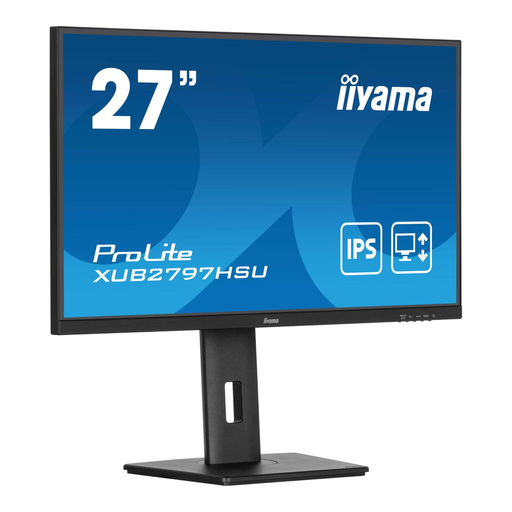 No image available
This Full HD monitor may suit a workspace where you mainly use a single text window.
The product name lists 1920 × 1080 pixels, a USB hub and a height-adjustable stand.
No, portrait orientation is simply a choice for how you lay out your document. Dell lists a rotating stand for the P2425; try portrait orientation and see whether it’s more useful for reading your text at your chosen size than having an outline beside it.
Position the screen directly in front of you, with the top just below eye level, and vary your posture and activities. This is the advice from Arboportaal; a particular monitor setting can’t guarantee that you won’t experience discomfort.
Not necessarily: check that the specific port supports video and provides enough power for your laptop. Dell lists a USB-C downstream data port for the P2425; LG specifies 65 W USB-C power delivery for the 34WR55QC-B.
For distance purchases, you generally have 14 days to change your mind, subject to exceptions, according to Rijksoverheid. ACM ConsuWijzer also explains your statutory guarantee: if a product doesn’t meet reasonable expectations under normal use, the seller must provide an appropriate solution.
Not necessarily: the requirements described by Arboportaal are aimed at employers and employees. For employees who work at a screen for more than 2 hours a day, Arboportaal outlines requirements for setting up the workstation; conditions also apply to any exceptions.