For a small desk and a single workout plan, a compact Full HD monitor is a sensible choice. If you often need to view your plan alongside reference material or instructions, consider the extra workspace offered by a 27-inch QHD monitor. Before buying, check how much desk space the stand takes up and whether the connection supports video and, if you want it, enough power to charge your laptop.
Who is this guide for?
Planning workouts at a small desk
You want to read schedules and notes without giving up too much desk space. Be sure to measure how much room the stand takes up, too: BenQ lists a depth of 184.9 mm for the GW2485TC. Arboportaal recommends positioning the screen directly in front of you, with the top just below eye level.
Planning workouts across multiple windows
You want to view a workout plan alongside instructions or other training material. LG describes the 27BA65QB-B as a 27-inch QHD monitor with 2560 × 1440 pixels; check that the screen, including its stand, will fit in your room.
Planning workouts with a USB-C laptop
You want to connect the display and, if needed, charge your laptop with a single cable, provided your laptop supports video output over USB-C and the power delivery is sufficient. USB-C power delivery varies by model, so check the specifications for both the monitor and your laptop. BenQ, LG and Dell list these features for specific models.
What should you look for?
Compact 23.8-inch Full HD monitor
Choose this option: if your desk is small and you usually view just one schedule, notes or instruction window.
The trade-off: you’ll have less room for side-by-side windows than on a larger QHD screen.
27-inch QHD monitor
Choose this option: if you often keep your plan open alongside reference material or instructions, and have room for the screen on your desk.
The trade-off: the larger screen takes up more space, so check the setup and viewing distance in your room, too.
27-inch 4K monitor
Consider this option: if you also regularly create or review detailed visual content as well as planning workouts.
The trade-off: 4K isn’t a proven necessity if you only need to plan a workout. Check that your computer supports the resolution you want over the connection you’ve chosen.
| Consideration |
What to look for |
Who is this most relevant to? |
| Space and setup |
Measure the available width and depth, including the stand; check whether the height is adjustable. |
If my desk is small, I want to know how much workspace the stand takes up and whether I can position the screen properly. Around 33% of consumers say this is their main concern. |
| Room for windows |
Compare screen size and resolution; check how text looks with your scaling settings, too. |
If I want to view my plan alongside reference material, I look at the available screen space. Around 27% of consumers prioritise room for multiple windows. |
| Connection and charging |
Check your laptop’s video output, the power delivery of the exact monitor model and the cable you’ll need. |
If I want to connect my existing laptop, I want to know in advance whether video works through the chosen port and whether charging is possible. Around 20% of consumers put connectivity first. |
| Features and energy use |
Compare energy labels and consumption on a like-for-like basis; decide whether you need extra resolution or sensors. |
If I’m mainly planning a workout, I want to choose features I’ll actually use and compare energy consumption. Around 20% of consumers consider this the most important factor. |
Common mistakes
-
Measuring only the screen diagonal
The stand takes up depth, too. On a small desk, this can leave less room for a keyboard and notes.
Measure the available desk depth and check the full dimensions of the model, including the stand.
You may need a different stand or a rearranged desk layout.
-
Assuming every USB-C port supports video and enough power delivery
Your laptop must support video output through the connection you choose, and the power delivery varies by monitor.
Compare the specifications for your laptop, the exact monitor model and the cable.
You may need a separate charger or a different video cable.
-
Assuming a model name guarantees the same specification
For the Philips 24E1N1300AE/00, it’s worth checking the full suffix and refresh rate if that specification will determine your choice.
Ask the retailer to confirm the full model number and the key specifications of the version on offer.
Brands to consider
BenQ
The GW2485TC is an example of a compact monitor with USB-C and an adjustable stand.
- BenQ lists USB-C with 60 W Power Delivery and an adjustable stand for this model.
- According to BenQ, the built-in microphone works with an external computer only over USB-C. Check that your laptop supports video output and the power delivery you need.
LG
The 27BA65QB-B and 27UP850K-W are examples of a 27-inch QHD and a 27-inch 4K option, respectively.
- LG lists a resolution of 2560 × 1440 pixels and USB-C with up to 65 W Power Delivery for the 27BA65QB-B. For the 27UP850K-W, LG lists 4K and up to 96 W.
- Both screens need desk space. Check their physical dimensions and your computer’s connection before choosing a model.
Philips
The 242B1G/00 is a 23.8-inch Full HD option with energy-saving features; the 24E1N1300AE/00 is another USB-C option.
- Philips lists PowerSensor and LightSensor for the 242B1G/00. For the 24E1N1300AE/00, Philips lists 120 Hz.
- For the 24E1N1300AE/00, check the full suffix and the specifications of the version on offer if the refresh rate will determine your choice.
Dell
The Pro P2426HE is a 23.8-inch Full HD hub monitor for anyone who values connectivity.
- Dell lists up to 100 W power delivery and 120 Hz for this model.
- Dell also offers a version without a stand, so check which version you’re viewing and whether a stand is included.
Joybuy monitors for this setup
This selection from Joybuy includes compact Full HD monitors and 27-inch QHD and 4K models. Compare the screen space with the room available on your desk, and check the connection for your laptop.
 No image available
MSI Pro MP275Q, 27 inches, 2560 × 1440
This 27-inch QHD model is an option if you want to view your plan alongside reference material and have room for the screen on your desk.
27 inches; 2560 × 1440 pixels; Wide Quad HD; LED.
Joybuy
 No image available
INNOCN CB27U1, 27-inch 4K UHD
This 4K model is a good fit if you deliberately want more screen detail alongside your workout plans; check that your computer supports the resolution you want.
27 inches; 3840 × 2160 pixels; USB-C with 90 W Power Delivery; height-adjustable stand.
Joybuy
 No image available
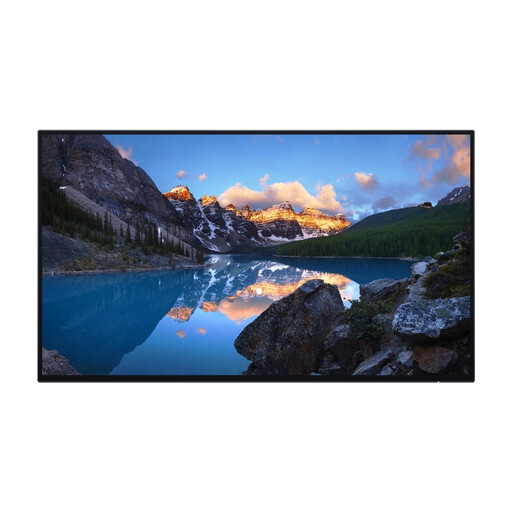
Dell UltraSharp U2424H, 23.8 inches, Full HD
The more compact Full HD size is an option if you mainly want to view a workout plan or notes at your desk.
23.8 inches; 1920 × 1080 pixels; Full HD; LCD.
Joybuy
 No image available
Philips 24E1N1100A, 24 inches, Full HD
The 24-inch Full HD size is worth comparing if you want to view a workout plan on a compact screen.
24 inches; Full HD; IPS; 100 Hz; built-in speakers.
Joybuy
 No image available
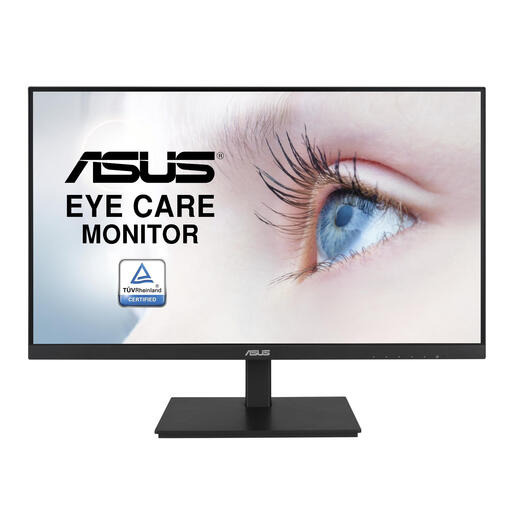
ASUS VA24DQSB, 23.8 inches, Full HD
This compact Full HD model is an option if you mainly view a workout plan or notes and want the screen size to suit your desk.
23.8 inches; 1920 × 1080 pixels; Full HD; LCD.
Joybuy
Frequently asked questions
How should you position a monitor for planning workouts at your desk?
Place the screen directly in front of you and try to position the top just below eye level. Arboportaal recommends this setup; also check that the stand fits within your desk depth and offers enough adjustment.
Can you connect and charge your laptop with a single USB-C cable?
Only if your laptop can output video through that connection and the monitor’s power delivery is suitable for your laptop. BenQ specifies 60 W over USB-C with DisplayPort Alt Mode for the GW2485TC; check your laptop’s specifications and the cable, too.
Where can you compare monitor energy consumption?
For electronic displays covered by the EU energy label, the energy efficiency scale runs from A to G. The European Commission explains this scale; when comparing specific models, also compare their energy consumption on a like-for-like basis. An energy rating alone won’t calculate your electricity costs.
If you buy a monitor online in the Netherlands, do you have a cooling-off period and a legal guarantee?
For most online purchases made by consumers, you have a statutory right to cancel within 14 days of delivery, subject to certain exceptions. You also have statutory rights against the retailer if a product doesn’t meet what you could reasonably expect under normal use. ACM ConsuWijzer explains that this doesn’t mean every monitor has one fixed two-year guarantee period.
Do screen-work rules automatically apply if you plan workouts at home?
No. The screen-work regulations described by Arboportaal apply to employees and employers; they don’t apply to independent study simply because you’ve bought a monitor. However, its advice on setting up a comfortable screen position may still be useful.


