
Student with a small desk
You want an extra screen that’s easy to read without losing space for notes, books and a keyboard. Information from LG and the Netherlands’ Arboportaal can help you assess your screen and workspace requirements.


Start by measuring the available width and depth of your desk, then check that the monitor’s connections are compatible with your computer. For long reports, an adjustable 16:10 screen can give you extra document height. If you want to view maps and sources side by side, consider a QHD model, provided the screen size and text scaling feel comfortable to you.
You want an extra screen that’s easy to read without losing space for notes, books and a keyboard. Information from LG and the Netherlands’ Arboportaal can help you assess your screen and workspace requirements.
When researching water management, you regularly view maps, tables and source documents side by side, and weigh up extra pixels against the desk space available. Dell and LG product information includes examples of QHD resolution.
You want to position your monitor for working with documents and, if your laptop and monitor support it, connect the display and possibly power via USB-C. Dell and Philips product information describes different USB-C features; check the specifications for each model and port.
First, measure the space the monitor takes up, including its stand. Then compare the resolution, screen adjustments and connections with the way you work with reports, maps and sources.
| What to consider | What should you check? | Who is this important to? |
|---|---|---|
| Desk space | Measure the available width and depth, then compare them with the monitor’s dimensions, including the stand. Leave room for your keyboard and study materials, too. | If I use books, notes and a keyboard alongside my screen, I want enough desk space left over. That’s why around 29% of consumers give desk space their top priority. |
| Reading and working space | Decide whether you mainly read one long document or regularly view maps and sources side by side. Also check the text size with your scaling settings. | If you read long reports or compare maps and tables side by side, you want to see the content clearly without uncomfortably small text. Around 29% of consumers put this reading and working space first. |
| Laptop connection | Check whether the USB-C port supports video input and whether its stated charging power is suitable for your laptop. A USB-C connection may be for data only. | If I want to connect my laptop to the monitor and possibly charge it, I need to know which features my laptop and the monitor port support. Around 24% of consumers give this connection top priority. |
| Adjustability | Check the specifications for the exact model to see whether its stand offers height adjustment, tilt or swivel. Measure the base, too: an adjustable stand isn’t necessarily a smaller one. | During long reading sessions, I want to be able to adjust the screen position to suit my workspace. Around 18% of consumers consider adjustability their most important requirement. |
The stand takes up desk depth, too. LG lists a depth of 240 mm for the 24QP750P-B, including its stand.
Measure the available width and depth of your desk and compare them with the dimensions of the screen and stand together.
If the stand doesn’t fit, you may need a different set-up or mounting option.
USB-C features vary by model. Dell lists a USB-C data-only downstream port of up to 15 W for the P2425; the P2425DE has different USB-C hub features.
Check the video and power functions of each port, and compare them with your laptop’s capabilities.
Depending on the connection, you may need a different video cable or a separate laptop charger.
The examples mentioned have more pixels at QHD than at Full HD, but that doesn’t determine how large text appears with your settings.
Assess the screen layout using a text size you find comfortable, rather than looking at the resolution on the product page alone.
Dell describes the P2425 as an adjustable 16:10 monitor with 1920 × 1200 pixels, and the P2425DE as a 23.8-inch QHD model with USB-C hub features.
According to LG, the LG 24QP750P-B is a 23.8-inch QHD monitor with height adjustment, pivot and USB-C Power Delivery.
According to Philips, the Philips 24E1N1300A/00 is a 23.8-inch Full HD monitor with USB-C and power delivery for a connected device.
These product picks are suited to a small study space, with portable screens for laptop set-ups and monitors for working with documents, maps and sources.
 No image available
A portable screen for a laptop set-up when you want an extra display in a space with limited room.
16 inches; 2560 × 1600 pixels; 16:10; IPS; 144 Hz; two USB-C ports; Mini HDMI; built-in kickstand.
 No image available
A QHD option if you want to view maps, tables and sources side by side at a fixed laptop workstation.
23.8 inches; 2560 × 1440 pixels; height and tilt adjustment; USB-C with 90 W Power Delivery.
 No image available
A QHD model to consider if you want to view maps and data side by side on one screen.
24 inches; 2560 × 1440 pixels; height, tilt, swivel and pivot adjustment.
 No image available
A portable 16:10 option for long documents at a laptop workstation. For viewing maps and sources side by side, its stated resolution offers fewer total pixels than QHD.
16 inches; WUXGA 1920 × 1200; IPS; USB-C with 65 W Power Delivery. The stand offers limited height adjustment.
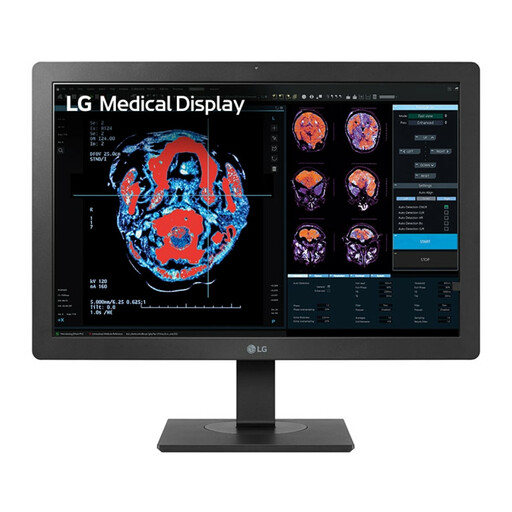 No image available
A Full HD option for working with documents if you don’t often view maps and sources on screen at the same time.
24 inches; 1920 × 1080 pixels; IPS; USB hub; height and tilt adjustment.
No, QHD isn’t essential if you mainly read one long document. An adjustable 16:10 model, such as the Dell P2425, is another option. If you often view maps and sources side by side, you could also consider a 23.8-inch QHD model. Set the text scaling to a size you find comfortable to read.
Measure the available space, allowing room for your keyboard and documents, and check the monitor’s dimensions with the stand. Adjust an adjustable screen to suit you and avoid distracting reflections. Arboportaal’s information on display screen work is aimed at employees and isn’t a universal product requirement for every student.
No, USB-C features vary by model and port. For example, Dell lists a USB-C downstream data port of up to 15 W for the P2425, while the P2425DE has USB-C hub features with 90 W power delivery. Check your laptop’s video output and power requirements, then compare them with the monitor’s port features.
When you buy from a business remotely, you usually have a 14-day cooling-off period; the Dutch government advises checking the terms before you buy. You’re also covered by the legal guarantee if a product, when used normally, doesn’t meet what you could reasonably expect. According to ACM ConsuWijzer, the seller must put this right.