What should you look for when choosing?
First, measure the space the monitor takes up, including its stand. Then decide whether text display, colour assessment or connecting your laptop is most important for your flashcard design work.
| Point to consider |
What should you look for? |
Who is this important to? |
| Available desk space |
Measure the available width and depth and compare them with the monitor’s overall dimensions, including its stand. Remember to allow room for cables, too. |
If I want to lay flashcards and test prints beside my screen, I need to leave enough desk space free. Around 31% of consumers say available desk space is their top buying priority. |
| Text and layout space |
Compare the resolution and screen size, and check whether your design software works at a scale you can comfortably read. |
If I view small words and design panels at the same time, I look at the available pixels and how easy the text is to read. For around 31% of consumers, text and layout space comes first. |
| Colour assessment |
Check the colour gamut and any calibration information for the exact model; assess important colours on a test print, too. |
When I choose colours for flashcards, I want to know what the manufacturer says about the exact screen and check important colours against a print. Around 23% of consumers give colour assessment their highest priority. |
| Laptop connection |
Check USB-C video support, the required charging power and the port’s functions on the exact monitor model. |
If I want to connect my laptop with as few cables as possible, I first check whether one connection provides a picture and enough power. Easy connectivity is the top priority for around 15% of consumers. |
Monitors at Joybuy
This Joybuy selection includes portable monitors and models around 24 inches for laying out flashcards. Compare the dimensions of the full setup with your desk, and check that each model’s connections are compatible with your computer.
 No image available
TECLAST V16Q portable monitor
A portable screen to consider if you’re looking for a flexible setup for designing flashcards; check how much desk space you’ll need.
The product name lists 2.5K resolution, 16:10, IPS, 100% sRGB, two USB-C ports, Mini HDMI and a built-in kickstand.
View at Joybuy
 No image available
Dell Pro Plus P2425DE
A 24-inch QHD option to compare if extra pixels for text and design panels are important to you.
The product name lists 2560 × 1440 pixels.
View at Joybuy
 No image available
Dell Pro Plus P2425D
A QHD model to consider if you view small text and design panels on a compact screen.
Dell lists the P2425D as 23.8 inches with a resolution of 2560 × 1440 pixels.
View at Joybuy
 No image available
Acer SA242YH1
A Full HD model to compare if you mainly write and lay out flashcards; measure the available space before choosing.
The product name lists a 24-inch Full HD screen. The product information says a charger isn’t included as standard; check what power supply you need.
View at Joybuy
 No image available
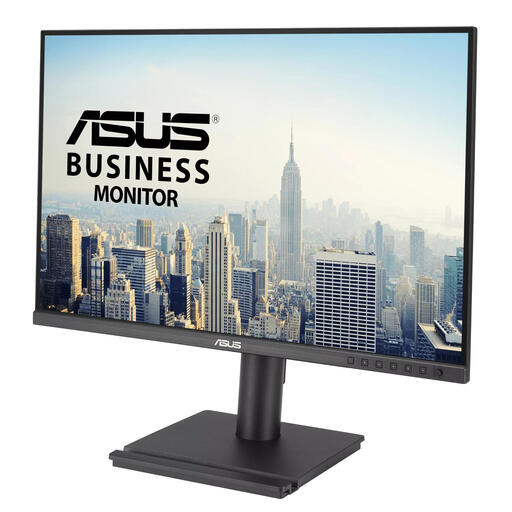
ASUS BE248QF
A WUXGA model to compare if resolution is a consideration when laying out flashcards.
The product name lists 24.1 inches and 1920 × 1200 pixels.
View at Joybuy
Frequently asked questions
Is a 24-inch monitor always small enough for my desk?
No, screen size doesn’t tell you how much space the monitor takes up with its stand. Measure the available width and depth, and allow for cables; for example, BenQ lists the PD2506Q as 570,0 mm wide and 256,9 mm deep, including the stand.
Which resolution helps when laying out small words?
Compare the resolution with the screen size, then adjust the display scaling to a level where the text remains comfortable for you to read. Dell lists 2560 × 1440 for the P2425D and 1920 × 1200 for the P2425; neither specification means that the same scaling setting will suit everyone.
Does every USB-C monitor charge my laptop?
No, check separately whether the connection supports video and provides enough power for your laptop. Dell lists the P2425’s USB-C downstream port as delivering a maximum of 15 W and supporting data only, while Philips describes the 24E1N1300A/01 as having USB-C with power delivery.
Does high sRGB coverage mean the flashcards will look the same when printed?
No, a stated colour gamut doesn’t describe the complete combination of screen, printer and paper. BenQ lists 100% sRGB for the PD2506Q, so check important colours on a test print, too.
What are my rights when buying a monitor online in the Netherlands?
For a consumer purchase in the Netherlands, the seller must provide a solution if there’s a problem with the product, according to the Dutch government. When buying at a distance, you can usually change your mind within 14 days; check the terms and any exceptions that apply to your purchase.


