
Dialogue reader
Mostly plays text-led games and wants to choose a screen size, resolution and position that make reading comfortable.


Start with a screen that makes dialogue comfortable to read and fits your desk well. A high refresh rate isn’t automatically the most important feature for a text-led game. An adjustable QHD or 4K IPS monitor is one option for shared use, while a VA model may be worth comparing if you mainly play facing the screen in the evenings. Check the scaling settings in your own games and make sure the connections are compatible with your computer.
Mostly plays text-led games and wants to choose a screen size, resolution and position that make reading comfortable.
Uses one desk and screen for work and visual novels, so adjustability and suitable connections matter. Workplace display-screen rules are only relevant where they apply to an employee’s work.
Often plays in low ambient light and wants to compare panel type, contrast and reflections in their own room.
First assess readability and how the monitor will fit on your desk, then check the connections. After that, consider how much value you place on speed for other games.
The percentages below show consumers’ main purchase priorities for visual novels on a shared work-from-home desk.
| Consideration | What should you check? | Who is this important to? |
|---|---|---|
| Readability | Check the screen size, resolution, and the text and scaling settings in your own games. | I want to read dialogue and view illustrations comfortably, without text scaling awkwardly on my desk. This is the top priority for around 36% of consumers. |
| Workspace and connections | Check adjustability, desk space, video inputs and your laptop’s requirements. | If I use the same screen for work and gaming, its position and connections need to suit my workspace. Around 29% of consumers prioritise shared work-from-home use. |
| Evening viewing and reflections | Compare IPS and VA in the intended set-up, and check whether windows or lamps are reflected on the screen. | I want to see what the screen looks like in my evening set-up and whether reflections are distracting. This is the main priority for around 21% of consumers. |
| Other, faster-paced games | Consider what other games you play, then compare refresh rates and connections. | If I play faster-paced games as well as visual novels, I may want to give speed more consideration. Around 14% of consumers place the greatest importance on versatility for fast-paced games. |
Philips and ASUS link their speed claims to moving gameplay; that doesn’t prove that static dialogue will be easier to read.
Assess text rendering, resolution, positioning and connections first. Then compare speed if you also play faster-paced games.
Otherwise, you could pay extra for a feature that mainly matters for other types of games.
LG lists 100 Hz for the LG 27BA45QB-B, while a Joybuy listing for that model name states 75 Hz and says the product is unavailable.
Check the exact variant and query any conflicting specifications before assessing an offer.
Visual novels and office software can display fixed text boxes or interface elements for long periods. ASUS describes maintenance features for ROG OLED monitors which, according to the manufacturer, help reduce the risk of burn-in.
Read the maintenance instructions and terms for the exact OLED model, and compare it with an LCD alternative too.
ACM ConsuWijzer distinguishes between a manufacturer’s or seller’s warranty and the statutory guarantee.
Keep your proof of purchase. If a product may be faulty, contact the seller and consult the relevant guidance from ACM ConsuWijzer.
The Dell Plus models discussed here offer QHD and 4K IPS options for a desk used for both work and gaming.
The Philips Evnia 27M2N3500NL/01 discussed here is a QHD Fast VA model to compare with IPS monitors.
The ROG Strix XG27ACS discussed here is a gaming-focused QHD IPS option.
The 27BA45QB-B discussed here is an office-focused QHD IPS option with an adjustable stand.
This selection includes 27-inch QHD and 4K monitors for visual novels and shared desk use. Check the scaling settings, connections and adjustability you need for each model.
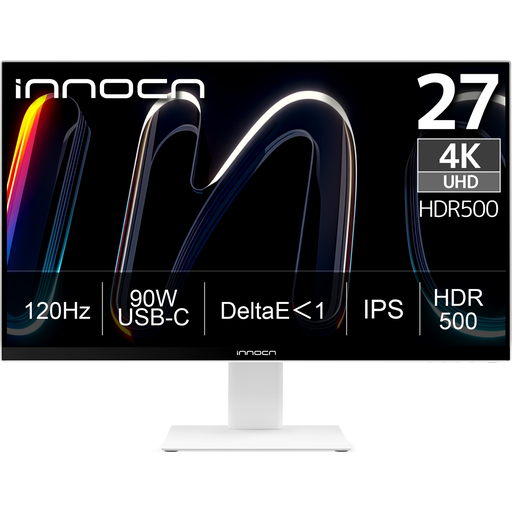 No image available
An option for anyone looking for a 4K screen for visual novels and shared desk use.
27 inch; 3840 × 2160; IPS; 120 Hz; USB-C with 90 W Power Delivery; height adjustable.
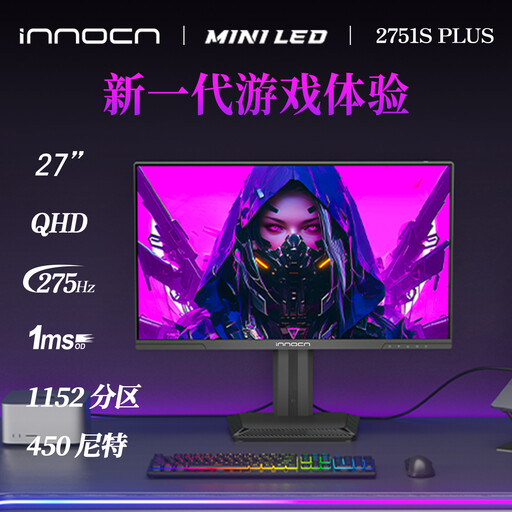 No image available
A QHD option to consider for text and static illustrations on your desk.
27 inch; 2560 × 1440; IPS; Mini LED; height adjustable.
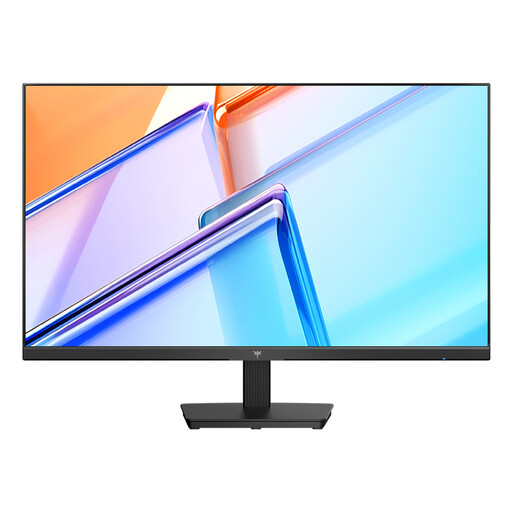 No image available
A QHD model to include in your comparison for work and visual novels.
27 inch; 2560 × 1440; IPS; 120 Hz; HDMI and DisplayPort; VESA mount compatible.
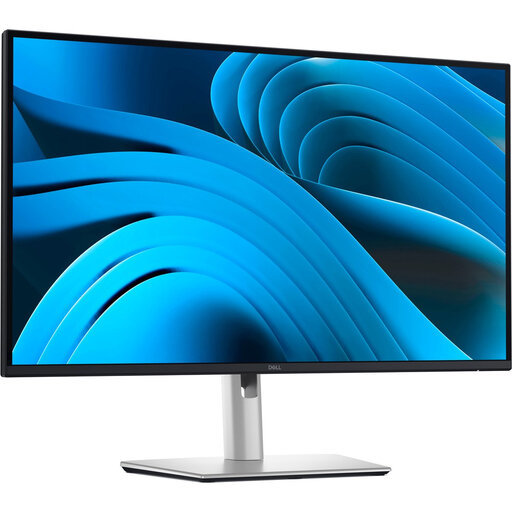 No image available
An office-focused option to compare if you’ll also use the monitor for work.
27 inch; 2560 × 1440; IPS; USB-C with 90 W Power Delivery; adjustable stand.
 No image available
A QHD gaming monitor to include in your comparison for a shared work and gaming space.
27 inch; 2560 × 1440; IPS; up to 200 Hz; ergonomically adjustable stand.
Not as your main selection criterion if you mainly read dialogue. The manufacturers reviewed here focus their speed claims mostly on moving gameplay; give refresh rate more weight if you also play fast-paced games.
Check that the screen fits your desk well, is easy to adjust and connects to your laptop. For applicable employee display-screen work, Arboportaal highlights features including height adjustment and reducing reflections; according to the Dutch government, employers have a duty of care when employees work from home. These aren’t universal buying requirements for every private user.
Check that both the monitor and your laptop support the video connection you need, and that the power delivery is suitable for your laptop. ASUS lists USB-C with DP Alt Mode for the ROG Strix XG27ACS; the presence of a USB-C port alone doesn’t guarantee compatibility with every laptop configuration.
Check the features and terms for the exact model. ASUS describes features for its ROG OLED monitors, including screen protection and dimming static logos, to reduce the risk of burn-in; this doesn’t mean burn-in is impossible.
According to ACM ConsuWijzer, online purchases generally come with a statutory cooling-off period of up to 14 days after delivery, with exceptions depending on the product. The statutory guarantee is separate from any manufacturer’s warranty; if a product is faulty under the applicable terms, contact the seller.