What should you consider when choosing?
First decide whether you mainly edit in SDR or HDR. Then compare the workspace and connections you need with your computer and desk.
| What to consider |
What should you look for? |
Who is this important for? |
| Assessing colour for your export |
Decide whether you’re exporting in SDR or HDR, then check the colour mode and software settings. |
If I want to assess colour for the intended final product, I look for a matching mode and workflow. Around 34% of consumers say colour assessment is their top priority. |
| Room for the timeline and versions |
Compare screen size and resolution, and consider which panels you want to keep visible at the same time. |
If I want to arrange the timeline, preview and several version panels together, a clear layout matters most to me. Around 33% of consumers put workspace first. |
| Connecting to your computer |
Check the video output and monitor connection, and, if needed, USB-C video support and charging power. |
If I want to connect my laptop and peripherals more easily, I check that the ports and features are compatible. Around 20% of consumers say connectivity is their top priority. |
| Work setup and power consumption |
Check the adjustability of the exact model and compare power consumption figures on the same basis. |
If I edit at the same workstation for long periods, I want to position the monitor comfortably and take its power consumption into account. Around 13% of consumers put their work setup and running costs first. |
Joybuy monitors for editing
These 4K monitors from Joybuy let you weigh up the level of detail and room for project panels you need when editing. Check the connections and colour settings for each model to make sure they suit your export.
 No image available
LG UltraFine 27U711B-B 27-inch 4K IPS monitor
A 27-inch 4K IPS option for balancing detail and project panels on one screen.
The product information lists 3840 × 2160 pixels and HDR10.
View at Joybuy
 No image available
Dell UltraSharp U3226Q 32-inch 4K UHD 120 Hz QD-OLED monitor
A 32-inch option to consider if you’d like a larger screen for arranging your timeline and project windows.
The product information lists 4K UHD, 120 Hz, QD-OLED, 100% sRGB and an integrated colourimeter.
View at Joybuy
 No image available
CRUA CR320QB 32-inch curved 4K monitor
A 32-inch screen to compare when considering the space available for your timeline and project panels.
The product title lists a VA panel, 3000R curvature, 3840 × 2160 UHD resolution and HDR10; 100% sRGB is also mentioned.
View at Joybuy
 No image available
Philips 27E1N1800AE/00 27-inch 4K UHD IPS monitor
A 27-inch option to consider for both screen space and its stated adjustable stand.
The product title lists 3840 × 2160 pixels, 60 Hz, 4 ms, HDMI, DisplayPort and a height-adjustable stand.
View at Joybuy
 No image available
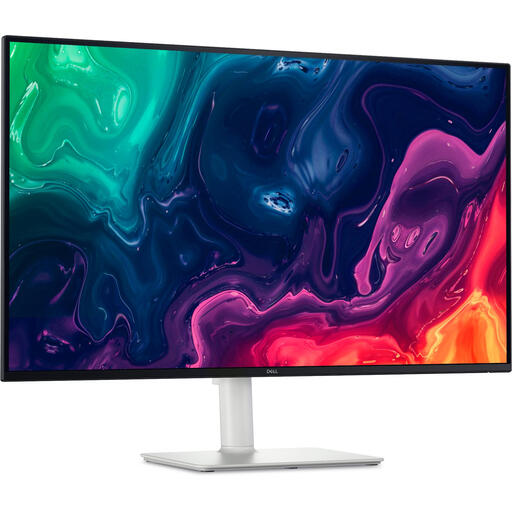
Dell Plus S3225QS 31.5-inch 4K Ultra HD monitor
A 31.5-inch screen to consider if you’d like extra workspace for your timeline and multiple project versions.
The product information lists 3840 × 2160 pixels, HDMI, DisplayPort and a height-adjustable stand.
View at Joybuy
Frequently asked questions
Should I automatically buy an ultrawide monitor for multiple project versions?
No, not necessarily. First decide which panels and versions need to be visible at the same time, and how much detail you want to check in the preview. A 27-inch 4K screen and a wider screen each offer different advantages.
How should I set up my monitor for an SDR and an HDR version?
For each version, check the output colour space in your editing software and choose a suitable assessment workflow. Adobe describes separate settings for each sequence and duplicating an HDR sequence for Rec.709 output; this approach is specific to Premiere.
Can I connect and charge my laptop with a single USB-C cable?
Only if your laptop supports the required video connection and the port, cable and monitor power supply are compatible. BenQ lists USB-C with DisplayPort Alt Mode, data and 90 W Power Delivery for the PD2706U; this doesn’t automatically confirm compatibility with every laptop.
What warranty and cooling-off period apply to an online purchase in the Netherlands?
When you buy as a consumer, you’re entitled to a product that meets reasonable standards. ACM ConsuWijzer explains that the statutory guarantee depends on what you can reasonably expect from the product; the Dutch government states that the cooling-off period for distance purchases is usually 14 days. Check the terms of your specific purchase, especially if you’re buying for business.
Is an adjustable monitor a legal requirement for my editing workstation?
Not as a general purchase requirement for every individual. Arboportaal outlines employers’ obligations regarding safe and healthy screen-based work. Check which workplace rules apply to your own workplace and situation.


