Start by matching your monitor to your delivery format and workspace. For SDR colour grading, a suitable Rec.709 mode and adjustable colour settings matter, while a larger screen gives you more physical space for your timeline and panels. Then check that the connections and any USB-C power delivery are compatible with your laptop. A monitor won’t make large source files run faster by itself; Adobe describes proxies as a separate workflow for working with demanding source footage.
Who is this buying guide for?
Editor who grades colour
You want the colours to match your intended SDR or HDR delivery format. So compare the colour mode and colour space relevant to your workflow, not just the resolution. BenQ and ASUS publish model-specific information about their colour modes and colour spaces.
Editor with a busy timeline
You work with lots of clips and panels, and want to know whether a larger screen gives you more physical space. Keep screen size and resolution separate: BenQ lists the PD2705U and PD3205U in different sizes, but both are 4K.
Laptop editor working with large source files
You want a suitable video connection and may want power through a single cable. Check that the monitor, laptop and cable support the connection you need; treat playback stuttering as a separate workflow issue. Adobe describes proxies as editing copies for demanding media.
What should you look for?
First, decide whether you mainly deliver in SDR or HDR, and how much screen space you need. Then check the connections and laptop power delivery; investigate playback issues separately from the monitor.
| What to consider |
What to look for |
Who is this most relevant to? |
| Colour and delivery format |
First decide whether you need SDR or HDR; then check the colour mode and settings that suit your editing workflow. |
When I’m assessing colour for my SDR or HDR film, I want to know whether the display matches my delivery format. Around 24% of consumers prioritise colour suited to that format. |
| Space for your timeline and panels |
Compare screen size, native resolution and available desk space; a larger screen doesn’t automatically mean more pixels. |
If I want to see my clips, timeline and preview window at the same time, the physical workspace matters to me. Around 23% of consumers give editing space their top priority. |
| Smooth performance with large files |
Find out what’s causing playback stutters and explore your editing software’s storage and proxy options; a monitor is no substitute for that workflow. |
When large source files stutter during editing, I want to address the processing workflow first rather than treating a screen as the solution. Around 23% of consumers put working with large files at the top of their list. |
| Connection and laptop power delivery |
Check that your laptop supports video through the connection you’ve chosen, how much power it needs for charging and which cable you’ll use. |
If I want to connect my laptop using a single cable, the video connection and any power delivery need to work with my computer. Around 18% of consumers make this connection their top priority. |
| HDR grading |
First confirm that your project will be delivered in HDR, then compare the HDR modes, brightness and system requirements of the exact model. |
If my film is genuinely being delivered in HDR, I want to compare features designed for HDR grading. Around 12% of consumers name HDR as their main priority. |
Common pitfalls
-
Assuming a monitor upgrade will fix stuttering video files
A different screen won’t change how your source files are processed. Adobe describes proxies as editing copies for demanding media.
Check where the slowdown is happening and explore your editing software’s storage and proxy options before choosing a monitor as the solution.
-
Assuming an HDR label means a monitor is suitable for HDR grading
An HDR listing alone doesn’t tell you which reference modes or other HDR features a specific model offers.
Decide whether you’ll be delivering in HDR, then compare the features and system requirements of the exact model. Apple lists specific Mac and macOS requirements for the Studio Display XDR.
-
Assuming there’s a fixed statutory guarantee period
The Dutch government states that there is no fixed statutory guarantee period in the Netherlands. If a product doesn’t meet expectations, the retailer is your point of contact.
Check what additional manufacturer’s or retailer’s guarantee may be offered, and contact the retailer if there’s a fault.
Brands to compare
BenQ
The PD2705U and PD3205U are Creative Pro models in different screen sizes, with stated Rec.709 coverage.
- BenQ lists both models as 4K with 99% Rec.709 coverage; the PD2705U is 27 inches and the PD3205U is 32 inches.
- The stated colour coverage doesn’t prove how accurately your individual monitor will display images. Also check that the selected model’s USB-C power delivery is suitable for your laptop.
ASUS
The ProArt PA279CRV is a 27-inch 4K model with stated wide colour spaces and a Rec.709 preset.
- For this model, ASUS lists 99% DCI-P3, 99% Adobe RGB, factory calibration and USB-C power delivery of up to 96 W.
- These are ASUS specifications and claims. HDR10 support alone doesn’t determine whether a screen meets your HDR grading requirements.
Dell
The UltraSharp U2725QE and Plus S2725QC are separate 27-inch 4K models with different listed connections and features.
- Dell describes the U2725QE as a Thunderbolt hub monitor and the S2725QC as a USB-C monitor.
- Compare the specifications for the exact model number; don’t assume that features of the Plus S2725QC also apply to the UltraSharp U2725QE without checking.
EIZO
EIZO says the ColorEdge CS2740 is designed, among other things, for video editing and post-production.
- For this 27-inch 4K model, EIZO lists hardware calibration, 100% Rec.709 coverage and USB-C power delivery of up to 60 W.
- Check that the stated charging power is sufficient for your laptop; product specifications aren’t an independent measurement of your individual monitor.
Apple
The Studio Display XDR is a separate option for those who need the listed 5K and HDR reference features.
- Apple lists HDR reference modes and Thunderbolt 5 for this model.
- Check the specific Mac and macOS requirements before buying. The extra HDR features aren’t automatically necessary for a film delivered exclusively in SDR.
Monitors on Joybuy
This Joybuy selection includes 4K monitors for editing, ranging from 26.5 to 32 inches. Choose the screen size that suits your workspace, and separately check that the model works with your colour workflow and laptop connection.
 No image available
MSI PRO MAX 271UPXW12G, 26.5-inch 4K OLED monitor
Could suit you if you’re looking for a 4K screen for checking fine detail and its size works for your workspace.
The product name lists 26.5 inches, 3840 × 2160, OLED and 120 Hz.
View on Joybuy
 No image available
AOC AGON PRO AG326UD, 32-inch 4K OLED gaming monitor
Could suit you if you’re looking for a larger screen for your timeline and editing panels.
The product name lists 32 inches, 4K, OLED and 165 Hz.
View on Joybuy
 No image available
BenQ PD3225U, 32-inch 4K monitor
Could suit you if you’re looking for a 32-inch screen for your timeline and preview window.
The product name lists 3840 × 2160 pixels and 4K.
View on Joybuy
 No image available
BenQ PD3205U, 31.5-inch 4K monitor
Could suit you if you’re looking for a larger screen for editing space and want to compare colour coverage for SDR.
The product name lists 3840 × 2160 pixels and 4K. BenQ lists 99% Rec.709 and sRGB coverage for the PD3205U.
View on Joybuy
 No image available
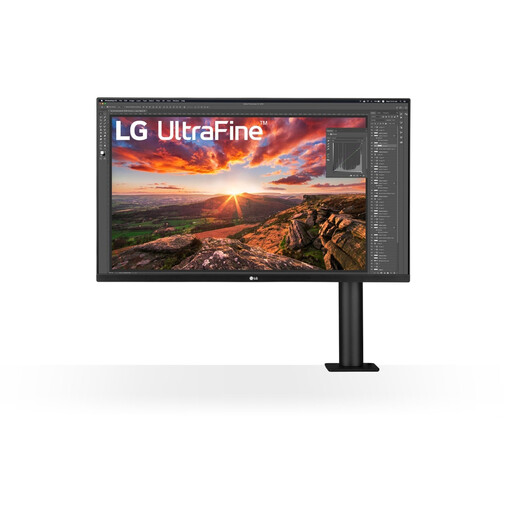
LG 32UN880K, 32-inch 4K monitor
Could suit you if you’re looking for a large screen for your timeline and editing panels.
The product name lists 3840 × 2160 pixels and 4K.
View on Joybuy
Frequently asked questions
Will a 4K monitor make large source files run faster?
No, not by itself. Adobe describes proxies in Premiere as editing copies for demanding media; check whether this workflow suits your files and editing project.
What should you check when connecting with a single USB-C cable?
Check that your computer’s USB-C port supports video and that the power delivery is suitable for your laptop. BenQ lists up to 65 W for the PD2705U and up to 90 W for the PD3205U; also check that the cable you need is compatible.
How do you compare energy use and guarantees?
Compare the exact model’s energy label using the European Commission’s product information. The Dutch government states that there is no fixed statutory guarantee period in the Netherlands; if a product doesn’t meet expectations, the retailer is your point of contact.
Is an energy label relevant when choosing a monitor?
Yes. The European Commission states that computer monitors fall under the energy labelling rules for electronic displays, subject to applicable exceptions. Compare the label for the specific model; don’t infer its energy class from the model name alone.


