
Filmmakers delivering in SDR
Are you editing a film for SDR, with the timeline, preview and monitor stand all needing to fit on a compact desk? Adobe explains that sequences can use different colour management settings for different deliverables.


First, decide whether you’re delivering your film in SDR/Rec.709 or HDR. Then measure how much space the monitor and its stand will take up. For SDR editing, a 27-inch 4K monitor with a Rec.709 mode could be a good fit. If a smaller screen and hardware calibration matter more to you, you’ll need to weigh up different options. An HDR logo alone doesn’t prove that a monitor is suitable for critical HDR evaluation.
Are you editing a film for SDR, with the timeline, preview and monitor stand all needing to fit on a compact desk? Adobe explains that sequences can use different colour management settings for different deliverables.
If you’d rather have a smaller screen and a repeatable calibration process than a full-resolution 4K preview, consider monitors with hardware calibration too. EIZO lists this feature for the ColorEdge CS2400S.
If you want to connect your display and power your laptop through a single suitable USB-C port, check both your laptop’s video capabilities and the monitor’s power delivery.
First decide on your delivery format, then measure the space available on your desk and check that the connections are compatible with your laptop.
| What to consider | What should you check? | Who is this important for? |
|---|---|---|
| Colour for your deliverable | Decide whether you’re delivering in SDR/Rec.709 or HDR. Check the colour mode and whether the stated colour gamut suits your workflow. | If I want to assess colour for the final deliverable, I need to match the settings to the output format. Around 36% of consumers with this question put colour suited to the deliverable first. |
| Screen and desk space | Measure the space for both the screen and its stand, and leave room for your keyboard and preferred viewing setup. | At a small desk, I want enough room to edit without the monitor stand taking over the whole workspace. Around 28% of consumers give available screen and desk space their top priority. |
| Laptop and USB-C | Check whether your laptop supports video over USB-C and compare its charging requirements with the power delivery of the exact monitor model. | If I edit on a laptop, I want to combine video and power through a suitable connection and keep the number of separate cables down. Around 27% of consumers put laptop connectivity first. |
| HDR preview | Check whether you’re actually delivering in HDR and what display performance you need for evaluation. Don’t use an HDR label as your only benchmark. | If my film is also being delivered in HDR, I want to know whether the screen is suitable for evaluating it. Around 9% of consumers prioritise HDR preview or delivery. |
A label alone doesn’t tell you whether a monitor is suitable for critical HDR evaluation. VESA states that local dimming isn’t required for DisplayHDR 400.
First decide whether you’re delivering in SDR or HDR, then assess the whole workflow rather than relying on the HDR logo alone.
The stated depth of the BenQ PD2705U, including its stand, is 256,8 mm. On a compact desk, you’ll also need room for the controls and your preferred viewing setup.
Measure the width and depth of your entire setup, and check how much space the stand takes up.
The models listed have different maximum USB-C power delivery ratings. A USB-C port alone doesn’t tell you whether it’s suitable for your laptop.
Check that your laptop’s port supports video and compare its power requirements with the specifications of the exact monitor model.
According to ACM ConsuWijzer, your statutory rights exist alongside any manufacturer’s or retailer’s warranty. What you can reasonably expect from a product is relevant if a problem arises after normal use.
Keep your purchase and product information, and contact the retailer if the product is faulty.
The PD2705U is a 27-inch 4K option for an SDR/Rec.709 workflow on a single desk.
The ProArt PA279CRV is a 27-inch 4K option if you’re looking for a wider stated colour gamut or higher USB-C power delivery.
The ColorEdge CS2400S is a smaller screen where hardware calibration could be a factor in your decision.
The UltraFine 27UP850K-W is a 27-inch 4K option with USB-C and an adjustable stand.
This selection of Joybuy models includes 4K desktop monitors, a portable monitor and a QHD option. Check the resolution and connections of each model to make sure they suit your editing setup.
 No image available
An option to consider if you want to edit on a single screen and check whether the USB-C power delivery suits your laptop.
The product description lists a resolution of 3840 × 2160 pixels, an IPS panel, 100% sRGB, 99% Adobe RGB, 90 W USB-C Power Delivery and a height-adjustable stand. The stated Delta E < 2 is a product specification, not an independent measurement of your unit.
 No image available
This could be a good fit if you’re looking for a 27-inch 4K screen and want to check USB-C power delivery for your laptop.
The product description lists a resolution of 3840 × 2160 pixels, an IPS panel, USB-C video with 65 W Power Delivery and an adjustable stand.
 No image available
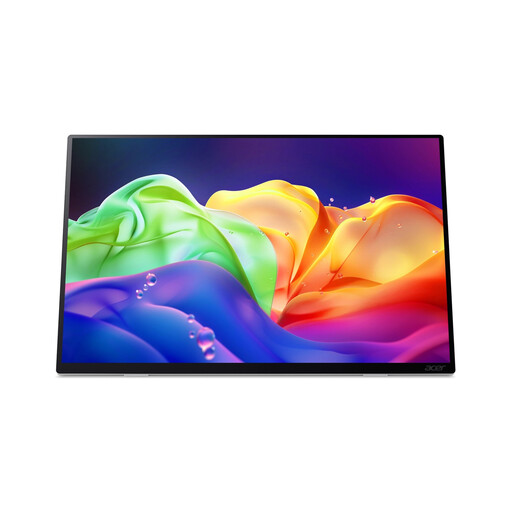
A portable screen could be useful if you’re short on desk space and want a smaller display.
The product description lists a resolution of 2880 × 1800 pixels, 100% DCI-P3, two USB-C ports, anti-glare and multi-touch. USB-C Power Delivery charging isn’t supported, so this screen won’t charge your laptop using that feature.
 No image available
This 27-inch option could be a good fit if QHD resolution suits your editing work and you’re looking for an adjustable desk setup.
The product description lists a resolution of 2560 × 1440 pixels, 98% DCI-P3, 100% sRGB and a stand with height, tilt and pivot adjustment. Its resolution is QHD, not 4K.
 No image available
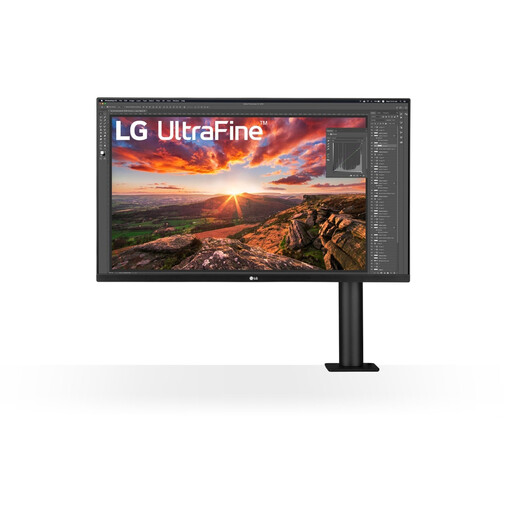
This monitor could suit you if you want an adjustable monitor arm. Bear in mind that 32 inches is a larger screen size for a compact desk.
The product description lists a resolution of 3840 × 2160 pixels, an IPS panel, USB-C with 60 W Power Delivery and an adjustable arm with cable management.
Not just because your camera can record HDR footage: first decide whether you’re delivering an SDR or HDR version. Adobe describes separate settings for SDR and HDR deliverables. VESA states that local dimming isn’t required for DisplayHDR 400, so don’t use that label as your only criterion for critical HDR evaluation.
Check whether your laptop’s USB-C port supports video and compare its power requirements with the monitor’s power delivery. Then match the colour mode to the colour space of your editing project and final deliverable. Adobe describes separate colour management settings for different output formats.
Check whether the monitor is height-adjustable, whether it reduces distracting reflections and how the screen is positioned in relation to windows. The Dutch Arboportaal covers these points in the context of employees working with display screens; employers’ obligations don’t automatically apply as requirements for every personal purchase.
According to ACM ConsuWijzer, a standard online product purchase generally comes with a 14-day cooling-off period from delivery, although there are exceptions. Your statutory rights are separate from any manufacturer’s warranty: if a product doesn’t perform as you could reasonably expect under normal use, the retailer is responsible for providing a suitable solution.