Who is this set-up for?

Writers who use two windows at once

If you want to read your script alongside a second editor, scene overview or notes on one computer, compare the horizontal workspace and how easy both windows are to read. Dell, LG and MSI describe ultrawide models with a resolution of 3440 × 1440 pixels.

Writers who work for long periods

Consider screen height, text clarity and lighting; a larger screen alone doesn’t determine whether your workspace is comfortable. LG describes adjustable models, while Arboportaal provides information on screen-based work and setting up workspaces.

Writers with a small desk

If space is limited, weigh up the extra width of an ultrawide against a single 27-inch screen. Dell and LG describe models in both sizes; also consider how much room you need for your keyboard and other work materials.

What should you look for when choosing?

One 34-inch ultrawide

A good fit if: you want to keep two spacious writing windows side by side on one computer and have enough desk width.

Consider: measure the space available and check that your computer supports the resolution you want through the connection you plan to use.

One adjustable 27-inch QHD monitor

A good fit if: your workspace is narrower, or you usually work in one window and switch to the second when needed.

Consider: the 27-inch QHD models considered have fewer horizontal pixels than the 34-inch ultrawides considered. Try your preferred text size and layout.

Two separate monitors

A good fit if: you want your script and references permanently on separate screens, and your computer can support two displays.

Consider: you’ll need enough space, the right connections and a suitable set-up for both screens.

What to consider What to look for Who should pay particular attention?
Readable space for two windows Test your editor with your preferred text size and display scaling. Compare the screen’s resolution with the layout you want to use. If I want to read my script and revisions at the same time, both windows need to remain usable. Around 36% of consumers mainly need space for windows to be open at the same time.
Adjustability for long sessions Check whether the screen is height-adjustable and can be tilted. Adjust text clarity and lighting to suit your workspace. Anyone who writes for long periods will want to adjust the screen position and text clarity to suit their workspace. Around 29% of consumers are particularly concerned with working comfort.
Size for your workspace Measure the space available and compare one 27-inch screen, one 34-inch ultrawide and, if relevant, two screens. If I have limited desk space, I don’t want to choose a wide screen without first checking how it will fit. Around 21% of consumers mainly prioritise the space available in their workspace.
Connecting and charging a laptop Check whether the USB-C port on the exact model supports video and power delivery. Compare its stated power output with your laptop’s charging requirements. If I want to connect my laptop for display and, if possible, charging, the connection needs to be compatible with my computer. Around 14% of consumers mainly consider the laptop connection.

Avoid common buying mistakes

  • Confusing PBP with two editor windows on one computer

    On compatible monitors, PBP displays images from different sources side by side. To show two windows from one computer, you can also arrange them using your operating system or editor.

    First, try the window layout you want on your current computer. Only compare PBP if you want to display images from two computers at the same time.

  • Choosing based on screen size alone

    The 27-inch and 34-inch models considered differ in horizontal resolution and physical width. A larger screen won’t necessarily suit your desk or your text settings.

    Measure the space available and try your intended two-window layout with a readable text size.

  • Assuming every USB-C port charges a laptop

    USB-C alone doesn’t tell you how much power a monitor delivers. The stated charging power varies by model and needs to be suitable for your laptop.

    Compare the video and charging specifications for both your laptop and the exact monitor model. If the monitor’s power output isn’t sufficient, you may still need to connect your laptop’s power supply separately.

  • Assuming the manufacturer’s warranty covers all faults

    ACM ConsuWijzer distinguishes between a manufacturer’s or retailer’s warranty and your statutory rights against the retailer if a product is faulty.

    Keep your proof of purchase and, if a fault occurs, check which statutory rights apply to your purchase.

Brands and models to consider

Dell

Dell describes the P3425WE as a 34-inch model and the P2725D as a separate 27-inch QHD monitor. The models have different screen layouts and connection options.

  • According to Dell, the P3425WE has a resolution of 3440 × 1440 pixels, height adjustment and USB-C power delivery of up to 90 W.
  • Dell lists a resolution of 2560 × 1440 pixels for the P2725D. Don’t assume it has the same connections as the P3425WE.

LG

The LG 34BA75QE-B and 27BA65QB-B are different options: a 34-inch ultrawide and a 27-inch QHD model.

  • According to LG, the 34BA75QE-B has a resolution of 3440 × 1440 pixels and USB-C power delivery of up to 90 W. LG lists a resolution of 2560 × 1440 pixels and power delivery of up to 65 W for the 27BA65QB-B.
  • Check the exact model version; the features of these models don’t necessarily apply to other LG monitors.

MSI

MSI describes the Modern MD342CQP as a 34-inch ultrawide with features for connecting multiple devices.

  • According to MSI, this model has a resolution of 3440 × 1440 pixels, USB-C with DP Alt Mode and power delivery of up to 98 W, KVM and PBP.
  • PBP is designed to display images from different sources; you don’t need it to place two windows from one computer side by side.

Philips

Philips describes the 346B1C/01 as a 34-inch ultrawide with an adjustable stand. The separate 34B1U5600CH/01 is also described as featuring MultiView.

  • According to Philips, the 346B1C/01 has a resolution of 3440 × 1440 pixels and height adjustment.
  • Don’t assume that the MultiView feature Philips lists for the 34B1U5600CH/01 is included in the specifications of the 346B1C/01 without checking.

Monitors for writing

These Joybuy products include 34-inch ultrawides for a wide window layout and a 27-inch QHD screen as a more compact single-monitor option. Measure the space available and check that the listed specifications suit your set-up.

LG UltraWide 34U601B-B WQHD VA monitor, curved 1800R, 120Hz, 34 inch

LG UltraWide 34U601B-B, 34 inch WQHD VA, curved 1800R, 120Hz

The 34-inch ultrawide layout may suit you if you want to use two writing windows side by side on one screen.

The product name lists WQHD, a VA screen, a curved 1800R design and 120Hz.

Joybuy

LG 34WR50QK-B 34-inch monitor, 3440 × 1440 pixels

LG 34WR50QK-B, 34 inch, 3440 × 1440 pixels, Wide Quad HD

This 34-inch model may suit a writing set-up where you want to place two windows on one wide screen.

The product name lists 3440 × 1440 pixels and Wide Quad HD.

Joybuy

Philips E Line 346E2CUAE/00 34-inch monitor, 3440 × 1440 pixels

Philips E Line 346E2CUAE/00, 34 inch, 3440 × 1440 pixels

The 34-inch screen layout may suit you if you want to view your script and a second window at the same time.

The product name lists 3440 × 1440 pixels and Wide Quad HD+.

Joybuy

CRUA 49-inch curved ultrawide gaming monitor, DQHD 5120 × 1440 pixels, 32:9

CRUA 49-inch curved ultrawide gaming monitor, DQHD 5120 × 1440, 32:9

This wide layout may suit you if you want plenty of horizontal space for multiple windows and have a desk wide enough to accommodate it.

The product name lists 5120 × 1440 pixels, a 32:9 aspect ratio and a height-adjustable stand. The screen needs more desk width than a 27- or 34-inch monitor.

Joybuy
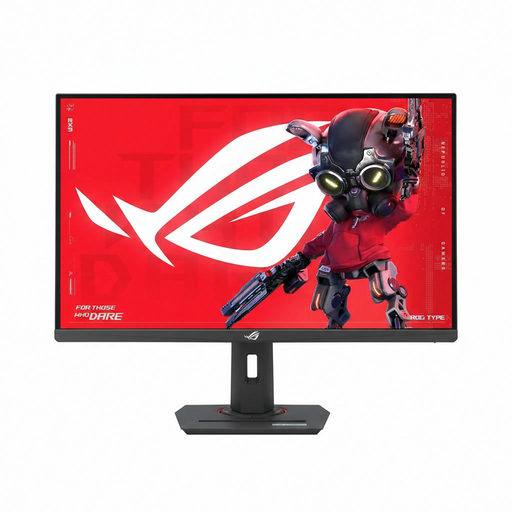
ASUS ROG Strix XG27ACMS 27-inch monitor, 2560 × 1440 pixels

ASUS ROG Strix XG27ACMS, 27 inch, 2560 × 1440 pixels

A 27-inch QHD screen may suit a more compact, single-monitor set-up for writing.

The product name lists 2560 × 1440 pixels.

Joybuy

Frequently asked questions

Do I need PBP to put my script and a second editor side by side?

No, not if both windows are running on the same computer and your operating system or editor can place them side by side. Windows supports snapping windows into position; MSI describes PBP as displaying images from different sources side by side.

How should I set up a monitor for long writing sessions?

Make use of your chosen model’s adjustability, set the text to a readable size and watch out for distracting reflections. For screen-based work, Arboportaal recommends setting up your workspace so that your line of sight runs parallel to the window. This is workplace guidance, not proof that a particular model prevents discomfort.

Does every USB-C monitor charge my laptop?

No. Check whether USB-C on the exact model provides power as well as video, and compare its stated power output with your laptop’s charging requirements. Dell lists up to 90 W for the P3425WE, while LG lists up to 65 W for the 27BA65QB-B.

What are my cancellation and warranty rights when buying online in the Netherlands?

According to ACM ConsuWijzer, many online purchases come with a statutory cancellation period of up to 14 days after delivery; exceptions may apply. Your statutory guarantee is separate from a manufacturer’s warranty. If a product is faulty, the retailer is responsible for providing an appropriate solution; there is no single fixed statutory guarantee period in the Netherlands that applies to every monitor.

Are there legal requirements for my screen-based workspace?

In the Netherlands, regulations on screen-based work apply to employees and employers. Arboportaal outlines requirements for workspace set-up when an employee works at a screen for more than 2 hours a day. These employer obligations do not automatically apply as purchasing requirements to every private writer.
