
Pixel artist working on screen
Aseprite describes a tile set as a collection of tiles. You edit reusable tiles and want to assess colours and fine details within your chosen screen colour space.


For tile sets displayed on screen, choosing the right colour mode is important. If you want to see your canvas, tile set and tools at the same time, compare QHD and 4K based on your preferred screen size and scaling setting. In a quiet study, reflections, screen positioning and any audible device noise are separate considerations: the specifications consulted do not support the claim that any particular model is quiet.
Aseprite describes a tile set as a collection of tiles. You edit reusable tiles and want to assess colours and fine details within your chosen screen colour space.
You want to keep your canvas, tile set and tools visible at the same time, so you compare the resolution with how easy the display is to read at your chosen scaling setting.
You use your screen for long periods and, as well as image quality, you consider reflections, adjustability and any potentially audible device noise. A list of display specifications alone says nothing about the last of these. Arboportaal recommends, among other things, legible symbols, a screen without reflections and sufficient lighting.
| Consideration | What should you look for? | Who is this relevant to? |
|---|---|---|
| Colour and target colour space | Check the colour mode for your project and the profile settings of the exact model. Decide whether calibration is necessary for your use. | If I’m assessing tile colours for an sRGB screen workflow, I want to be able to match the settings to that colour space. Around 28% of consumers say colour is their top priority. |
| Workspace and fine details | Compare QHD and 4K based on the screen size and scaling setting you want to use. Check whether the canvas and tools remain legible at the same time. | If I want to see my canvas and tools side by side, I consider both usable space and legibility after scaling. Around 22% of consumers prioritise workspace. |
| Potential noise disturbance | Ask for model-specific information about possible sources of noise. Check the returns policy if quiet operation is essential. | If I work in a quiet room and need to concentrate, I want to know in advance whether the screen may be audible. Around 17% of consumers cite potential noise disturbance as their main concern. |
| Ergonomics and reflections | Check the adjustability, screen coating and available desk space. Also consider the screen’s position in relation to windows and lights. | If I spend a long time working on my tile set, I want to position the screen comfortably and minimise distracting reflections. Around 22% of consumers prioritise posture and set-up. |
| Connecting and charging a laptop | Check whether your laptop can output video through the USB-C port you plan to use and whether the power delivery is sufficient for your laptop. | If I want to connect my laptop with a single cable and possibly charge it too, I check that both devices support this connection. Around 11% of consumers prioritise connectivity and potential charging. |
A stated colour gamut doesn’t tell you how an individual screen is set up. Adobe also points out that calibration and ambient light matter when managing colour for print.
First choose the target colour space for your tile set, then check the colour modes and settings available on the exact model.
Getting the right colour settings or calibrating the display may require extra preparation.
Having more pixels alone doesn’t tell you whether the canvas, menus and small symbols will remain legible at your chosen scaling.
Compare QHD and 4K at the screen size you’re considering, using your software and preferred scaling setting.
Display specifications don’t provide a basis for comparing models by audible operating noise.
If quiet operation is essential, ask about noise from the specific model before buying and check the returns policy.
The PD2705Q is a 27-inch QHD option with a dedicated sRGB mode for screen-based workflows.
The 27E1N1800AE/00 is a 27-inch 4K option with a height-adjustable stand.
According to LG, the 27UP850K-W combines a 27-inch 4K screen with USB-C, making it an option for a workstation where you also use a compatible laptop.
The ProArt PA279CRV is a 27-inch 4K option with dedicated colour modes and USB-C docking.
The ColorEdge CS2400S is designed for colour-critical graphics workflows, including work where hardware calibration is important.
This selection features 4K monitors for assessing tile sets, with screen sizes from 27 to 31.6 inches. Compare your preferred scaling, available workspace and any connection requirements; the product specifications don’t provide comparable noise measurements.
 No image available
The 4K resolution is an option for assessing tiles on a 4K screen; check your preferred interface and scaling settings.
27 inches, 4K UHD, 120 Hz and QD-OLED, according to the product title.
 No image available
The 4K resolution is useful when comparing tiles on a 4K screen; the height adjustment can help you position the screen at your workstation.
31.5 inches and 3840 × 2160 pixels; the product description states that the height can be adjusted by up to 13 cm.
The product description warns of possible burn-in on the QD-OLED panel and mentions using a screensaver and varying the on-screen content.
 No image available
This model is an option for assessing tiles on a 4K screen; compare the screen size with the space you need for your canvas and tools.
31.5 inches and 3840 × 2160 pixels. The product description lists USB-C with 90 W Power Delivery and an adjustable stand.
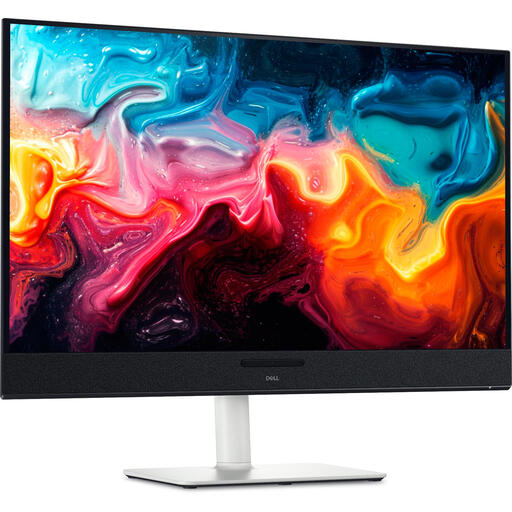 No image available
The 4K resolution is relevant if you want to assess tiles on a 4K screen; also check how your scaling setting keeps the interface legible.
31.6 inches, 3840 × 2160 pixels and QD-OLED, according to the product title. The product description lists height and tilt adjustment.
No, the tile set documentation consulted doesn’t specify a 4K requirement. Focus on how much of your canvas and how many tools remain legible at the zoom level you use. The 27-inch models reviewed are available in QHD and 4K.
Adjust the screen to suit you, avoid reflections, and ensure there is enough ambient light and that symbols are legible. Arboportaal also recommends varying your activities and taking short breaks; these are workplace recommendations, not a guarantee that a monitor will prevent discomfort.
That depends on how colour-critical your work is. According to Adobe, both the screen settings and the working environment matter if you need your display to match a print. Decide on the accuracy you need based on how you’ll use the final result.
No, the presence of a USB-C port alone doesn’t confirm this. Check that your laptop can output video through that port and that the power delivery from the exact monitor model is sufficient. LG and ASUS list up to 96 W for the models discussed here.
When you buy as a consumer, you’re entitled to a product that works as it should. If it’s faulty, the seller must provide a solution. According to the Dutch government, there is no fixed statutory warranty period in the Netherlands. A manufacturer’s warranty is in addition to your statutory rights.
Rules for screen-based work apply in certain work situations and don’t automatically apply to private use. Arboportaal outlines, among other things, rules for employees who do screen-based work for more than two hours a day; how a workspace should be set up depends on the circumstances.