
Multilingual location data editor
You edit lots of text, translations and location fields, and want to compare them at a comfortable workstation.


Do you mainly edit text, translations and location details? Start with readability, a suitable screen layout and an adjustable workstation; a QHD monitor could be a good fit. Choose 4K if you also need to check fine details in maps or photos, and check separately whether your laptop’s connection supports video and, if needed, charging. No monitor specification can prove that the published guide itself is accessible.
You edit lots of text, translations and location fields, and want to compare them at a comfortable workstation.
As well as text, you check photos, maps and small visual details. A higher screen resolution is not an accessibility test.
You want to connect a monitor to an existing laptop. Check which video and, if applicable, charging functions the combination supports.
Start with your day-to-day work: match the text and screen position to your workstation, then compare the space for windows, image detail and connections.
A good fit if: you mainly edit text, translations and data windows, and want to adjust the screen position.
Bear in mind: QHD has fewer pixels than the 4K models listed; try text at your preferred scaling.
A good fit if: as well as text, you check fine details in maps or photos and your computer can handle your preferred text scaling.
Bear in mind: more pixels or a stated colour gamut do not prove accessibility or independently verified colour accuracy.
| What to consider | What to look for | Who is this important for? |
|---|---|---|
| Readability and workstation | Check the height adjustment, reflections and text display at your preferred scaling. | For long editing sessions, I want to read text comfortably and position the screen to suit me. Around 33% of consumers prioritise readability and an adjustable workstation. |
| Space for windows | Compare screen size, resolution and readability after adjusting the scaling. | If I want to view translations and location fields side by side, I look at the available workspace without making the text too small to read. Around 27% of consumers prioritise this window layout. |
| Map and photo details | Compare QHD and 4K using your own files; treat stated colour coverage as a manufacturer’s specification. | When I check fine details in maps or photos, how the images look on screen matters. Around 20% of consumers put detail checking above other purchasing priorities. |
| Laptop connection | Check your laptop port, cable and the video and charging functions you need for the exact monitor model. | I want to connect my existing laptop, so I check in advance what its port and cable support. Around 20% of consumers make this connection their main purchasing priority. |
A sharper work monitor does not ensure that the published guide has the correct language tags for visitors using assistive technology.
Choose a screen for your editing work, and check the published multilingual guide separately against the relevant accessibility requirements.
Small text and reflections can make reading difficult. There are also specific requirements for applicable display screen workstations.
Check the stand adjustment, reflections and text at your own scaling before choosing solely on the basis of QHD or 4K.
If you cannot position the monitor appropriately, you may need a separate monitor arm or another aid.
A USB-C port on the monitor does not automatically confirm that your laptop can output video through that connection or support the charging function you need.
Compare the specifications of your laptop, the cable and the exact monitor model before deciding.
Depending on the connections available on your devices, you may need a suitable cable or a different connection.
The Business Monitor 27B2U3601H/00 is a QHD option for working with text and data.
The UltraFine 27UP850K-W is a 27-inch 4K option for work that also involves maps and photos.
The Plus S2725QC is a 27-inch 4K USB-C option for a laptop workstation.
These Joybuy monitor picks are suited to text and data work, with options for QHD or 4K detail.
 No image available
A 27-inch 4K screen for checking fine details in maps and photos.
3840 × 2160 pixels, 60 Hz, 4 ms, HDMI, DisplayPort and a height-adjustable stand.
 No image available
The 27-inch 4K specification suits work where you want to view map and photo details.
3840 × 2160 pixels.
 No image available
The ultrawide screen could suit you if you want to view translations and location fields side by side.
3440 × 1440 pixels, Wide Quad HD.
 No image available
A 27-inch 4K option for viewing fine details in maps and photos.
3840 × 2160 pixels.
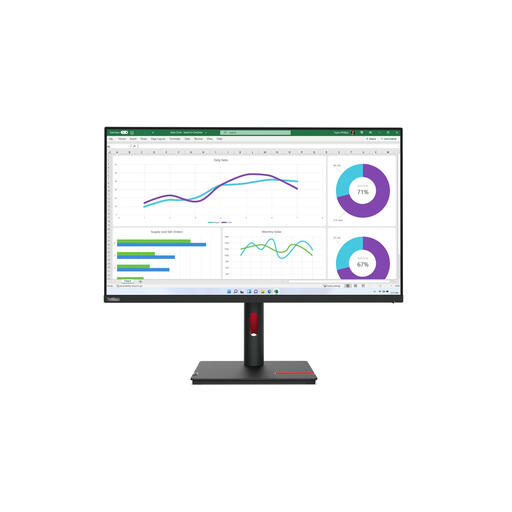 No image available
The 31.5-inch QHD screen could suit text and data work if you’re looking for a larger display.
2560 × 1440 pixels.
According to the product information, a charger is not included as standard and must be purchased separately.
No. These specifications describe the work monitor, not the accessibility of the published content. Among other things, check whether the webpage’s default language and passages in other languages can be identified programmatically. The formal requirements that apply depend on the provider and the service.
Adjust the screen height and text size to suit your workstation, and reduce reflections. For employees who work at a screen for more than two hours a day, Arboportaal sets out specific requirements for workstation design; these do not automatically apply to every private buyer.
Not necessarily. Check whether the laptop outputs video through the relevant port, whether the cable supports the charging function you need, and which connections the exact monitor model offers. A USB-C port on the monitor does not, on its own, confirm that the combination will work.
No. ACM ConsuWijzer explains that consumers have a statutory guarantee in addition to any manufacturer’s warranty: the product must meet what the consumer could reasonably expect from it under normal use. The retailer is the point of contact; there is no single fixed statutory warranty period of exactly two years for every monitor.
That does not follow simply because it is a ‘location guide’. The Government of the Netherlands specifies WCAG 2.2 levels A and AA for government websites and apps. Since 28 June 2025, accessibility requirements have also applied to certain products and services, including online shops. Whether those rules apply to a specific guide depends on the provider and the service. A monitor certificate is no substitute for that assessment.