
Teacher with limited desk space
You edit teaching slides between your keyboard and teaching materials, and want to know whether the screen and stand will fit on your desk.


Start by measuring the space available on your desk and checking the monitor’s dimensions with its stand. A screen around 24 inches is a good starting point, but there’s no guarantee it will fit. Full HD may be enough for everyday slide preparation, while 16:10 gives you more vertical workspace and QHD offers more pixels for details and side-by-side windows. Also check the adjustment options and make sure your computer’s video output is compatible with the monitor’s ports.
You edit teaching slides between your keyboard and teaching materials, and want to know whether the screen and stand will fit on your desk.
You want room for toolbars, notes or details while editing, without immediately opting for a much larger screen.
You regularly connect a laptop and want to check that you have the right video connection and cable, and whether charging is supported.
First, measure the space for the monitor stand and your keyboard. Then decide how much screen space you need, and finally check the adjustment options and connections.
| What to consider | What should you check? | Who is this important for? |
|---|---|---|
| Space for the screen and stand | Measure the available space, including the stand. BenQ lists the GW2490’s dimensions as 408 × 540 × 182 mm (height × width × depth). | On a small desk, I want to leave room for my keyboard and teaching materials; a suitable size is the main priority for around 33% of consumers. |
| Space for slides and notes | Compare the resolution and aspect ratio: Dell lists 1920 × 1080 pixels for the P2425H, 1920 × 1200 for the P2425 and 2560 × 1440 for the P2425DE. | If I want to see notes, toolbars or details alongside my slide while editing, workspace comes first for around 27% of consumers. |
| Adjustable screen position | Check whether the stand is height-adjustable or only tilts. Dell lists height adjustment for the P2425H; BenQ lists tilt adjustment for the GW2490. | If I want to adjust the screen height at my workstation, adjustability is my most important consideration; this applies to around 20% of consumers. |
| Connecting to your computer | Check your computer’s video output and the exact port on the monitor. Dell describes the P2425H’s USB-C downstream port as data-only, with a maximum output of 15 W. | If I want to connect my laptop properly without any hassle, the connection matters most; around 20% of consumers prioritise this. |
A monitor of around 24 inches can still take up a lot of space because of its stand. BenQ lists the GW2490’s stand depth as 182 mm; LG lists the 24MR400-B’s depth, including the stand, as 200 mm.
Measure the available space with the stand in place, and allow room for your keyboard and papers. If you’re mounting the monitor on an arm, check that both the monitor and the mount are suitable.
If the stand doesn’t fit, you may need to position the monitor differently or use a suitable monitor arm.
Dell states that the USB-C downstream port on the P2425H supports data only and delivers a maximum of 15 W. So don’t automatically assume that your laptop will receive a picture signal or charge sufficiently through this port.
Check the features of the port on the exact monitor model and compare them with your laptop’s video and charging capabilities.
You may need a different cable, adapter or monitor for another type of connection.
LG marks the 24MR400-B as discontinued on its Dutch product page; older specifications don’t tell you whether a model is currently available.
Use the specifications for comparison only, and check the exact model and current offer before buying.
The Pro Plus models reviewed offer different screen options for preparing slides.
The GW2490 is a Full HD option reviewed here, with a stated stand depth.
The 24E1N1100A/00 is a 23.8-inch Full HD monitor reviewed here.
The 24MR400-B is an example you can use to compare the stand dimensions and adjustability of a Full HD model.
These options focus on Full HD monitors around 24 inches for a compact workspace. Check the stand dimensions and connections for each model.
 No image available
A 24-inch Full HD model to consider for editing teaching slides on a compact screen.
Full HD 1920 × 1080; VA panel; 100 Hz; HDMI and VGA connections.
 No image available
A Full HD option for anyone who usually works on a single presentation on a screen around 24 inches.
Full HD 1920 × 1080; VA panel; 100 Hz.
 No image available
A Full HD model around 24 inches to compare if height adjustment is an important factor when setting up your workspace.
Full HD 1920 × 1080; IPS panel; height-adjustable stand; HDMI input; built-in speakers.
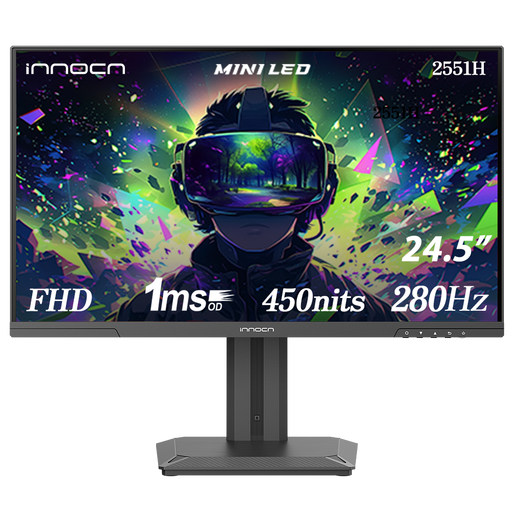 No image available
The screen size is close to 24 inches; check that the stand fits within the space available on your desk.
Full HD 1080p; IPS panel; 280 Hz; HDMI and DisplayPort connections; height-adjustable stand.
 No image available
A 24-inch Full HD model to compare if your computer connects via HDMI or DisplayPort.
Full HD 1080p; IPS panel; 144 Hz; HDMI and DisplayPort inputs; tilt range from −5° to 15°.
No, not if you usually edit one presentation at a time. Full HD may be an option for this; compare 1920 × 1200 for extra vertical space or 2560 × 1440 for more pixels, and consider your reading preferences and the space available on your desk.
Measure the space for the stand and leave room for your keyboard and teaching materials too. Check which adjustments the supplied stand offers. If you’re considering a monitor arm, check that both the model and the mount are suitable.
No, it depends on the features of the ports on both the monitor and the laptop. For example, Dell specifies that the USB-C downstream port on the P2425H is data-only, with a maximum output of 15 W; check video and charging compatibility separately before buying.
ACM ConsuWijzer states that consumers have 14 days to change their mind after delivery of a product bought online. Your statutory guarantee is separate from any seller’s or manufacturer’s warranty. Before you order, check who the seller is and what returns terms apply.