Who is this relevant to?

Map researcher who needs plenty of detail

You compare digital polder maps, legends and scans, and want clear detail and enough room to open sources side by side. The QHD models mentioned have a resolution of 2560 × 1440 pixels; how easy small print is to read also depends on the scan and display settings. LG Netherlands and Dell Netherlands list this resolution for the models mentioned.

Sharing a screen around one table

You discuss the same map or source with someone beside you and want to be able to adjust the screen position. LG Netherlands lists adjustable stands and IPS panels for the models mentioned; this is not an independent assessment of the viewing experience.

Laptop user working in different places

You regularly connect a laptop and want to keep cables and set-up to a minimum. Some models combine USB-C and power delivery, provided your laptop supports video over that connection and the wattage is suitable.

What should you look for when choosing?

What to consider What to look for Who is this most important for?
Map details and text in sources Compare screen size and native resolution; view your own map and document files from the intended viewing distance. If I want to read legends and small text in sources, or have several windows open side by side, clear detail comes first. Around 33% of consumers put legibility of map details first.
Looking at the screen together Check the panel type and adjustability, and assess the set-up from the seats around the table. If I’m discussing the same map with someone beside me, I want to be able to position the screen appropriately. Around 25% of consumers put viewing together and screen positioning first.
Connecting a laptop Check video support over USB-C, the power required, the monitor port and the cables supplied. If I’m connecting a laptop in a shared space, I want to know whether video and, if needed, power will work through the connection I choose. Around 25% of consumers put laptop connectivity first.
Making the most of table space Measure the width and depth, including the stand and space for cables; assess text size from your usual viewing distance. If I need space for documents and other people at the table as well as the monitor, choosing the right screen size matters. Around 17% of consumers put a compact design and clear table space first.

What to watch out for when buying

  • Assuming every USB-C monitor works with every laptop

    A stated charging wattage doesn’t automatically mean that a laptop can send video through the same connection or receive enough power.

    Before choosing, compare your laptop’s port, video support and power requirements with the specifications of the exact monitor model.

    You may need a different cable, adapter or power solution.

  • Choosing a larger or sharper screen without checking your table and sources

    A larger screen takes up more space, while small or poorly scanned text won’t automatically become easier to read at a higher resolution.

    Measure the available space, including the stand, and try a representative map or scan from your preferred viewing distance.

  • Assuming all video cables are included

    LG states that HDMI and DisplayPort cables are not included with the 27BA45QB-B.

    Check the box contents for the exact version and compare its connections with those on your computer.

    If the right cable isn’t included, you may need to buy one separately.

  • Confusing the manufacturer’s warranty with the full statutory guarantee

    According to ACM ConsuWijzer, the statutory guarantee applies alongside any seller’s or manufacturer’s warranty.

    Keep your proof of purchase and raise any issue with the seller, so it can be assessed against what you could reasonably expect from the product.

Brands to compare

LG

LG Netherlands lists both the 27BA45QB-B, an adjustable 27-inch QHD IPS monitor, and the 27BA65QB-B, which offers USB-C power delivery up to 65 W.

  • LG says both models have an adjustable stand; the USB-C version may suit a compatible laptop.
  • LG states that HDMI and DisplayPort cables are not included with the 27BA45QB-B.

Dell

The Dutch specifications for the Dell P2725DE combine a 27-inch QHD IPS screen with 90 W USB-C power delivery and an adjustable stand.

  • The listed connections and adjustment features give you specific details to compare with your laptop and table set-up.
  • Check that your laptop supports video through the connection and that the stated wattage is suitable for it.

Samsung

Samsung lists QHD and USB-C for the 24-inch ViewFinity S6 S60UD, model LS24D600UAUXEN.

  • The 24-inch screen is worth comparing if table space is limited and you want to retain QHD resolution.
  • Try your own files to see whether small text on maps is comfortable to read from your preferred viewing distance.

Philips

Philips lists a 27-inch QHD IPS screen with USB-C for the 27B2U4601/00.

  • The listed resolution and viewing angles are specifications to consider when comparing screens for shared document use.
  • Manufacturer information about picture quality is not an independent test of historical scans; assess your own source files.

Joybuy products for this study set-up

These Joybuy monitors are worth comparing for viewing maps and documents around a shared table. Consider screen size, resolution, adjustability and the connections your laptop needs.
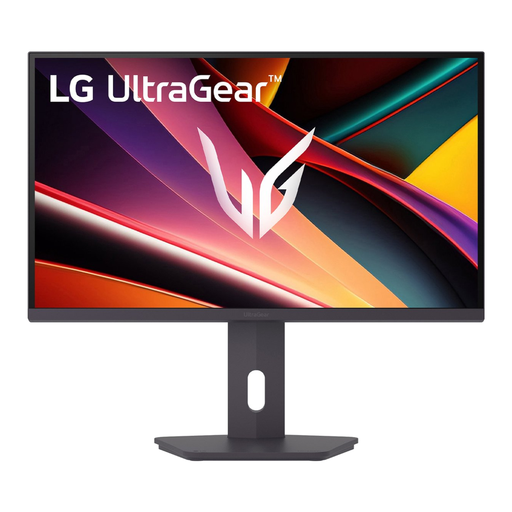
LG UltraGear 27G610A-B QHD IPS monitor, 27 inch

LG UltraGear 27G610A-B QHD IPS monitor, 27 inch

This 27-inch QHD IPS model is worth comparing if you want to view map and document details on a larger screen.

QHD, 2560 × 1440 pixels; IPS; adjustable; HDMI and DisplayPort connections.

Check readability with your own scans and viewing distance, and see which cables are included.

Joybuy
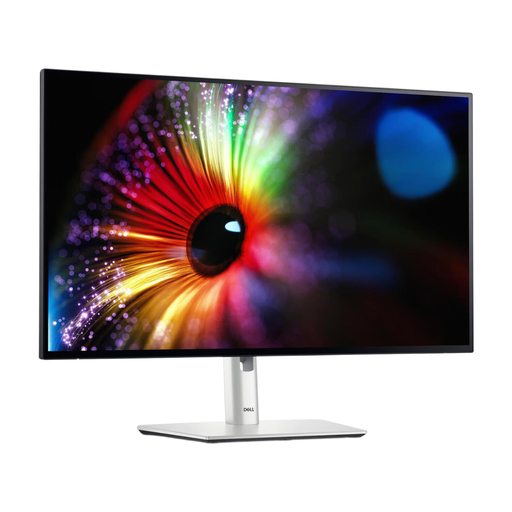
Dell UltraSharp U2724D QHD monitor, 27 inch

Dell UltraSharp U2724D QHD monitor, 27 inch

This 27-inch QHD monitor is worth comparing if you’re looking for a larger screen for maps and documents around the table.

QHD, 2560 × 1440 pixels; IPS Black; adjustable stand.

Check that you have enough room for the screen and that text in your own files is comfortable to read.

Joybuy
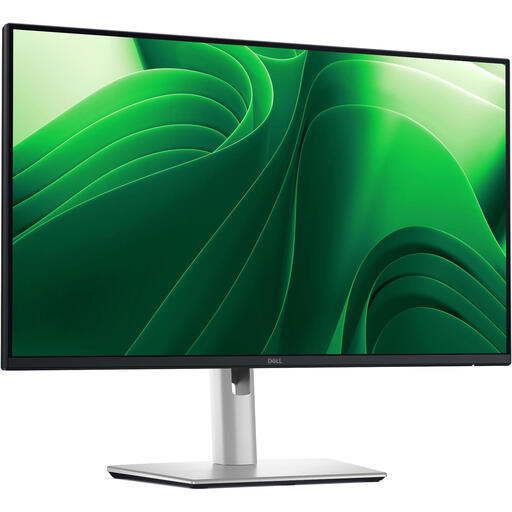
Dell Pro Plus P2425DE QHD monitor, 24 inch

Dell Pro Plus P2425DE QHD monitor, 24 inch

The 24-inch version is worth comparing if you want a more compact screen while retaining QHD resolution.

QHD, 2560 × 1440 pixels; IPS; USB-C with 90 W Power Delivery; adjustable stand.

USB-C power delivery is suitable only if your laptop and connection support video over USB-C, and the wattage meets your laptop’s needs.

Joybuy
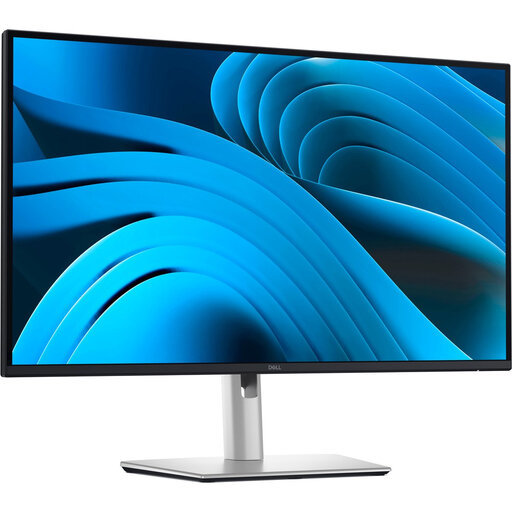
Dell Pro Plus P2725DE QHD monitor, 27 inch

Dell Pro Plus P2725DE QHD monitor, 27 inch

This model is worth comparing if you’re considering a 27-inch QHD screen with USB-C for a shared laptop workspace.

QHD, 2560 × 1440 pixels; IPS; USB-C with 90 W Power Delivery; adjustable stand.

Check that your laptop supports video over USB-C and that the wattage is suitable for it.

Joybuy

LG 27GS85Q-B QHD monitor, 27 inch

LG 27GS85Q-B QHD monitor, 27 inch

This 27-inch QHD model is worth comparing for studying maps and documents when you want to be able to adjust the screen position.

QHD, 2560 × 1440 pixels; Nano IPS; adjustable stand; HDMI and DisplayPort connections.

Check small text using your own files, and make sure the cables you need are included.

Joybuy

Frequently asked questions

Do I definitely need a 4K monitor for old polder maps?

Not before you’ve checked your files and viewing distance. Dutch 24- and 27-inch QHD models offer 2560 × 1440 pixels; how easy scans are to read also depends on source quality, text size and display settings.

How should I set up a monitor around a shared table?

Position the screen so everyone can see it without having to sit awkwardly, and take reflections from light sources into account. Arboportaal highlights poor legibility, reflections and an incorrectly set-up workstation as things to consider when working with screens. Specific workplace health and safety rules for employees are not automatically legal requirements for private study.

Will every USB-C monitor charge my laptop?

No. Check that your laptop supports video over USB-C and compare its power requirements with the specifications for the exact model. LG lists up to 65 W for the 27BA65QB-B; Dell lists 90 W for the P2725DE.

Which Dutch regulations and consumer rights are relevant?

Electronic displays sold on the EU market need an energy label; compare the label for the exact model, as explained by the European Commission. For a standard online consumer purchase, you generally have a statutory 14-day cooling-off period after delivery. ACM ConsuWijzer also explains that the statutory guarantee applies alongside any limited manufacturer’s warranty, and that you can contact the seller if a product is faulty.
