
Readers and writers of longer texts
If you want to view book text, notes and a review draft side by side, compare the resolution, aspect ratio and text scaling. Models also vary in how you can position the screen.


Start by measuring the space available on your desk, then decide whether you’ll mainly be writing in one document or viewing book text and sources alongside your draft. An adjustable monitor can be useful for reading and proofreading over long periods. At the same width, 1920 × 1200 provides more vertical pixels than 1920 × 1080. Choose a USB-C hub only if both your laptop and the specific monitor port support the display and charging features you need.
If you want to view book text, notes and a review draft side by side, compare the resolution, aspect ratio and text scaling. Models also vary in how you can position the screen.
Your keyboard, book and monitor all need to fit on the desktop. Measure the available space and compare it with the monitor’s dimensions, including the stand; the screen size alone won’t tell you how much room the stand takes up.
Check the features of the USB-C port on the exact monitor model, as well as your laptop’s capabilities. A USB-C connection doesn’t automatically mean that one cable will carry the picture and charge your laptop.
First, measure your desk and decide how much text and how many windows you want to see at once. Then check whether the stand allows you to position the screen as you’d like, and whether the connections are compatible with your laptop.
Arboportaal advises positioning the screen directly in front of you, with the top just below eye level. Check that the stand allows you to achieve the position you want.
| What to consider | What should you check? | Who is this important for? |
|---|---|---|
| Room for text | Compare the resolution and aspect ratio; consider whether you want to open sources alongside your draft. | If I want to view book text, notes and my review side by side while writing, I’ll focus on the usable space for text. Around 36% of consumers put text space first on their list of priorities. |
| Desk space | Measure the available width and depth, then compare them with the dimensions including the stand. | On a small desk, the monitor, book and keyboard all need to fit. Around 29% of consumers prioritise finding a monitor that fits on their desk. |
| Screen position | Check for height adjustment and tilt; make sure the stand fits on your desk. | If I’m reading and writing for a long time, I want to be able to position the monitor comfortably. Around 21% of consumers give adjustability their highest priority. |
| Laptop connection | Check video output, charging power and the port features on both devices. | For a single-cable setup, I want to know whether my laptop can send a picture and charge through the monitor. Around 14% of consumers start by checking their laptop’s connection. |
Features vary by model. Dell lists the P2425 as having a USB-C downstream port for data at up to 15 W; Dell describes the P2425E as a hub model with power delivery of up to 90 W.
Compare the features of your laptop and monitor, and check which cables are included.
Depending on the connection you choose, you may also need a separate display cable or laptop charger.
The stand affects how much room the monitor takes up on your desk. For example, the product specifications for the BenQ BL2490T and LG 24MR400-B include dimensions with the stand.
Measure the space available for your monitor, book and keyboard, then compare it with the dimensions of the exact model.
Port features or screen specifications can vary between specific models. Check these with the manufacturer before relying on them to make your choice.
Compare the full model code and the features that matter to you, such as connections and refresh rate.
The P2425 and P2425E show why it’s important to distinguish between a monitor for text and a USB-C hub model.
The BL2490T is an example of a 23.8-inch Full HD monitor with height adjustment.
LG model specifications show that adjustment options vary between models.
The 24E1N1100A/00 is a Full HD option for which you should check the exact model carefully.
This selection focuses on Full HD monitors for reading and writing, including an adjustable option if you want to change the screen position.
 No image available
A compact Full HD option if you mainly work with a single writing document.
The product title lists 1920 × 1080, 100 Hz and 1 ms. According to the product information, a charger isn’t included as standard; check whether you need one.
 No image available
A Full HD option if you’re looking for a monitor for reading and writing.
The product title lists a 24-inch screen, 100 Hz and a VA panel.
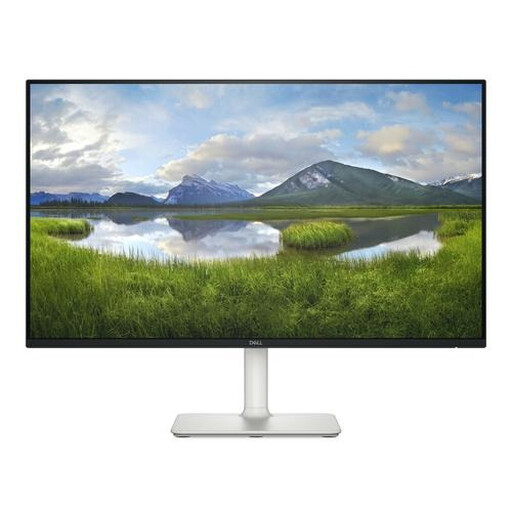 No image available
A 23.8-inch Full HD option if you mainly use one document while writing.
The product title lists 1920 × 1080.
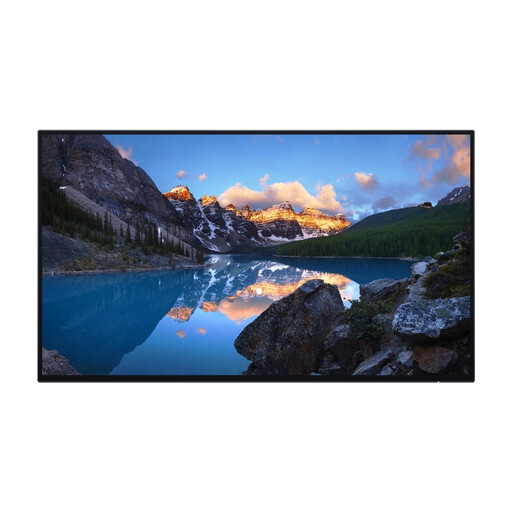 No image available
An option to compare if you’re looking for Full HD resolution and want to adjust the screen position.
The product title lists a 23.8-inch screen and 1920 × 1080 resolution.
 No image available
A 24-inch Full HD option for reading and writing; check the specifications of the exact model.
The product title lists an IPS panel. Check the refresh rate of the model you choose.
Position the screen directly in front of you. Arboportaal advises placing the top just below eye level and tilting the screen so you’re looking straight at it. This is workplace guidance, not a guarantee that a particular model will prevent discomfort.
No, this varies by model. Dell lists the P2425 as having a USB-C downstream port for data only; Dell describes the P2425E as a USB-C hub model with power delivery of up to 90 W. Also check your laptop’s video and power features.
For a standard online consumer purchase, ACM ConsuWijzer states that you generally have a statutory cooling-off period of up to 14 days after delivery; check the terms and any exceptions. Your statutory guarantee is separate from a manufacturer’s or extended warranty: according to the Dutch government, you’re entitled to a product that works properly.
The Dutch rules on display screen work cited here apply to employers and employees. They don’t create a general obligation for a student writing a book review independently to buy a monitor with height adjustment for personal use. If the space is also a workplace as part of employment, that situation needs to be assessed separately.