
Student with a small desk
You want to view floor plans and a budget without the monitor taking over your workspace. Compare the screen and stand dimensions: BenQ lists the PD2705Q as 614 mm wide, with a stand depth of 230.7 mm.


A compact screen is a good fit for a student room if desk space and viewing a single floor plan or budget are the priorities. Consider a larger QHD or 4K screen if you want to view drawings and reference images side by side with more pixels. A one-cable USB-C setup only works if both your laptop and the specific monitor port support video, and the charging power is suitable for your laptop.
You want to view floor plans and a budget without the monitor taking over your workspace. Compare the screen and stand dimensions: BenQ lists the PD2705Q as 614 mm wide, with a stand depth of 230.7 mm.
You want to compare drawings, material images or several windows side by side, so look at resolution, workspace and available colour settings. BenQ lists QHD and sRGB and CAD/CAM modes for the PD2705Q; LG lists 4K resolution for the 27UP850K-W.
You want to connect your monitor to a laptop regularly, so check that the selected USB-C port supports video and data, and provides enough power to charge it. Dell, BenQ and AOC describe different features for the models reviewed.
| What to consider | What to look for | Who is this important for? |
|---|---|---|
| Will the screen fit on your desk? | Measure the available width and depth, then compare them with the monitor’s dimensions, including the stand. Check whether the stand is adjustable too. | If you have limited desk space for a monitor, laptop and drawing work, you’ll want to know in advance whether everything will fit. Around 33% of consumers choosing a monitor for this purpose make desk space their top priority. |
| Will you be able to see enough detail? | Compare the resolution of the exact model with the drawings and windows you want to view at the same time. Treat colour modes as product specifications, not as a guarantee that paint colours on screen will match the real thing. | If you want to view floor plans and mood images side by side, you’ll benefit from enough screen space and pixels. Around 25% of consumers make viewing design details their top priority. |
| Will it connect to your laptop? | Check that your laptop supports video over USB-C, and check the video and charging functions of the specific monitor port. Compare the charging power required and check which cables are included. | If you connect your laptop regularly, you’ll want to know whether a single cable can carry video and, if needed, charge it. Around 25% of consumers make a suitable laptop connection their top priority. |
| Which features will you actually use? | Compare the features of the exact model with how you’ll use it: viewing a single floor plan or document doesn’t automatically call for extra resolution, colour modes or a docking station. | If you’ll mainly be looking at a simple floor plan or budget, you won’t want to pay for features you don’t need. Around 17% of consumers make a suitable basic screen their top priority. |
USB-C on its own doesn’t mean a port can transmit video or charge a laptop. Dell describes the USB-C port on the P2425 as a data downstream port; BenQ lists USB-C video and Power Delivery for the PD2705Q.
Before relying on a single cable, check the features of the port on both your laptop and the exact monitor model.
The P2425 reviewed is a compact option with a 16:10 aspect ratio, suited to documents and drawings. The P2425H is a separate Full HD model.
According to BenQ, the DesignVue PD2705Q reviewed is designed for digital design and needs enough space on a permanent workstation.
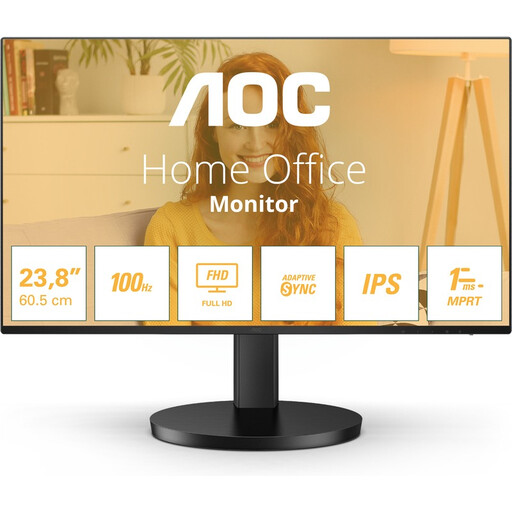
The 24E1N1100A/00 reviewed is a 23.8-inch Full HD IPS option for simple floor plan and document work.
According to AOC, the 24P2C reviewed combines a compact Full HD screen with USB-C features.
The UltraFine 27UP850K-W reviewed is a 27-inch 4K option for anyone who wants more pixels for digital design.
These Joybuy product picks are aimed at viewing floor plans, drawings and images in a student room, with options for a compact or permanent workstation.
 No image available
Suitable if you want to view detailed floor plans and images and have a permanent workstation.
27 inches; 3840 × 2160 pixels; 60 Hz; height-adjustable stand.
 No image available
Suitable if you’re looking for a 27-inch screen and 4K resolution for detailed drawings and images.
27 inches; 3840 × 2160 pixels; 4K Ultra HD.
 No image available
Suitable for a space-saving or mobile workstation where you also want to view drawings and images in detail.
16 inches; 2560 × 1600 pixels; IPS; built-in stand; USB-C and HDMI.
 No image available
Suitable if you use a permanent desk and want to view floor plans or budgets on a 24-inch screen.
24 inches; 2560 × 1440 pixels; Quad HD.
 No image available
Suitable if you mainly want to view a simple floor plan or budget at a permanent desk.
23.8 inches; 1920 × 1080 pixels; Full HD; IPS; 120 Hz.
Place the monitor securely and adjust the screen position to suit your workspace. Arboportaal lists adjustability, lighting and reflections as points to consider for screen-based workstations. Employment regulations apply to employees under the relevant conditions and aren’t automatically a legal requirement for every student room.
Only if both your laptop and the specific monitor port support USB-C video. To charge at the same time, the Power Delivery wattage must also be suitable. BenQ lists USB-C video, data and 65 W Power Delivery for the PD2705Q. Dell describes the USB-C port on the P2425 as a data downstream port with no video input.
For an online consumer purchase, you generally have a statutory cooling-off period of up to 14 days after delivery. ACM ConsuWijzer explains the conditions and exceptions; check in advance whether return postage applies to your order too.
No. A manufacturer’s or retailer’s warranty doesn’t replace your statutory rights. According to ACM ConsuWijzer, a product must meet what you can reasonably expect from it under normal use; in the Netherlands, there’s no fixed general two-year period for this.
Energy labelling rules apply to electronic displays covered by EU regulations. The European Commission describes a scale from A to G; compare the label for the exact monitor model.