An ultrawide screen could suit you if you often want to see an audio timeline, mix window and version notes side by side, and have enough desk space for it. A height-adjustable 27-inch QHD monitor may be a better fit for a more compact workspace. Avid describes separate edit and mix windows, while Philips lists the 346E2CUAE/00 as a 34-inch monitor with a resolution of 3440 × 1440 pixels. If you use a laptop, also check that its USB-C port supports video and that the charging power suits your laptop. A monitor lets you see your mix, but not hear how it sounds.
Who is this monitor choice relevant to?
Mixer working with multiple project versions
If you want to keep track of the timeline, mix controls and notes for different project versions, compare your software layout with the screen space available. Avid describes the edit and mix windows in Pro Tools; how much you can see clearly at once depends on your own window layout.
Student with a small desk
If you want to work on film and audio on the same screen but have limited desk width, consider a more compact monitor. Compare its dimensions with the space an ultrawide model would take up, and check its adjustability and readability too.
Creator who also checks the film image
If you assess the picture as well as the soundtrack, check the stated resolution and colour modes of the exact model. These display specifications say nothing about how the mix sounds.
What should you look for when choosing?
34-inch ultrawide
A good fit if: you regularly want to place the timeline, mix window and version notes side by side, and have room for the screen on your desk.
The trade-off: the wider screen needs more desk space. Also check that text and windows are comfortable to read from your usual viewing distance.
27-inch QHD
A good fit if: you want a more compact screen and your software layout works well on a 27-inch display.
The trade-off: you’ll have less horizontal space than with the 34-inch ultrawide example mentioned above. Also check that the connections and any USB-C charging are suitable for your laptop.
| What to consider |
What should you check? |
Who is this important for? |
| Timeline and project versions |
Arrange the windows you usually use side by side and compare them with the available screen width. Philips Netherlands lists the 346E2CUAE/00 as a 34-inch monitor with a resolution of 3440 × 1440 pixels. |
If you want to keep track of the timeline, mix controls and version notes at the same time, screen space comes first; around 40% of consumers rank this overview as their top priority. |
| Workspace and readability |
Measure the available space and your viewing distance. Check adjustability, reflections and readability with your own software. Dell Netherlands lists the P2725DE as a 27-inch QHD monitor. |
If you work at a small desk, you’ll want a screen that fits your setup and is comfortable to adjust; around 30% of consumers give the workspace and posture the highest priority. |
| Checking the film image |
Compare the colour mode with the requirements of your workflow. ASUS lists 100% sRGB and 100% Rec.709 for the PA278CV; according to the manufacturer, BenQ gives the PD2705Q the same colour gamut coverage. |
If you need to check the film image as well as the soundtrack, you’ll want to compare the colour modes of the exact model; around 20% of consumers put checking the picture first. |
| Connecting a laptop |
Check whether your laptop outputs video through the USB-C port you plan to use, and compare its charging requirements with the monitor’s power output. Dell lists up to 90 W for the P2725DE; ASUS lists 65 W for the PA278CV. |
If you want fewer cables on your desk, a suitable video and charging connection can help; around 10% of consumers make the laptop connection their main deciding factor. |
What to watch out for when buying a monitor for audio and film work
-
Choosing a wide screen without measuring your workspace
A 34-inch widescreen monitor may need more horizontal desk space. Arboportaal highlights readability, reflections and a well-adjusted workspace as important factors when working with a screen.
Measure your desk and viewing distance, and try out your preferred window layout and text size before choosing.
-
Assuming USB-C always provides both video and enough power
The monitors mentioned have different stated USB-C power outputs. The presence of a USB-C port alone doesn’t confirm that your laptop can output video through it or receive enough power.
Compare the functions of your laptop’s port, the cable and your charging requirements with the specifications of the exact monitor model.
-
Confusing an additional warranty with your statutory rights
ACM ConsuWijzer distinguishes between an additional warranty agreement and the seller’s responsibility under the statutory guarantee.
Check what an extra agreement covers, and remember your statutory rights if a product doesn’t meet the expectations you were entitled to have.
Brands to consider
Philips
The E Line 346E2CUAE/00 is a 34-inch ultrawide example with a resolution of 3440 × 1440 pixels, for anyone who wants to arrange windows side by side.
- Philips describes the 21:9 aspect ratio as providing room to view content side by side.
- Measure your desk and check that text and windows remain readable in your own software.
Dell
The Pro Plus P2725DE is a 27-inch QHD model with a USB-C hub.
- Dell specifies height adjustment and up to 90 W of USB-C power delivery for the P2725DE.
- Check that your laptop’s USB-C port supports video and that the stated power output suits your laptop. Don’t confuse this model with the P2725D, which has different specifications.
ASUS
The ProArt PA278CV is a 27-inch QHD model for anyone who works with film as well as audio.
- ASUS lists 100% sRGB, 100% Rec.709, DP Alt Mode and 65 W of USB-C power delivery for the PA278CV.
- Check that the stated connections and colour modes suit your laptop and picture workflow.
BenQ
The Creative Pro PD2705Q is a 27-inch QHD model with stated sRGB and Rec.709 coverage.
- According to BenQ, this model covers 100% sRGB and 100% Rec.709, with a Delta E ≤ 3.
- These are manufacturer specifications, not an independent measurement of your individual unit. Check that the stated colour spaces suit your workflow.
Joybuy products for this workspace
This selection of Joybuy products includes ultrawide screens and more compact monitors for arranging windows side by side. Compare the screen space with your desk, and check the connections and laptop charging power if they’re relevant to your setup.
 No image available
LG UltraWide 34U650A-B 34-inch
An ultrawide screen to consider if you want to arrange your timeline and project windows side by side.
34 inches.
Joybuy
 No image available
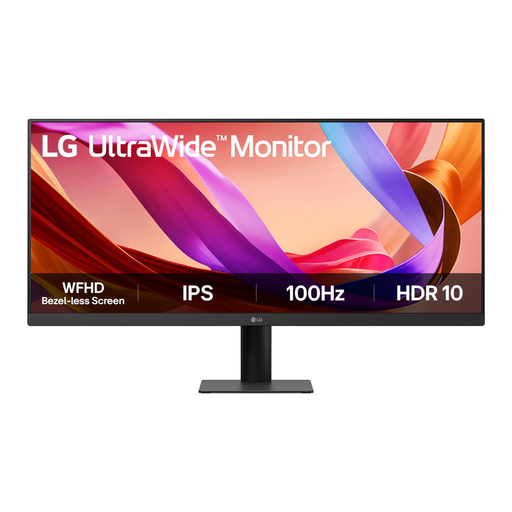
LG UltraWide 29U511A-B 29-inch Full HD IPS monitor
A smaller ultrawide model to compare if you want to use windows side by side but need less screen width than a 34-inch model offers.
29 inches, Full HD, IPS and 100 Hz.
Joybuy
 No image available
INNOCN 40C1U 40-inch 5K monitor
An extra-large ultrawide model to consider if you want to view lots of work windows at once. Measure your available desk space first.
40 inches, 5120 × 2160 pixels, IPS, 100 Hz and 21:9.
The product name lists 65 W USB-C Power Delivery; check that this meets your laptop’s charging requirements.
Joybuy
 No image available
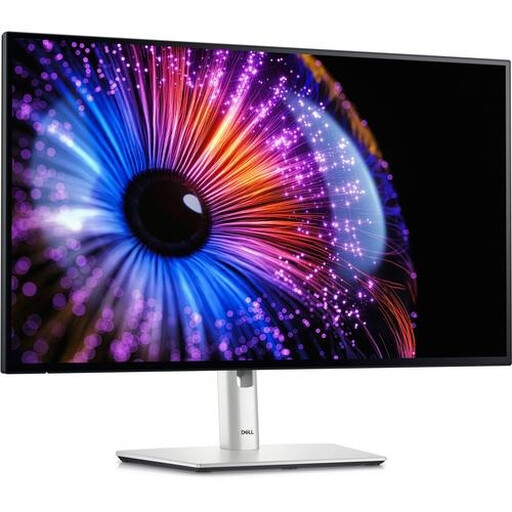
Dell UltraSharp U2724DE 27-inch QHD monitor
A more compact model to compare if you’re looking for a 27-inch screen for your film and audio workspace.
27 inches, 2560 × 1440 pixels and LCD.
Joybuy
 No image available
LG 34WR50QK-B 34-inch Wide Quad HD monitor
A 34-inch model to consider if you want to use several windows side by side; check that it fits your desk.
34 inches and 3440 × 1440 pixels.
Joybuy
Frequently asked questions
Will a wide screen make my soundtrack mix sound better?
No. A computer monitor displays the timeline and controls; use your separate listening setup to assess the sound. Avid describes separate edit and mix windows, but screen specifications don’t measure audio playback.
How should I set up my screen for longer editing sessions?
Position it so that text is easy to read, reflections aren’t distracting and you can adjust your workspace to suit you. Arboportaal offers advice on working with screens, including varying your activities and taking short breaks. Rules for employees don’t automatically count as product specifications for a student working from home.
Can any laptop use USB-C to send video and charge through a single cable?
No. The presence of a USB-C port alone doesn’t guarantee this. Check that your laptop supports video through that port, and compare its charging requirements with the monitor’s power output. Dell lists up to 90 W for the P2725DE, while ASUS lists 65 W for the PA278CV.
What warranty and cooling-off period apply to an online purchase in the Netherlands?
When you buy as a consumer, the product must meet the expectations you were entitled to have. According to ACM ConsuWijzer, the seller must resolve any fault covered by the statutory guarantee. Online purchases generally come with a statutory cooling-off period that ends 14 days after delivery. Check the terms and any exceptions that apply to your order.


