
Vandaag of morgen in huis

Kwaliteit gegarandeerd

Welkomstaanbiedingen ontgrendelen: GRATIS bezorging | Tot 80% korting | Gratis 30 dagen JoyPlus-proefperiode
Download de app
A monitor stand can make your desk more organised and create extra space. Yet after buying one, it often turns out that the screen wobbles, the stand is not compatible with the VESA size or the load capacity is too low. Especially when choosing a monitor arm, dual monitor stand or monitor stand for 2 screens, the product specifications are more important than an attractive product photo.
Joybuy Product Recommendation Officer filters the most important information based on verifiable features. This helps you see which monitor stand suits your screen, desk and way of working.
A 32-inch monitor does not automatically fit every monitor mount. Also check the weight without the original stand and the VESA holes on the back. A screen may fall within the stated size range but still be too heavy for the arm.
VESA refers to the distance between the mounting holes on the back of your monitor, expressed in millimetres. Many monitor arms support 75 × 75 mm and 100 × 100 mm. If your screen has a different size, you may need a separate VESA adapter. Check this before ordering.
A clamp or desk mount distributes the weight over a relatively small surface area. A thin, hollow or fragile desktop may therefore be less suitable. Check the mounting method, the thickness of your desk and whether there is enough room for cables and the clamp.
With a single monitor stand, the maximum weight is usually easy to check. For a dual monitor stand or a monitor stand for 3 screens, you need to look at the load capacity per arm, not just the total.
Pay attention to the difference between:
Do not exceed the stated weight. This can cause instability and damage your equipment.
A height-adjustable monitor stand is not automatically suitable for every workplace. Check how low and how high the screen can be positioned, and whether the arm offers sufficient depth adjustment.
These features are also relevant:
A gas spring can make adjustment easier, but always check the supported weight range. An arm designed for a lightweight screen will not automatically work well with a heavy gaming monitor.
A monitor stand with a desk base is practical if you do not want to drill or use a clamp. A monitor arm with a clamp can free up more desk space. For a monitor stand for 4 screens, a sturdy mounting solution is particularly important because of the higher total weight.
Only use a VESA monitor stand when the screen actually has suitable mounting holes. For laptops, a laptop stand is generally more suitable than a monitor arm, unless your laptop is attached using a separate bracket.
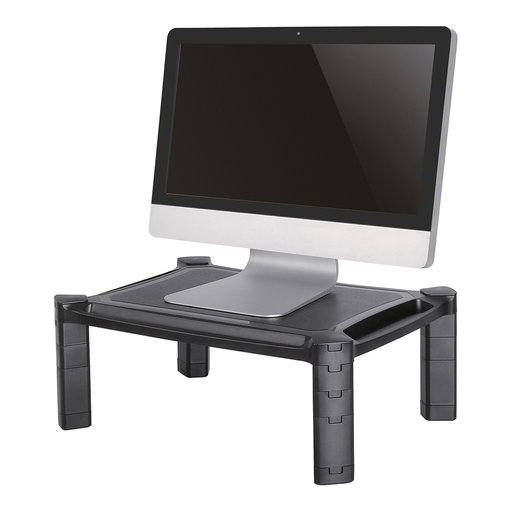
Why it suits this profile: This riser is suitable for a monitor or laptop weighing up to 10 kg and does not require any desk mounting. This makes it practical for home workspaces that you want to adjust easily.
The maximum load of 10 kg and the adjustment range of 4.6 to 16.8 cm are clearly stated. You do not need to choose an unsuitable clamp or arm for your desk.
Suitable for screens up to 32 inches, with cable routing and storage space at the front and back.
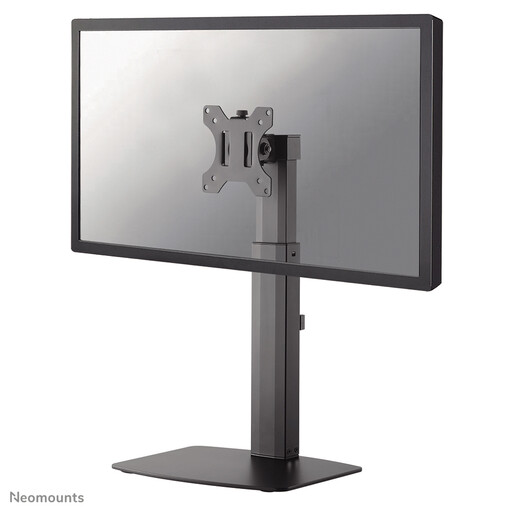
Why it suits this profile: If you regularly reposition a single monitor, this gas spring arm provides an adjustable solution for screens from 10 to 32 inches.
The product details specify a maximum load of 7 kg, VESA 75 × 75 and 100 × 100 mm, and a height range of 35.2 to 47.2 cm.
Tilts up to 40°, swivels up to 90°, rotates 360° and includes integrated cable management.
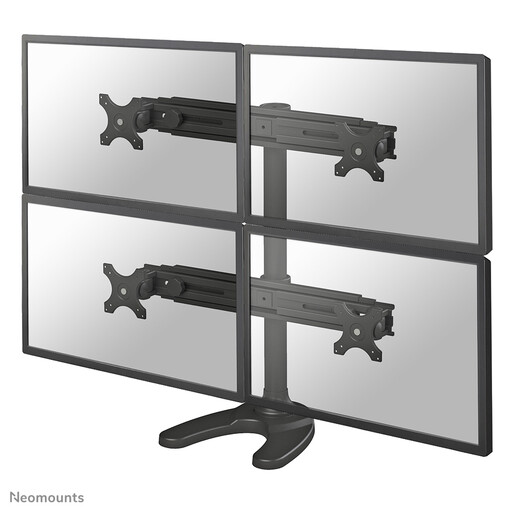
Why it suits this profile: This monitor stand for 4 screens is suitable for offices, reception desks and IT environments where several screens are needed at the same time.
The arm supports up to 8 kg per screen and specifies VESA 75 × 75 and 100 × 100 mm. However, check whether your desk can support the total weight of up to 32 kg.
Height adjustment from 24 to 70 cm, cable routing, plus rotation, swivel and tilt functions.
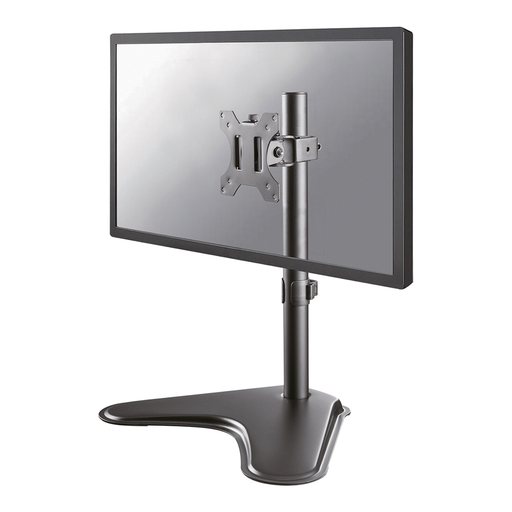
Why it suits this profile: This monitor arm combines a desk base with adjustability for a single screen from 13 to 32 inches.
The specifications state a load capacity of 8 kg and Quick-release VESA for 75 × 75 and 100 × 100 mm.
Height adjustment from 5.6 to 41.9 cm, 360° rotation, 180° swivelling and cable management.
We have compiled a complete, up-to-date list of products that fully meet these strict selection criteria and the applicable European safety regulations.
Use this quick checklist before ordering a monitor stand:
A standard monitor stand is generally not suitable for a TV. A separate TV stand usually supports larger VESA patterns and higher weights. The Neomounts DS45-430BL12, for example, is designed for TV screens from 23 to 43 inches, weighing up to 40 kg, with VESA sizes from 100 × 100 to 200 × 200 mm.
Check three things: the screen size, the weight and the VESA size. This information is usually provided in your monitor’s manual or on its product page. Then compare it with the stand’s specifications.
That depends on your desk and how you use it. A monitor arm can free up desk space and often offers greater freedom of movement. A stand with a base is easier to position and usually does not require a clamp mount. Focus especially on stability, load capacity and the level of adjustability you need.
Its lifespan depends on the materials, load, installation and how often you adjust the arm. A steel version can be used for many years when you respect the maximum load capacity. Regularly check the screws, clamps, VESA mount and any moving parts for looseness or wear.
