
Vandaag of morgen in huis

Kwaliteit gegarandeerd

Welkomstaanbiedingen ontgrendelen: GRATIS bezorging | Tot 80% korting | Gratis 30 dagen JoyPlus-proefperiode
Download de app
A monitor stand can help keep your desk tidy and give you more freedom when positioning your screen. However, not every model is suitable for every monitor, desk or wall. You may not realise you’ve chosen the wrong one until installation: the VESA holes don’t line up, the base takes up too much space or the screen is too heavy for the frame.
This buying guide helps consumers, home workers, gamers and office planners choose the right monitor arm, monitor mount or monitor bracket, based on verifiable product specifications.
A 27-inch monitor isn’t automatically suitable for every 27-inch monitor stand. Weight and mounting points are just as important. Always check:
For example, a model with a load capacity of 6 kg per screen isn’t designed for a heavier screen, even if its diagonal measurement falls within the stated size range.
VESA is the standard for the screw holes on the back of a monitor or TV. Many desk stands and monitor arms support VESA 75 x 75 mm and 100 x 100 mm. Larger screens may use patterns such as 200 x 200, 400 x 400 or 600 x 400 mm.
Measure the horizontal and vertical distances between the centres of the holes. A VESA adapter plate may accommodate a different pattern, but check in advance that the adapter is suitable for your screen.
An adjustable monitor arm can tilt, swivel or move up and down. This is useful if several people share a workspace or you regularly switch between landscape and portrait screen orientation. However, more moving parts mean you need to pay attention to the maximum load, how it attaches to the desk and the space available behind the screen.
A simple desk monitor stand with a sturdy base is often the more sensible choice if the screen usually stays in the same position. A desk monitor mount with a clamp or grommet fitting can free up space on the desktop.
First, decide where you want the screen to go:
For wall mounting, check the type of wall. Concrete, brick and wooden studs require different fixings. Don’t mount directly into plasterboard without suitable support behind it.
Compare the monitor’s weight with the maximum load capacity per screen. A dual monitor stand often has both a limit per screen and a total weight limit. Remember to account for accessories attached to the frame, such as a laptop tray, webcam or video bar.
It’s wise to leave a safety margin. Don’t use a stand at its maximum limit if the screen’s weight is uncertain or if you’re attaching it to a less sturdy desk.
Pay attention to the following:
A monitor wall mount that sits close to the wall looks neat, but leaves little room to pull the screen forwards. A full-motion model is more flexible, but sticks out further when you swivel the screen.
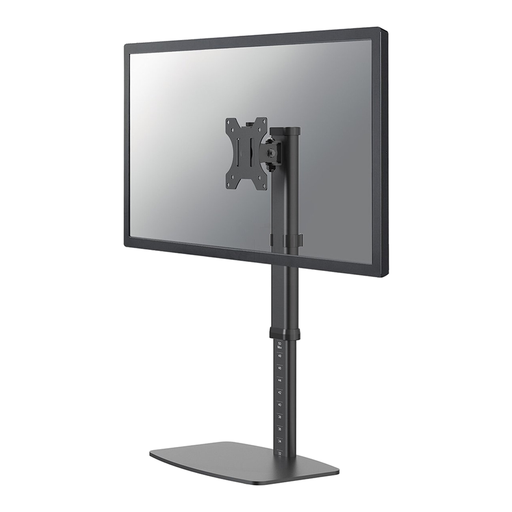
Why it suits this user: This monitor stand is designed for one screen on a desk and supports screens up to 30 inches and 6 kg. The height is adjustable, and the screen can be tilted, swivelled and rotated horizontally.
The key compatibility details are clearly stated: up to 30 inches, 6 kg and VESA 75 x 75 or 100 x 100 mm. Check these measurements before buying.
Steel construction, adjustable height and support for tilting, swivelling and rotating. According to the product information, it comes with a 5-year manufacturer’s warranty.
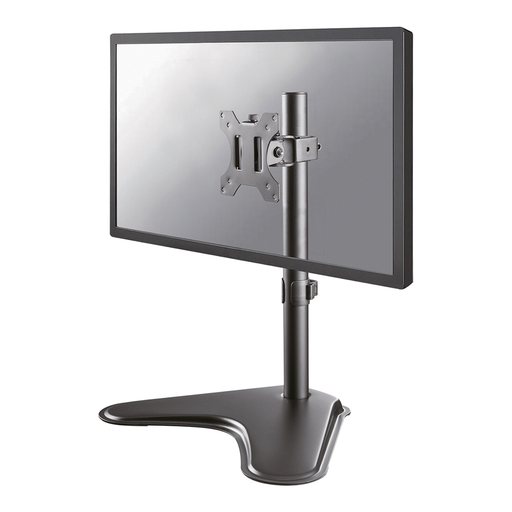
Why it suits this user: This model offers manual height adjustment from 5,6 to 41,9 cm and is suitable for screens up to 32 inches and 8 kg. It’s a good choice if you regularly reposition your screen.
The height, swivel and tilt adjustments are listed separately. This lets you compare the range of movement you need, rather than relying on a marketing term such as ‘flexible’.
Supports VESA 75 x 75 and 100 x 100 mm, and features cable management and a quick-release VESA mount. The stated warranty is 5 years.
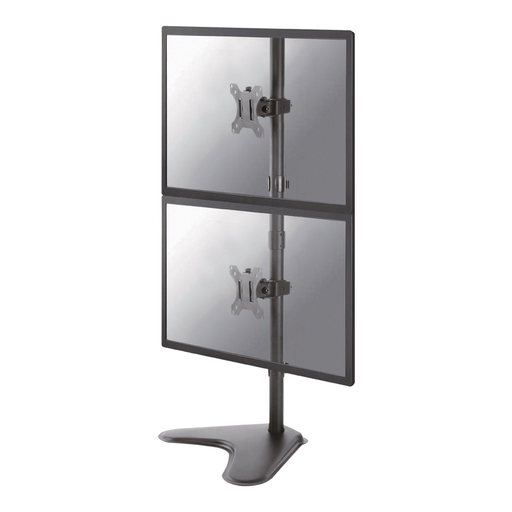
Why it suits this user: This dual monitor stand is designed for two screens up to 32 inches. The vertical setup is ideal if you want to use multiple screens without placing two separate bases on your desk.
The product specifications state that it supports two screens and VESA 75 x 75 or 100 x 100 mm. Also check the weight of each screen before loading the frame.
Suitable for two screens, with tilt, swivel and pivot functions. Cable management helps route connection cables along the stand.
We’ve put together a complete, up-to-date list of products that meet these strict selection criteria and comply with current European safety regulations.
A monitor arm with laptop holder is useful if you want to combine a screen and laptop at one workstation. According to the product information, the Neomounts DS20-425BL2 supports a screen up to 27 inches and a laptop up to 17,3 inches. The screen has a maximum load of 8 kg and the laptop 5 kg. The set comes with a desk clamp and grommet mount.
For a permanent wall-mounted setup, a monitor wall mount or wall-mounted monitor bracket is a more practical choice. A fixed model takes up little space, while an adjustable bracket offers more viewing angles. When choosing a TV wall mount, always check the VESA pattern and the screen’s weight; a TV mount isn’t automatically suitable for every monitor.
Read the instructions first and check that the desktop is thick and sturdy enough. If you’re using a clamp, make sure it sits flush against the desk. A grommet mount requires a suitable hole. Tighten all fixings without forcing any screws or clamps, then check that the screen is stable.
Its lifespan depends on the material, load, installation and how often you adjust the arm. Check the screws, clamps and pivot points regularly. Don’t exceed the stand’s stated weight limit. The legal guarantee in the European Union is at least two years; some manufacturers also offer a longer manufacturer’s warranty.
No. A monitor arm or monitor mount doesn’t use electricity itself. The monitor, laptop or other connected equipment remains the source of power consumption. An arm can make it easier to position a second screen or laptop, allowing you to arrange your workspace differently.
