
Vandaag of morgen in huis

Kwaliteit gegarandeerd

Welkomstaanbiedingen ontgrendelen: GRATIS bezorging | Tot 80% korting | Gratis 30 dagen JoyPlus-proefperiode
Download de app
A monitor stand can raise your screen, free up desk space and keep cables tidy. But choosing one based on looks or a low price alone isn’t a good idea. A stand that isn’t suitable for your screen’s weight, VESA mount or desktop may wobble, offer limited adjustment or prove impractical once installed.
This buying guide explains what to look for in a monitor stand, monitor arm or monitor riser. You’ll also find recommendations for different uses.
A 27-inch monitor isn’t automatically suitable for every monitor arm designed for 27-inch screens. The screen’s weight and VESA mount are just as important. Always check:
A monitor arm with a desk clamp transfers the weight to the edge of your desk. This may make it unsuitable for a thin, hollow or damaged desktop. Also check that there’s enough space behind the desk for the clamp and cables.
If your desk has a cable grommet, a grommet mount may be an alternative. A freestanding monitor stand or riser doesn’t need to be installed, but it does take up desk space.
A product that moves in lots of directions isn’t automatically practical. Check the actual adjustment range. An height-adjustable monitor arm should reach high enough for your sitting position and move far enough back to leave space behind the screen.
Also check whether the hinges are adjusted manually or with a gas or spring mechanism. For spring-assisted models, the tension needs to suit the weight of your screen.
The weight capacity is usually listed per screen. For a dual monitor stand, this might be 8 or 10 kg per monitor. Don’t just add up the weight of the screens; also consider the load on the clamp and desktop.
A freestanding monitor riser needs a flat, stable surface. Don’t place it over the edge of your desk or exceed its maximum load.
A VESA monitor stand uses a standardised hole pattern on the back of the screen. The most common sizes for computer monitors are 75 × 75 mm and 100 × 100 mm. If your monitor doesn’t have VESA holes, you may need a separate adapter plate.
An adjustable monitor stand should suit the way you use your screen every day. For one screen, a monitor arm that tilts, rotates and swivels may be enough. For two screens, it’s useful if each arm can be adjusted independently.
A monitor stand with cable management helps keep cables from trailing loosely across your desk. Check that the cable channel has enough room for the thickness and number of cables you use.
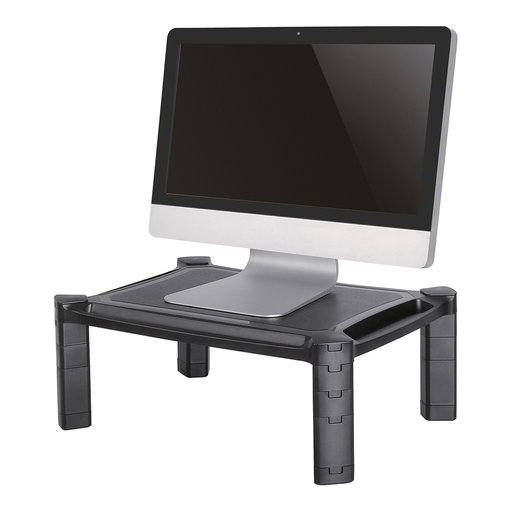
Why it suits this user: A practical choice for anyone working from home who wants to raise a monitor or laptop without attaching an arm to the desk.
The specifications state a weight capacity of 10 kg and an adjustable height of 4,6 to 16,8 cm. This lets you check in advance whether your device is within the limits.
Suitable for screens and laptops up to 32 inches, with built-in cable management and storage at the front and back.
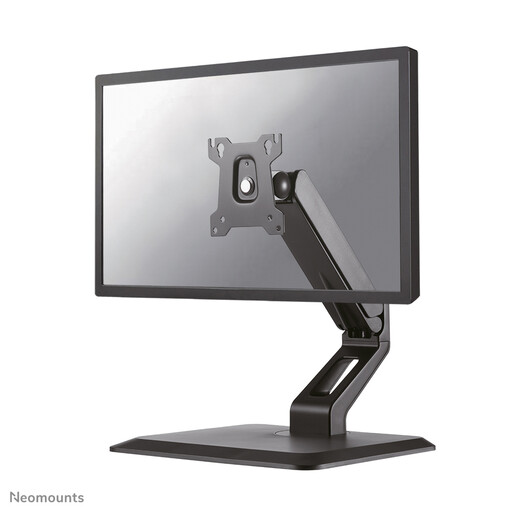
Why it suits this user: Ideal if you’re looking for a freestanding monitor arm with a wide adjustment range that supports medium-sized screens.
The arm supports screens from 15 to 32 inches and weighing up to 10 kg. It supports VESA 75 × 75 and 100 × 100 mm, making it easy to check compatibility in advance.
Gas-spring-assisted height adjustment from 7,5 to 32,5 cm, with tilt, rotation and swivel.
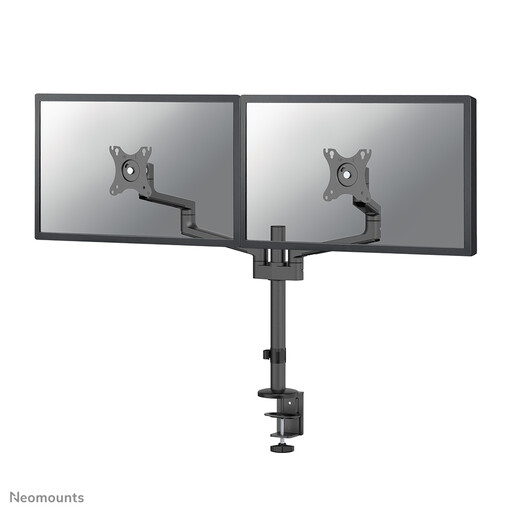
Why it suits this user: A good fit for office professionals, gamers and people working from home who use two screens and want to free up desk space.
The arm has a maximum capacity of 8 kg per screen, supports VESA 75 × 75 and 100 × 100 mm, and can be fitted with a clamp or grommet mount.
Supports two screens from 17 to 27 inches, with height and depth adjustment, rotation, swivel, tilt and internal cable management.
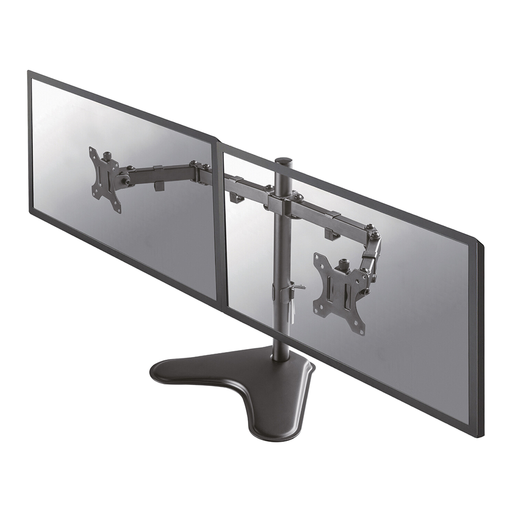
Why it suits this user: Handy if you want to use a monitor and laptop side by side on a compact home-working desk.
The product details list separate weight limits: up to 8 kg for the monitor and 4,5 kg for the laptop. The arm is designed for clamp or grommet mounting.
Suitable for monitors up to 32 inches and laptops up to 15,6 inches, with height adjustment up to 44 cm and cable routing.
We’ve put together a complete, up-to-date list of products that meet these strict selection criteria and current European safety regulations.
It depends on your chair, desk and screen size. As a general guide, the top edge of the screen should be roughly at eye level when you’re sitting upright. Measure its current height first, then choose a monitor riser or adjustable monitor stand with enough range.
A monitor arm usually saves desk space and gives you more freedom to move your screen. A freestanding stand is easier to set up and usually doesn’t need to be installed. Choose a monitor arm for a small desk or multiple screens; choose a monitor riser if you simply want to raise your screen.
Its lifespan depends on the material, load, installation and how often you adjust the arm. Regularly check that clamps, screws and hinges are still secure. Stop using the stand if you notice cracks, deformation or looseness that can’t be fixed. Always observe the stated maximum load and conditions of use.
