
Vandaag of morgen in huis

Kwaliteit gegarandeerd

Welkomstaanbiedingen ontgrendelen: GRATIS bezorging | Tot 80% korting | Gratis 30 dagen JoyPlus-proefperiode
Download de app
A monitor stand can free up desk space, line up multiple screens neatly and help you set them at the right viewing height. But it’s not wise to choose one based only on price, design or the number of connections. The wrong choice could leave you with an unstable desk, insufficient weight capacity or screens that are difficult to adjust.
For people working from home, gamers, programmers and creative users, these are the three main pitfalls to watch out for:
Always check the maximum weight per monitor, not just the total weight capacity. A stand for 2 monitors with a capacity of 8 kg per arm is different from a model that can hold 8 kg in total.
For curved screens, remember to include accessories and any adapters in your calculations. With a setup of three or six monitors, the load on your desk also increases significantly. So check:
According to its product specifications, the Neomounts FPMA-D700D6 supports six screens measuring 19 to 27 inches, with a maximum weight of 8 kg per screen. A monitor arm for 6 screens needs extra consideration of the desk edge and centre of gravity.
VESA refers to the distance between the mounting holes on the back of a monitor. Many models use 75 × 75 mm or 100 × 100 mm, but check each screen before you order.
A VESA monitor stand is only suitable if the holes and supplied screws match. Also consider the combination of screen size and weight. An arm for screens up to 27 inches won’t necessarily suit every 27-inch screen.
For larger screens, a dual monitor arm for screens up to 32 inches may be more practical. According to its product specifications, the Neomounts FPMA-D550DDBLACK is suitable for two screens up to 32 inches, with a maximum weight of 8 kg per screen.
An adjustable monitor stand may offer height adjustment, tilt, rotation and swivel. However, not every arm has the same range of movement. Check whether you can position the screens side by side, one above the other or in portrait orientation.
Also consider the mounting method:
A monitor stand with cable management helps route power and display cables along the arms. Check how many cables the clips can hold and whether the cables have enough slack when you adjust the screens.
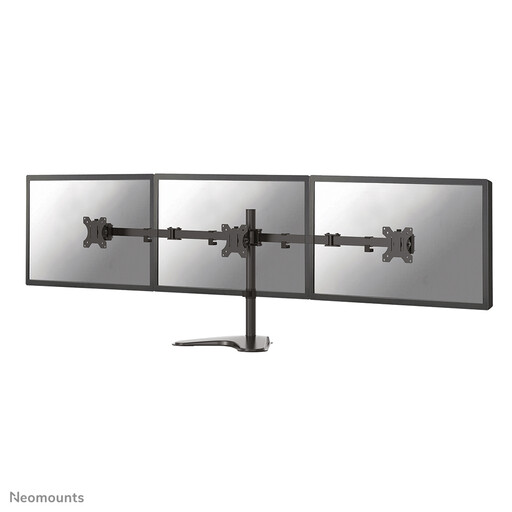
Why it suits this user: This model holds three screens, so you don’t have to jump straight to a six-monitor setup. It’s a good fit for someone working from home or a programmer who wants to keep several windows open side by side.
The specifications state a maximum of 6 kg per screen, VESA 75 × 75 and 100 × 100 mm, and cable clips. This means you can check the most important compatibility details in advance.
Suitable for three screens measuring 13 to 27 inches; height adjustment from 0 to 43,2 cm, with tilt, rotation and swivel.
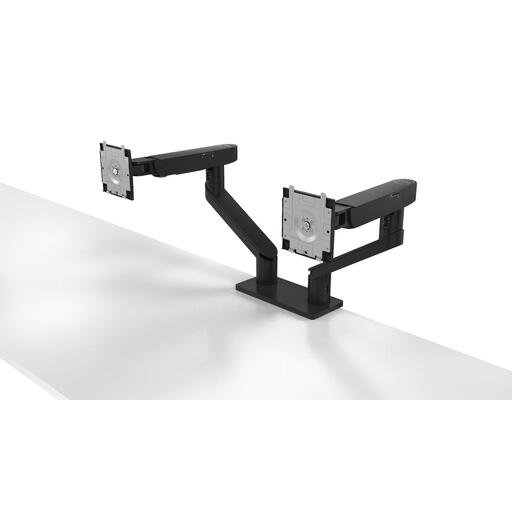
Why it suits this user: For a professional workstation with two screens, clear mounting details and ample weight capacity are important. This model is designed for two screens up to 27 inches.
The product information specifies a maximum of 10 kg per monitor, cable clips and height adjustment. Before buying, check that your screens support the stated mounting system.
Supports two screens up to 27 inches; features Dell Quick Release according to the product description, plus cable management for up to 10 cables.
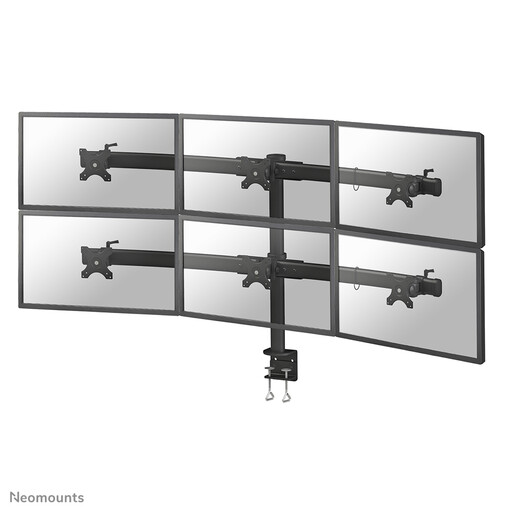
Why it suits this user: This model is designed for users who need six screens, for example for monitoring, financial dashboards, video editing or an extensive programming setup.
The product information specifies a maximum weight of 8 kg per screen and warns that the desk must be able to support the combined load. This makes it essential to check the desk surface.
Holds six screens; manual height adjustment from 22 to 70 cm and VESA 75 × 75 and 100 × 100 mm.
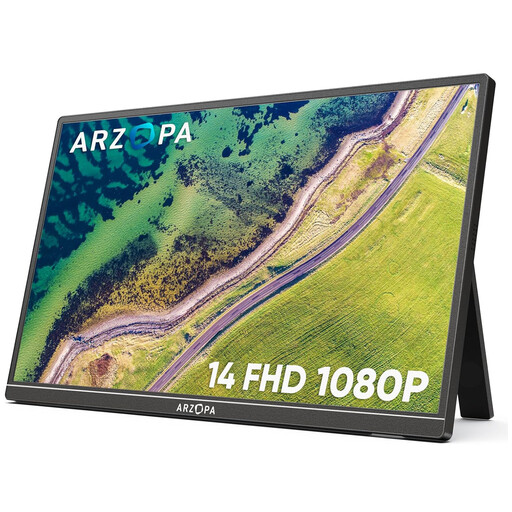
Why it suits this user: If you often switch between home, the office and the train, a portable monitor may be more useful than a fixed desk monitor stand.
The connections and resolution are clearly specified: 1920 × 1080, 60 Hz, two USB-C ports and mini-HDMI. Check that your laptop supports video over USB-C.
14-inch IPS screen with Full HD resolution; built-in stand and a weight of around 600 grams according to the product specifications.
We’ve put together a complete, up-to-date list of products that meet these strict selection criteria and current European safety regulations.
No. Check the VESA pattern, weight and maximum screen size. If your monitor doesn’t have VESA holes, you may need a separate adapter. Also check that the supplied screws are suitable.
It depends on the desk’s thickness and sturdiness, and on where the clamp or grommet mount will go. Multiple screens put more weight on a small area. If in doubt, use a reinforcement plate and follow the manufacturer’s installation instructions.
A monitor arm generally offers a greater range of adjustment and frees up desk space. A freestanding stand is simpler if you don’t want to clamp or drill. For two screens, a dual monitor arm can often save space; for a fixed, compact setup, a stand may be all you need. Focus on weight capacity, VESA compatibility and how you use your desk.
