
Spreadsheet and chart user
You want to compare figures, categories and charts, so workspace and text scaling are your main priorities. Dell Netherlands and LG Netherlands describe models with different resolutions that you can compare side by side.


Start by measuring the desk space you have and thinking about the display size at which you can comfortably read your spreadsheet and chart. Full HD may be enough to view one overview at a time; 1920 × 1200 or QHD gives you more pixels for spreadsheets. USB-C with power delivery is only useful if your laptop supports video over USB-C and the charging wattage is sufficient.
You want to compare figures, categories and charts, so workspace and text scaling are your main priorities. Dell Netherlands and LG Netherlands describe models with different resolutions that you can compare side by side.
You need to fit the monitor stand alongside your study materials, so screen size isn’t the only thing to consider. Dell Netherlands and LG Netherlands list adjustable stands for the models mentioned; be sure to check the dimensions with the stand attached, too.
You switch between your laptop and monitor and want to know whether the ports support video, data and possibly charging. Dell Netherlands, LG Netherlands and Philips Netherlands describe different USB-C features, so check the exact port and whether it’s compatible with your laptop.
| What to consider | What to look for | Who is this important for? |
|---|---|---|
| Room for a spreadsheet and chart | Compare the resolution and aspect ratio, and view your own spreadsheet at a comfortable text size. | If I want to see figures and a chart at the same time, I look for enough readable space without making the text too small. Around 33% of consumers put workspace at the top of their list. |
| Fits on a small desk | Measure the available width and depth, and check the dimensions with the stand and the adjustment options. | I want to fit the monitor alongside my study materials, so I take the stand into account as well as the screen size. Around 27% of consumers make desk space their top priority. |
| Energy information and features | Check the EU energy label for the exact model and choose features you’ll actually use. The European Commission uses an A–G scale for electronic displays. | I want to compare the energy information for the specific model and avoid paying for features I don’t need. Around 20% of consumers start with this consideration. |
| Connecting and charging | Check that your laptop supports video over USB-C, the charging power in watts and which cable is included. | If I want to use my laptop with as few separate connections as possible, I first check whether one cable can provide both video and enough power. Around 20% of consumers prioritise ease of connection. |
A USB-C port can support different functions. Dell lists a downstream data port on the P2425H; this does not confirm that it has a video input for a laptop. LG specifies 65 W USB-C Power Delivery for the 24QP750P-B.
For the exact monitor, compare its video and charging capabilities with your laptop’s ports and charging requirements.
If the connection isn’t suitable, you may still need a separate video cable or charger.
The diagonal measurement doesn’t tell you how much space the stand takes up or how you can position the screen.
Measure your desk and compare it with the dimensions of the exact model with its stand, as well as its adjustment options.
The compact models mentioned have different resolutions, but how much information you can usefully see also depends on the text size.
Try viewing a sample of your own spreadsheet and chart at a size you find comfortable to read.
The P2425H and P2425 show how Full HD and 16:10 offer different amounts of workspace on compact monitors.
The LG 24QP750P-B combines a 23.8-inch screen with QHD resolution and USB-C features.
For the 24E1N1300AE/01, Philips describes a compact Full HD monitor with USB-C for a compatible laptop.
These product picks focus on compact Full HD and QHD monitors for viewing spending summaries at a student desk.
 Image unavailable
A 24-inch Full HD screen for viewing a spending summary on a compact display.
The product name specifies Full HD, 100 Hz and VA.
 Image unavailable
For viewing a spreadsheet and chart on a screen of around 24 inches, with the option to adjust your viewing position.
This model has a 23.8-inch IPS screen with 1920 × 1080 pixels; the description lists height and tilt adjustment.
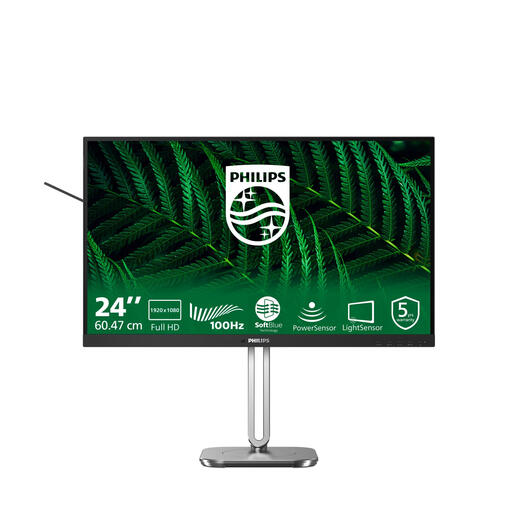 Image unavailable
A 23.8-inch Full HD model for viewing a spending summary on a compact screen.
The product name specifies 1920 × 1080 pixels.
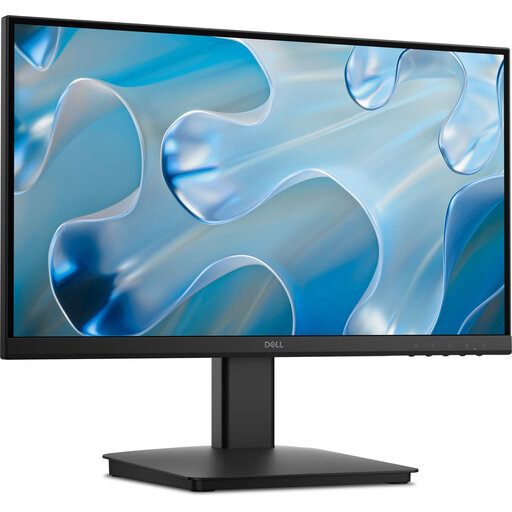 Image unavailable
A smaller screen to consider if you have limited space on your desk.
The product name specifies 1920 × 1080 pixels.
 Image unavailable
For viewing a spreadsheet and chart on a compact screen, with the option of connecting your laptop using a single USB-C cable.
The monitor has 2560 × 1440 pixels. The description lists USB-C video and 90 W Power Delivery; video and charging depend on compatibility with your laptop.
No, QHD isn’t essential. It depends on how much you want to see at once and what text size you find comfortable to read. According to Dell Netherlands and LG Netherlands, the compact models mentioned range from 1920 × 1080 to 2560 × 1440 pixels. Try your own spreadsheet at the resolutions you’re considering.
Measure the available width and depth, then compare them with the monitor’s dimensions with the stand attached. LG Netherlands lists the 24QP750P-B as 540.1 mm wide and 240 mm deep with the stand; also check the adjustment options for the specific model.
No, it depends on the monitor port’s capabilities and your laptop’s support. Dell lists a USB-C downstream data port on the P2425H, while LG specifies 65 W Power Delivery for the 24QP750P-B. Check that both devices support video and the charging power you need.
In the Netherlands, online consumer purchases usually come with a statutory cooling-off period of up to 14 days after delivery, although exceptions apply. ACM ConsuWijzer also distinguishes between the cooling-off period and the statutory guarantee: if a product proves faulty sooner than you could reasonably expect under normal use, the seller is responsible for offering an appropriate solution. Check the applicable returns policy and keep your proof of purchase.